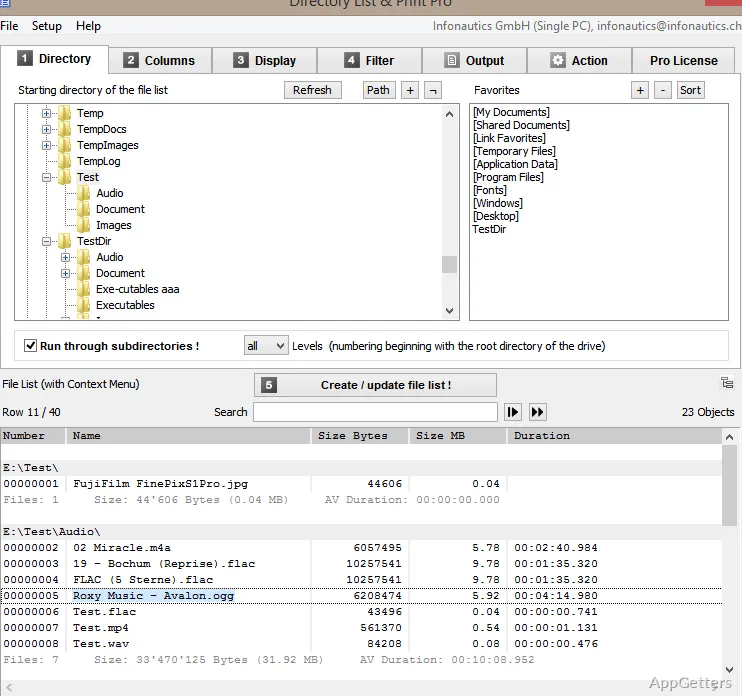
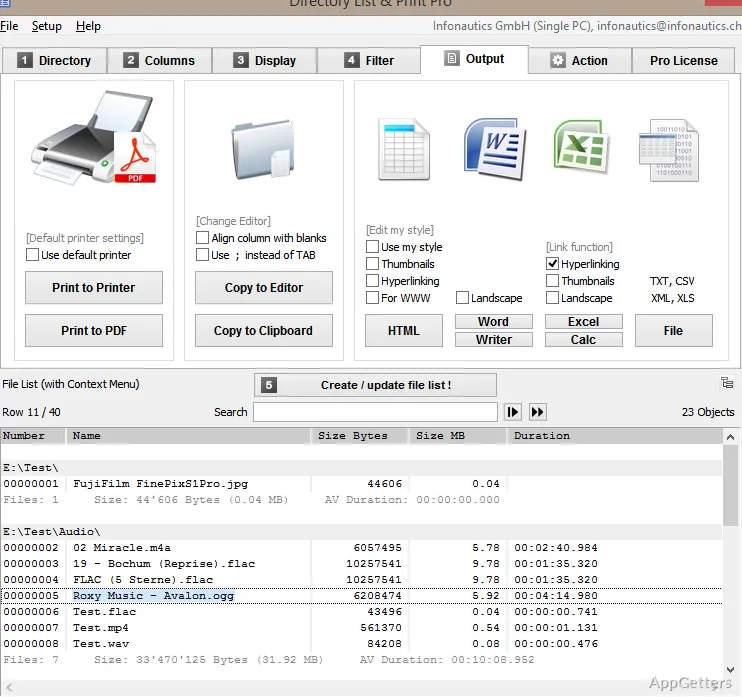
The folder listing view lets you choose a directory and display its files, with subfolders included when needed. Directory List and Print can format the results for printing, copy them to the clipboard, or export them for use in other programs.
Choose a folder and shape its listing
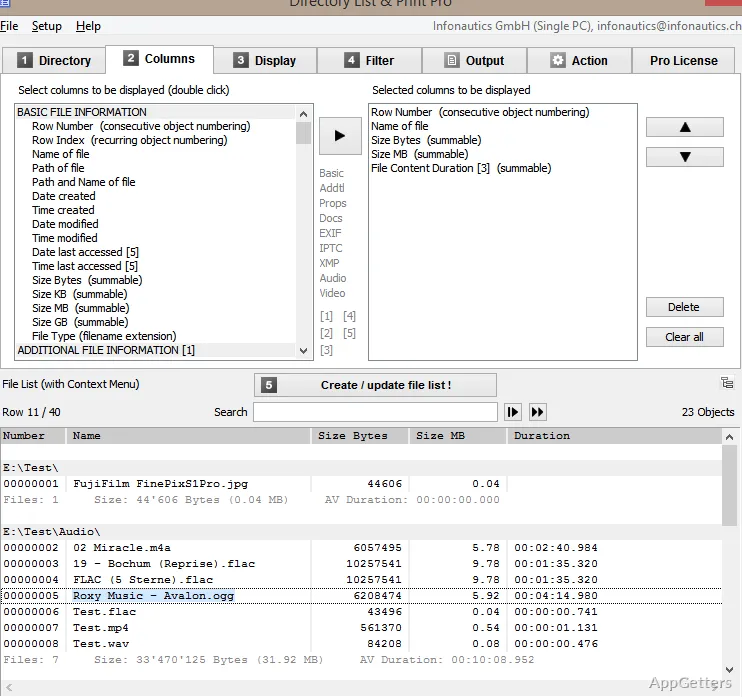
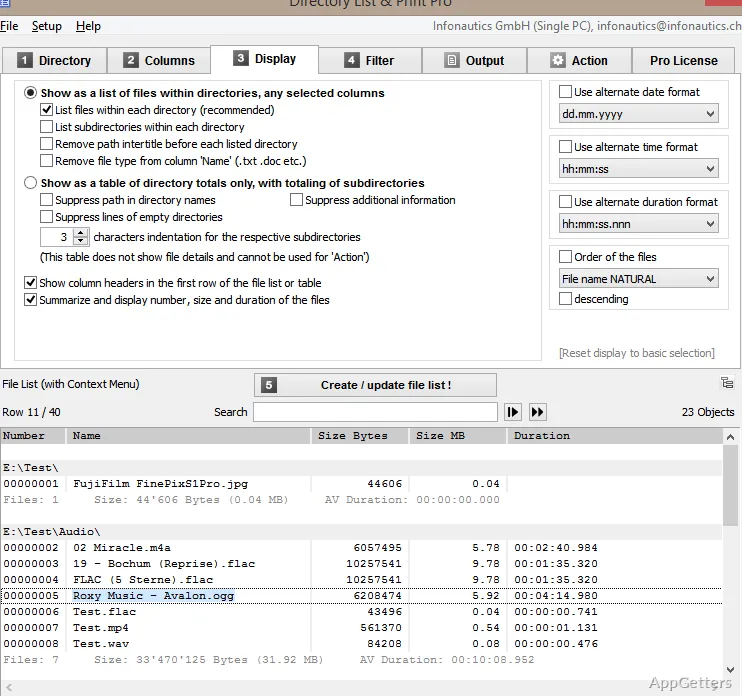
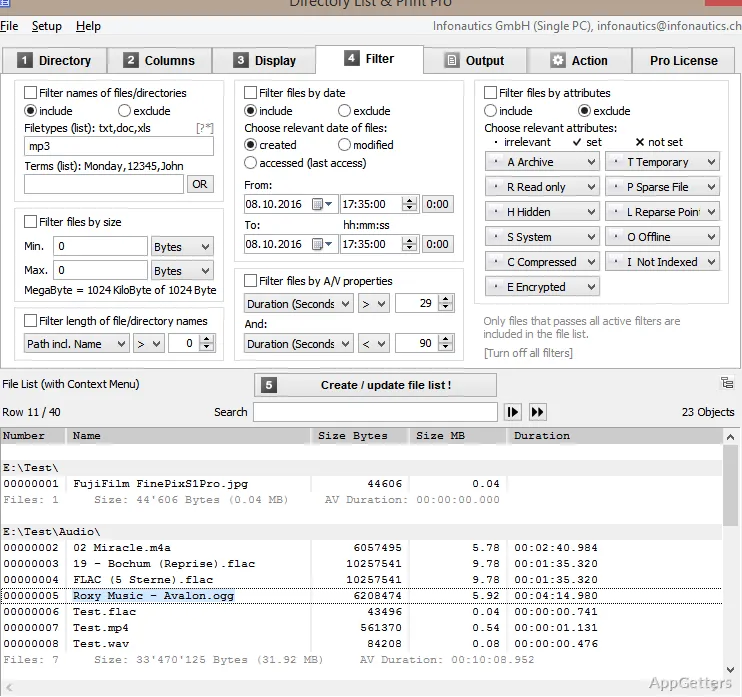
Select a directory to build a list of its contents; include subfolders to capture a deeper directory structure. Filter the results by file name, type, size, path, date, or file attributes, then choose which information appears in the listing.
The program can also be added to the Windows Explorer context menu, so a selected directory can be sent directly for listing. This avoids browsing to the same folder separately within the program.
Include file details and metadata
A listing can show standard file information such as names, paths, sizes, and dates. For supported files, Directory List and Print can extract metadata from image, audio, video, and document files. Examples include image dimensions and camera details, audio artist and album tags, video length, document author, and page count.
Image metadata can include EXIF and IPTC fields. These details let a catalog show more than filenames, such as the author of a document or the recording information attached to an audio file.
Export or print the results
Send a finished list to a printer, copy it to the clipboard, or save it in a format suited to the next step. Available file outputs include text, PDF, HTML, and XML tables. Listings can also open directly in Microsoft Word or Excel and OpenOffice Writer or Calc.
Excel and Calc output can include image or video thumbnails; Excel files can be generated without Excel installed. This makes the listing available for editing or sorting in a spreadsheet, while HTML and PDF preserve a shareable report format.
Manage listed files
The Pro edition can copy, move, or delete files from a generated listing. Its copy and move operations can preserve each file’s original creation date, which is relevant when organizing a collection or transferring files while retaining that timestamp.
Pros
- Lists files from subfolders as well as the selected directory
- Exports listings as text, PDF, HTML, or XML
- Filters listings by name, type, size, path, date, and attributes
- Can extract metadata from images, audio, video, and documents
Cons
- Advanced filters, formatting, and output options are reserved for the Pro edition
System requirements: Windows 7, Windows 8, Windows 10, Windows 11 · 32-bit and 64-bit · About 20 MB disk space
Can Directory List and Print include subfolders?
Yes. Include subfolders when creating a listing to show files beneath the selected directory.
What file details can appear in a listing?
Along with names, paths, sizes, and dates, supported files can contribute metadata such as image dimensions, audio tags, video length, and document page counts.
Which formats can the listing be exported to?
Listings can be saved as text, PDF, HTML, or XML tables, copied to the clipboard, or opened in Word, Excel, OpenOffice Writer, or Calc.