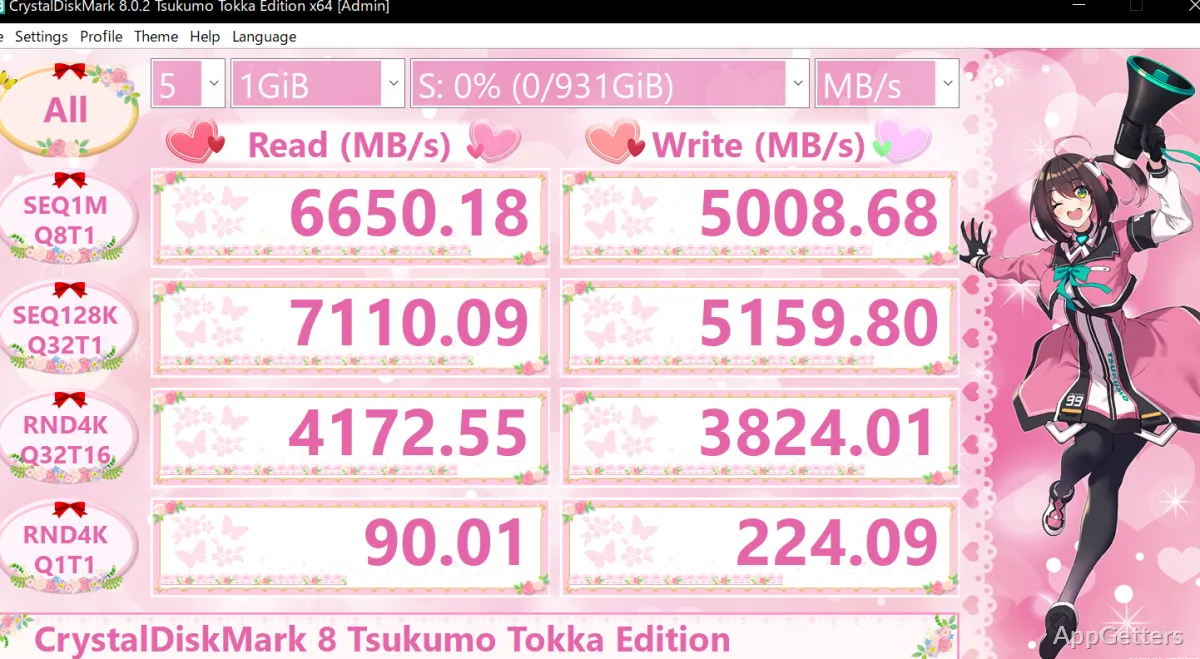
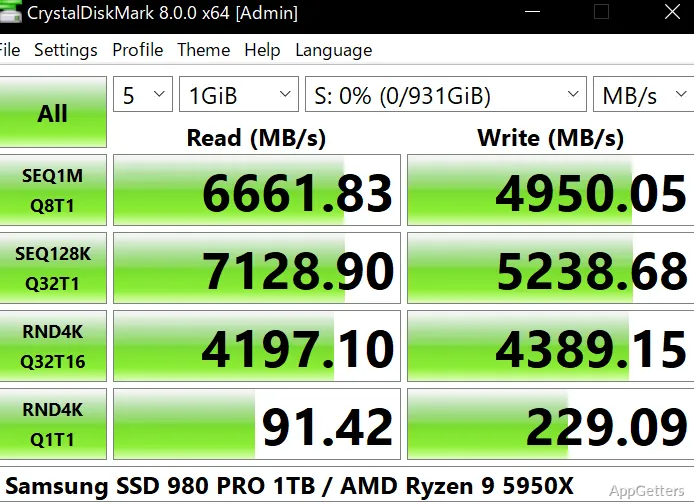
The benchmark table reports read and write results for each test CrystalDiskMark runs. The program measures storage performance on a selected drive, with sequential and random workloads that show how it handles different kinds of data access.
How do you set up a drive test?
Choose the target drive, the amount of test data, and the number of runs before starting. The All control runs the full test set; selecting an individual test row runs just that workload. This makes it straightforward to compare a complete drive profile with one specific kind of read or write activity.
The test size affects how much data is used during a run, while the run count determines how many times the tests repeat. Results can vary with the drive’s current workload, so readings taken under different system activity may not match.
What do the sequential and random tests measure?
Sequential tests transfer data in a continuous stream, representing work such as reading or writing large files. Random tests access smaller blocks at scattered locations, a pattern associated with many small requests. CrystalDiskMark includes tests with different block sizes and queue/thread settings, so results can reflect more than one access pattern.
These workloads matter because a drive’s sequential speed and its handling of small, scattered requests are separate performance measures. A high result in one test does not by itself describe every kind of storage activity.
How should you read the results table?
Each test row has separate read and write figures, allowing the two directions to be compared for the same workload. The selected unit determines how performance is displayed; throughput units express transfer speed, while IOPS counts operations per second. Run the same test settings on each drive when comparing their results.
CrystalDiskMark focuses on benchmark measurements. It does not explain a low score’s cause or provide a drive-health diagnosis.
Pros
- Separate sequential and random read/write tests
- Selectable target drive, test size, and run count
- Results shown in a side-by-side read/write table
System requirements: Windows 7, Windows 8, Windows 8.1, Windows 10, Windows 11 · 32-bit and 64-bit · ARM64 supported
Does CrystalDiskMark test both SSDs and hard drives?
Yes. It benchmarks storage devices including SSDs and HDDs using read and write tests.
What is the difference between sequential and random results?
Sequential tests measure continuous transfers, while random tests measure access to smaller blocks at scattered locations.
Can I run only one benchmark test?
Yes. Choose an individual test row to run that workload, or use All to run the full set.