Files spread over several drives, and backups you keep forgetting to run? Backup4all sets up automatic backup jobs. It stores protected copies locally, on network locations, or with supported online services, with compression available to reduce backup storage needs.
Backup jobs and schedules
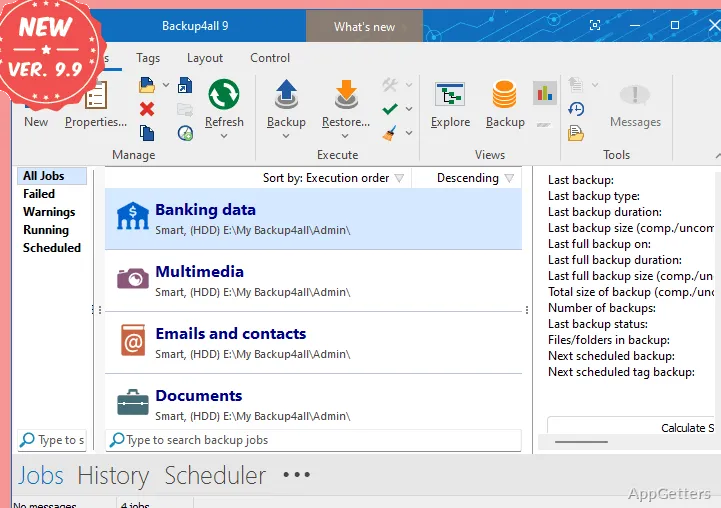
A job pairs selected files or folders with a destination and backup settings. Schedule jobs to run automatically, so recurring copies do not depend on remembering to start each one.
Backup4all offers full, incremental, and differential backup types. An incremental job only picks up what changed after the last run, which can reduce the amount of data copied on each run. Compression is available for backup storage.
Local, network, and cloud destinations
Jobs can read from or write to local hard drives, optical discs, external drives, removable media, and network locations. Backup4all also supports FTP, FTPS, and SFTP, along with online storage services such as Google Drive, OneDrive, Dropbox, Amazon S3, Azure, and Box.
Cloud locations and FTP/SFTP servers can also serve as backup sources.
Application backup plugins
Plugins are XML files that add predefined backup jobs for particular applications or data sets. They can target items such as program settings, email data, or game saves, reducing the need to define those selections manually. Some plugins also support restoring the corresponding data.
Pros
- Supports local, removable, network, FTP, and cloud destinations
- Incremental backups include files changed since the previous backup
- Plugins define backups for specific applications and data
- Can use cloud and FTP/SFTP locations as backup sources
System requirements: Windows 7, Windows 8, Windows 10, Windows 11 · 32-bit and 64-bit
What backup types does Backup4all support?
It supports full, incremental, and differential backups. An incremental backup only copies what changed after the last run.
Can Backup4all back up files stored online?
Yes. It supports cloud locations as sources and destinations, including Google Drive, OneDrive, Dropbox, Amazon S3, Azure, and Box.
What do Backup4all plugins do?
Plugins are XML files that add predefined backup jobs for specific applications or data, such as settings, email data, or game saves.