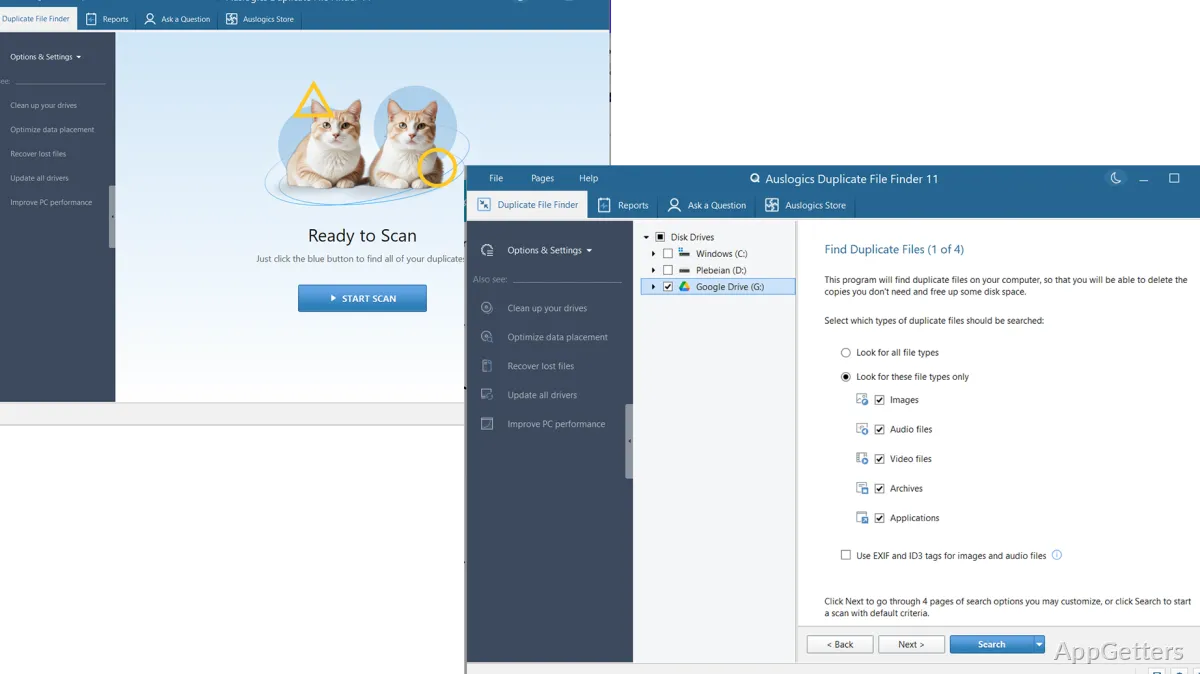
When a photo library, downloads folder, or removable drive has accumulated extra copies, locating them by hand can take time. Auslogics Duplicate File Finder scans selected locations, compares file contents as well as names, and groups matches so you can choose what to remove.
Scan filters and locations
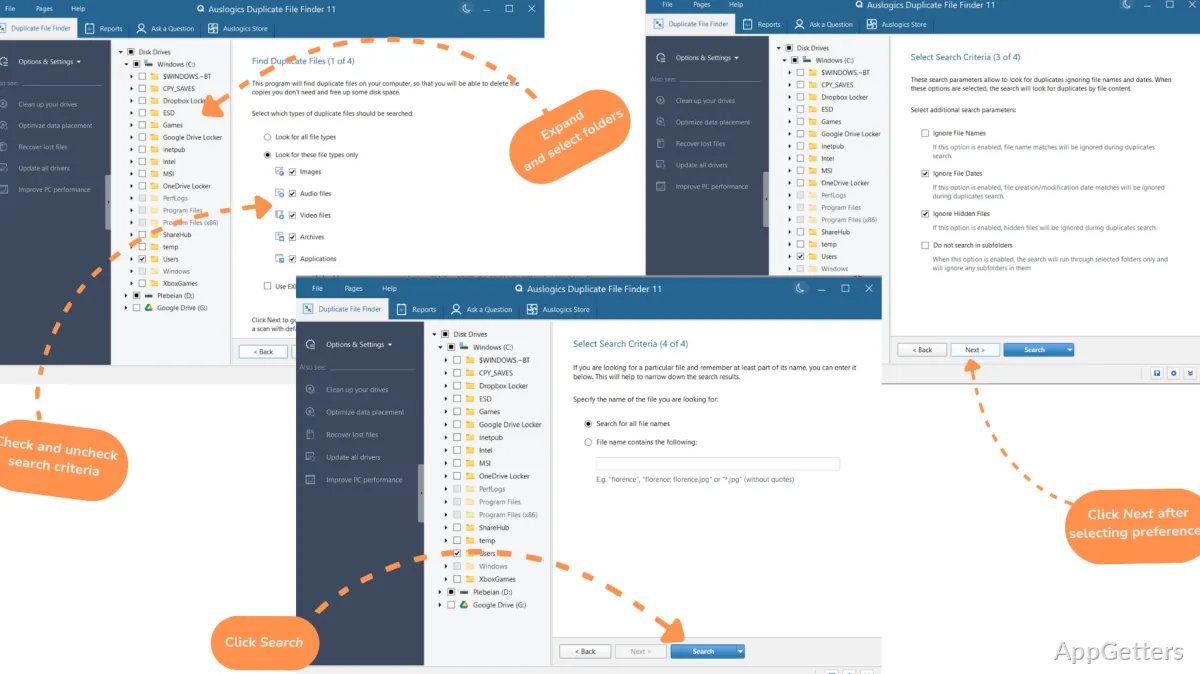
Choose where to search, including folders on internal or removable drives. The file-type options cover images, audio, video, archives, applications, or all types. Filters can also narrow the search by file name or part of a name and exclude files above or below a chosen size.
A setting to ignore file names lets the scan find matching content even when copies have been renamed. The program also places system folders and other important locations on an Ignore List, keeping them out of scans and cleanup.
Grouped results and selection
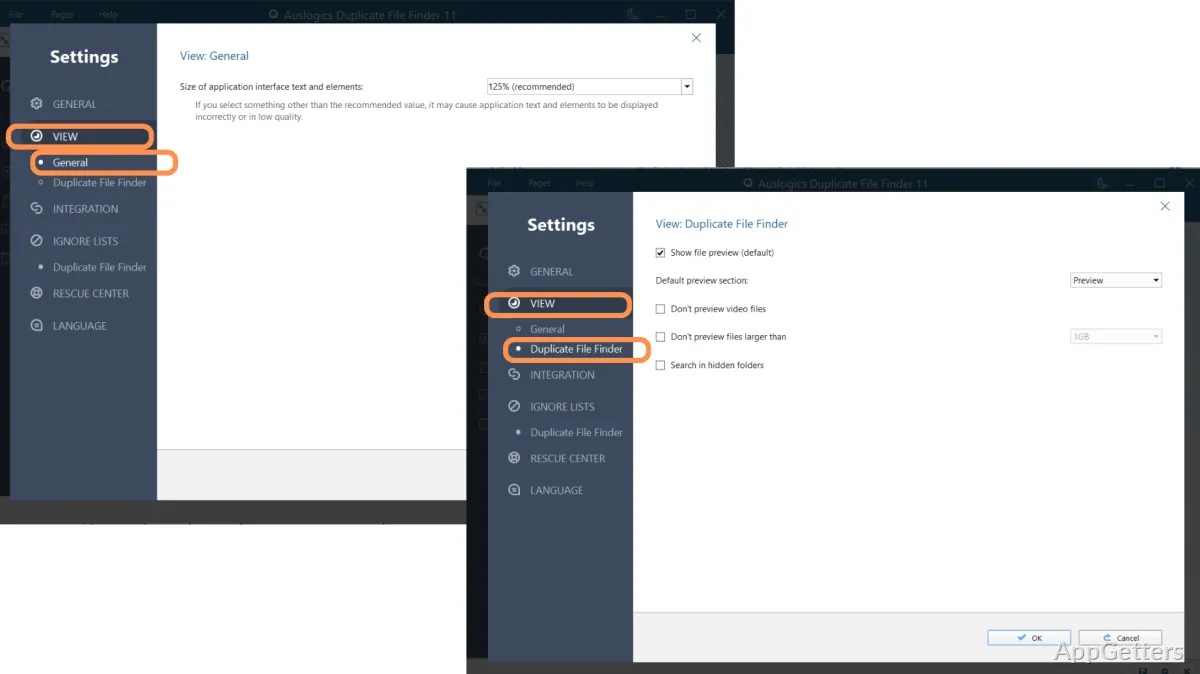
After scanning, Duplicate File Finder arranges matches into groups. Inspect the copies and select specific files to keep or remove; the program can also mark copies automatically with its selection algorithm. Clicking a result shows a preview when Windows has an app that can display that file type.
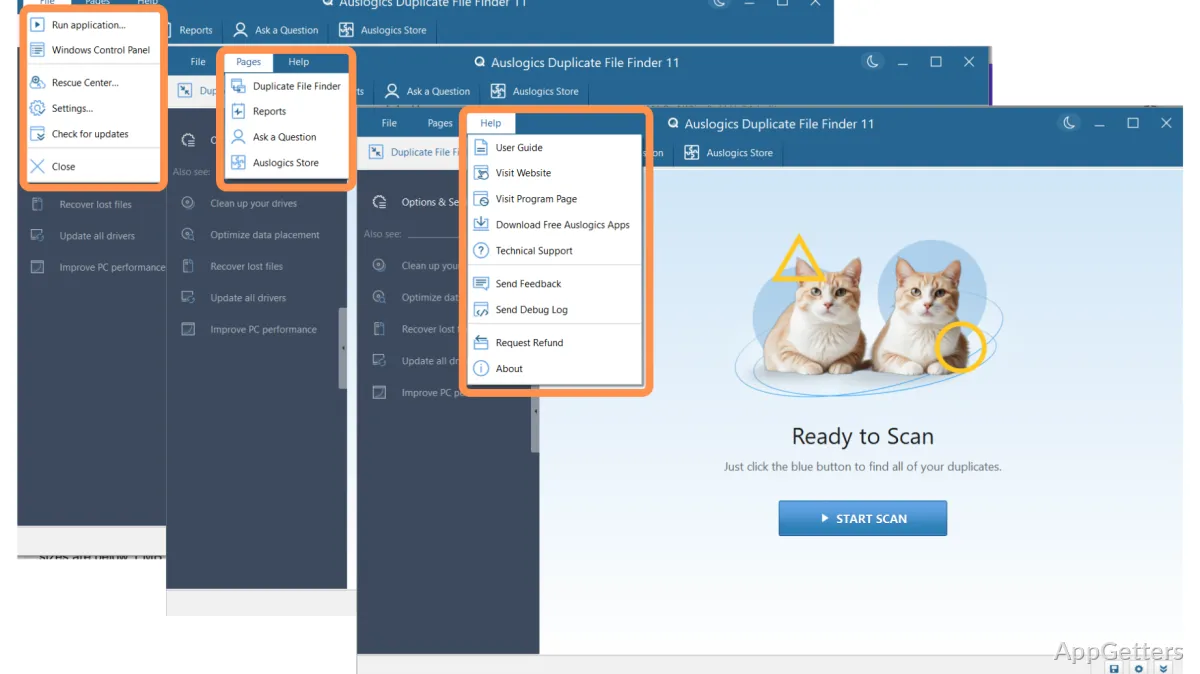
- Use the right-click option in File Explorer to start a search for a particular folder.
- Scan removable storage such as USB drives, memory cards, and portable hard drives.
Removal and recovery choices
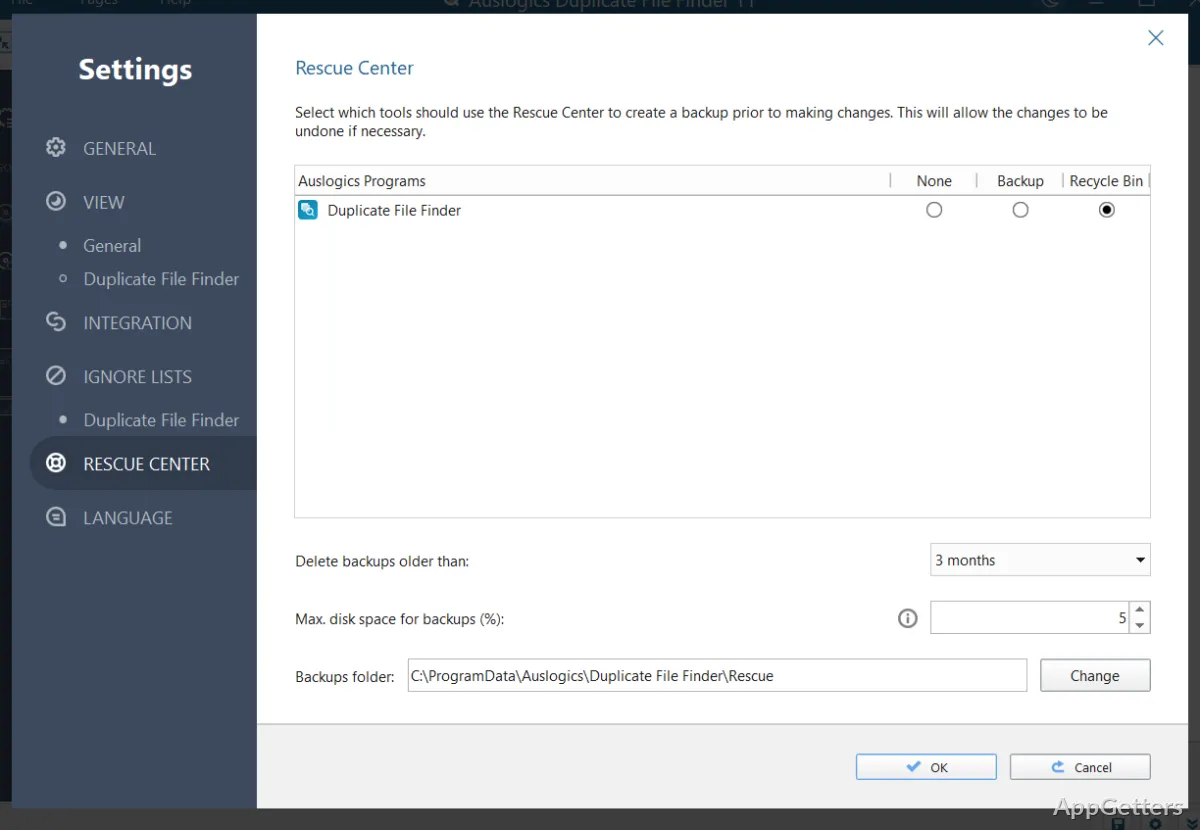
Choose the removal destination for selected duplicates: the Recycle Bin, Auslogics Rescue Center, or permanent deletion. The first two options retain a way to restore files; permanent deletion removes that recovery route. These choices let you handle reviewed groups individually instead of deleting every detected copy at once.
Pros
- Compares file contents to find copies with different names
- Filters searches by file type, name, and size
- Offers manual and automatic duplicate selection
- Can send selected files to the Recycle Bin or Rescue Center
Cons
- Unlimited duplicate search and cleanup requires the Pro version
- Windows XP and Vista are not supported
System requirements: Windows 7, Windows 8, Windows 8.1, Windows 10, Windows 11
Can it find duplicate files that have different names?
Yes. Enable the option to ignore file names so the search compares file contents even when names differ.
Can I choose which copies to remove?
Yes. Review the grouped results and select copies manually, or use automatic selection to mark files for removal.
Can I recover a file removed by mistake?
Files sent to the Recycle Bin or Rescue Center can be restored while they remain there. Permanently deleted files do not have that recovery option.