EXE
Home » Software » Windows » CAD » Ashampoo 3D CAD Architecture for Windows
Ashampoo 3D CAD Architecture for Windows

Ashampoo 3D CAD Architecture for Windows

  • By Ashampoo
  • Free
  • Version: 12.0.0
  • 1.87 GB
  • Security Report:

A home renovation or a custom floor plan is often hard to imagine. Once measurements, room layout, and structures come into the picture, everything gets complicated. The design seems nowhere near your expectations. Besides, many light design software programs are still too limited for serious design work. High-end CAD packages scare beginners by focusing on engineering-type work trends. Ashampoo 3D CAD Architecture is a practical mediator, as it provides a simple design environment for those who want precise building plans without the pain of a full-blown CAD suite. On Windows platforms, the software acts like a very handy architectural design tool that targets home planners, building renovators, and hobbyists. Instead of relying on visual beauty, it mainly focuses on a layout that is easy to realize for building constructions. This separates it from the majority of casual house interior design software. It has a thoroughly work-oriented foundation.

Home Planning as a Central Theme

It might be among the most surprising advantages. The potential of Ashampoo 3D CAD Architecture to steer its users from one step of planning to another comes in a perfectly logical and natural way. Working on structural elements such as walls, windows, roofs, stairs, and floors follows architectural planning methods. It does not follow simple trinket-decorating planning. One can create a very simple 2D plan and advance to 3D planning without starting over the project.

This workflow, on the other hand, is a blessing for homeowners who are doing a renovation or a house extension. If the designs change, the planning will still be simple enough for people to handle. Measurements are constantly updated automatically, and the program keeps a level of architectural organization that many entry-level design programs simply lack. However, professional users will still find the interface pretty basic when compared to professional drafting platforms. This aspect is the one that occasionally lessens the learning hurdle for novices.

Getting the Perfect Mix of Detail and Understandability

To a degree, Ashampoo 3D CAD Architecture is constantly trying not to scare off users, especially novices who do not know what to expect. But this is just 1 session out of multiple sessions. Primarily, the first few sessions have a more noticeable adjustment period. Elements are presented through menus, libraries of objects, and editing tools. They are basically a huge mountain of icons that may scare even those who have tried architectural software on their first encounter. Nevertheless, after basic help in terms of moving around the building, one gets used to it. After learning a little bit, one realizes that it is very stable and systematic overall.

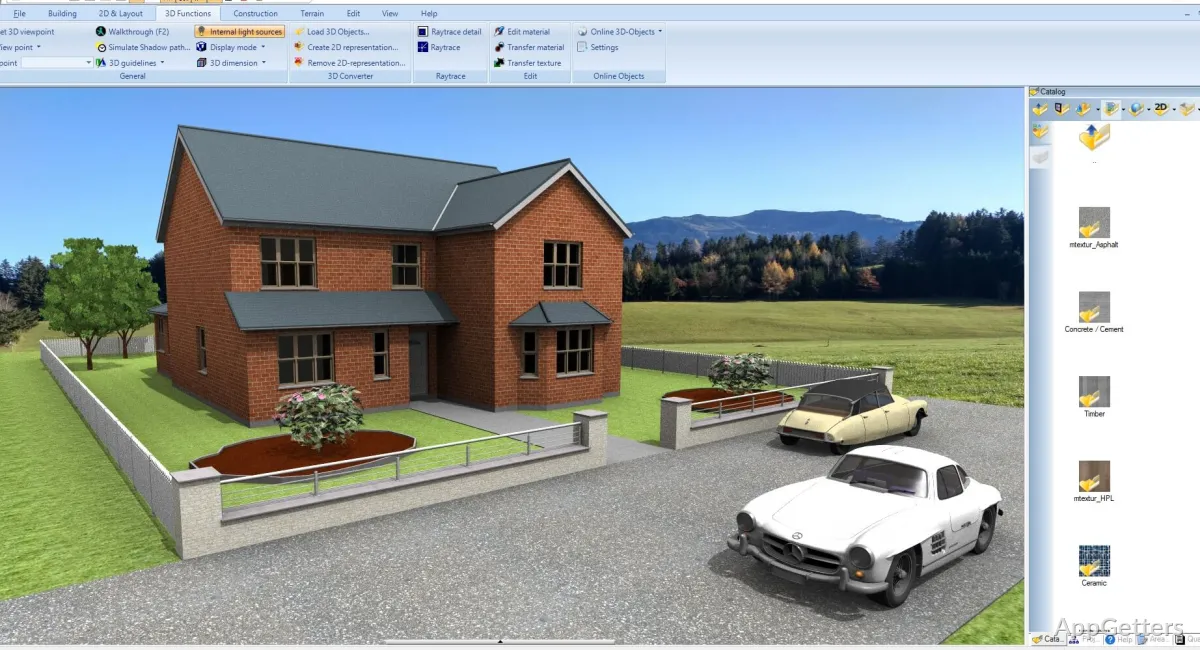
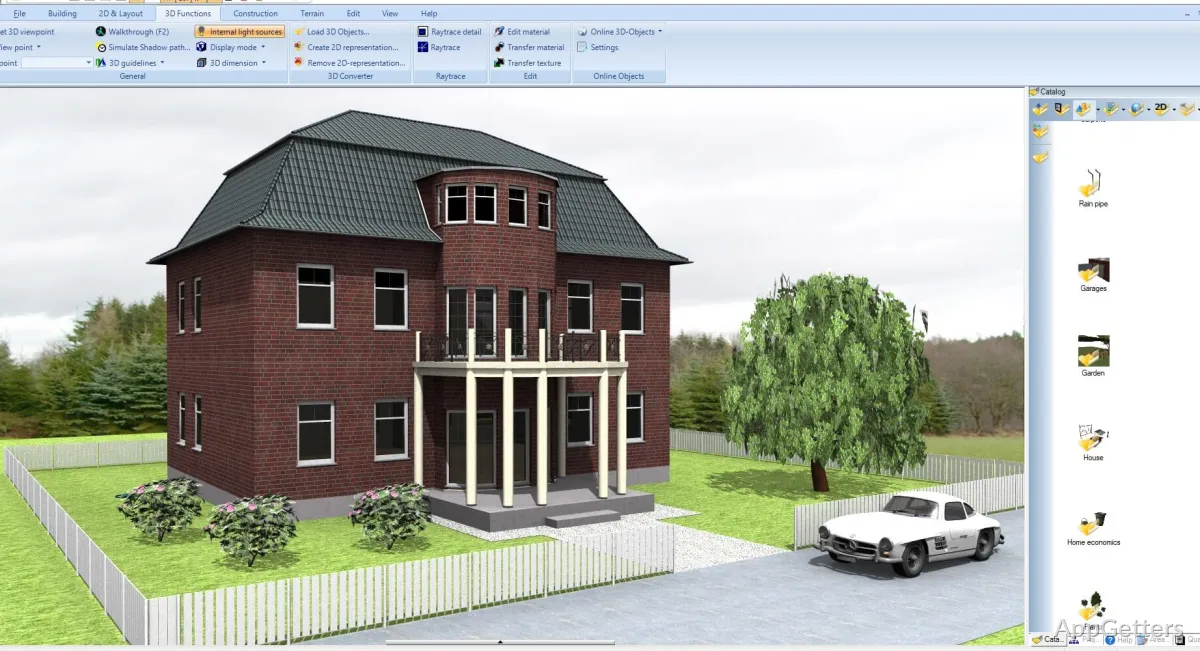
The tools for 3D visualization are extremely important for those who, after looking at the model in 2D, need to understand the space, the roof, and the details better before the material actually reaches a construction site. Viewing the project from different points gives room for making decisions about layouts. These layouts are often very difficult to figure out on the sketch. A medium-sized house project does what it needs to do very well on a modern Windows machine. However, plans that are bigger and more detailed will slow down the system radically, depending on the hardware specs. It is more focused on functionality than leading-edge visual capabilities. Here, reliability counts more than polish to the eyes.

From Renovations To Extensions And Even School Use

From a practical perspective, this software is not so much designed for production at the scale of commercial architecture. It is more targeted for residential planning. Remodelers, for example, can draw up plans with quite a lot of accuracy for kitchens, attic refurbishments, garages, and garden pavilions without needing any formal CAD education. The balance among technical drawing and visual clues will also make it very appealing to students and first-time designers. This especially applies to those who are still not very sure about the whole thing.

It is really the case that, by using things as simple as object libraries and construction utensils, one can spend less time checking different versions of room arrangements or furniture layouts. That said, the software still requires you to keep using your tolerance. Roof tooling, as well as advanced editing functionalities, will get difficult, especially in the case of a building with a very odd shape. Users who decide to use a completely drag-and-drop planner similar to a casual room planner may be surprised. They will discover that the workflow is more technical than they had thought.

Best Use Cases of Ashampoo 3D CAD Architecture

By far, Ashampoo 3D CAD Architecture is the tool for those who desire a higher level of precision than what basic interior design tools deliver. However, they do not have the need for the amount of features or the cost associated with professional architectural suites. It is the practical side of home planning that gets a big boost here. Dimensions are accurate, changes in the building structure can be toggled, and editing does not have to be really cinematic in terms of the rendering paint-up.

Windows users working on renovation, self-build, or architecture school projects will find the software to be a very friendly tool with a helpful climate. It does not give the feeling of being specialized to a degree that is excessive. Neither is it the fastest tool to learn, nor is it the most modern in terms of CAD platform. However, one has to rely on the drafting workflow. It is completely established and a reflection of the actual residential design activities, not only those that are geared towards presentation and visualization.

Software Details of Ashampoo 3D CAD Architecture 12.0.0

License
Free
Version
12.0.0
File Size
1.87 GB
Downloads
1
Languages
English English, Chinese, French, German, Italian, Portuguese, Spanish
Category
CAD
Op. System
Windows
Developer
Last Updated
May 7, 2025

Version History

1 version
12.0.0
Latest
1.87 GB
May 7, 2025

Leave a Comment

Your email address will not be published. Required fields are marked *

Software Icon
Security Report

Loading scan data...

Scroll to Top