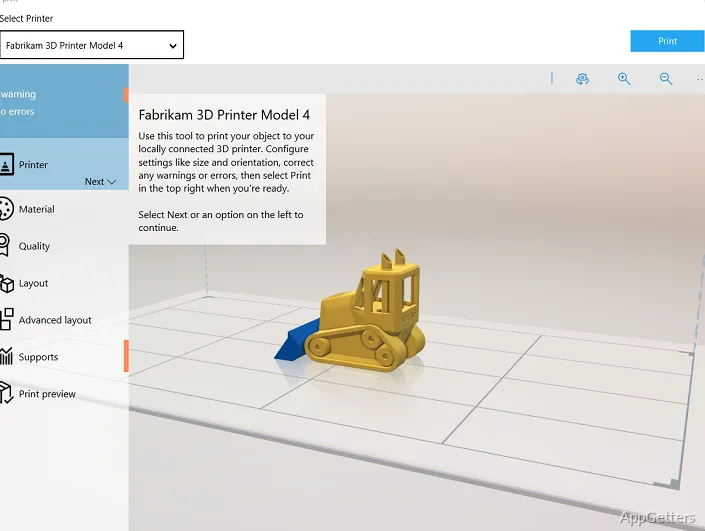
Many Windows users want to work with 3D files out of curiosity, but quickly run into compatibility problems. Files won’t open correctly, exported models don’t print properly, or editing tools are too complex for occasional users. Besides, most professional 3D applications expect users to be familiar with modeling. This makes even minor adjustments seem very complicated. 3D Builder is quite different in that respect.
The software was initially developed for Windows. Instead of professional-level modeling, the program aims to allow ordinary users to create 3D content without a major learning curve. It’s pretty light, user-friendly, and its features are aimed at a few very practical uses rather than a full-blown production pipeline.
A Simpler Way to Handle 3D Files
3D Builder really sets itself apart in how quickly you can take advantage of its features. Installing it on Windows is a breeze, and its layout doesn’t have the highly technical toolbars often seen in engineering or animation software. There is no noticeable lag in opening STL, OBJ, or 3MF files. This is an important point for users who seldom use 3D models.
The program serves as a great tool for simply viewing, resizing, combining, and even 3D printing models. It is this easy and intuitive use that benefits home users and students. They can also avoid making accidental changes that might harm the existing model. At times, basic repairs are handled automatically as well, which is helpful when the downloaded files contain minor defects in geometry. It is not out to rival fully-featured CAD software, and this limitation is actually one of the key reasons why it continues to be accessible.
Useful for Entry-Level 3D Printing Workflows
Entry-level 3D printing and 3D Builder go hand in hand. A lot of people who get a basic 3D printer for the first time find that slicers are not enough on their own. They occasionally have to alter the size of the model, stick objects together, or even make quick repairs. What this software essentially offers is the middle ground between retrieving a model and printing it.
The repair tool that comes with it is very useful to those not skilled at fixing models. Instead of you having to do it, the program frequently finds and fixes mesh issues when you open the file.
Nowadays, Windows systems are powerful enough that the software performs very well with relatively large and detailed files. However, if you try very complex or highly detailed ones, you will find that the program is slow. In fact, it appears that the program is intended for casual use and educational purposes rather than huge and complex industrial-scale projects.
Limited Modeling Depth but Reliable for Daily Tasks
3D Builder is perfect for simple things, but it becomes difficult if you require professional features. If you wish for exact drafting tools, sculpting, or parametric modeling, you won’t find them here. Complex editing of meshes and deep customizations are very limited compared to fully-featured modeling packages.
Plus, when it comes to reliability, depth usually takes a back seat. Within the scope of regular activities, the software hardly ever gives the impression of instability. Its very limitations actually explain the reduced chance of making mistakes. For instance, if you are editing a figurine with the intention of getting it printed or assembling digital shapes just to do a school project, then you can rely on 3D Builder more than the advanced applications.
Another merit that practically gives this tool a leg up over other software is the fact that it’s a part of Windows. It allows the manipulation of files in a very familiar manner. One doesn’t have to spend too much time setting up the software so that it becomes helpful.
Where 3D Builder Still Makes Sense
3D Builder is more than good enough for introduction purposes or operations involving only limited features. Students who, for instance, are trying out 3D printing for the very first time, people who are passionate about printing and crafting, and anyone who just wants to do simple things and make changes at home will find the program more than adequate for their everyday needs.
Professional designers, engineers, or artists who rely upon precision tools and the ability to have increased control over modeling will find that 3D Builder is quite a few steps away from their needs. They eventually end up with CAD or professional sculpting software as their demands increase.
For anyone on Windows who wants a handy tool to open, repair, resize, and prepare 3D models without the headache of complex software, 3D Builder is still a very valid choice. The major reason for its popularity is not its leading-edge features. It is the lower level of difficulty it offers for common 3D tasks.