EXE
Home » Software » Windows » 3D Modeling » Blender Portable for Windows
Blender Portable for Windows

Blender Portable for Windows

For lots of Windows users, installing creative software can be quite a challenge. Using shared computers, having restrictions on storage permissions, and working on several systems can even make a simple setup a major nightmare. These are exactly the circumstances when a Blender Portable would be extremely useful. A portable version, unlike a normal installation, is a way of running a program right from a folder or an external device. It stores user settings and project data locally, separately.

This way, it is effortlessly appealing to students, hobbyists, freelancers who are constantly on the go, and any other creators who don’t want to make permanent modifications to their systems. Only the main Blender version is kept here, though. The portable format offers the same Blender experience to users. It modifies the way the program fits the users’ workflow in daily life. This is especially true for those who are often moving around between different PCs or working in restricted areas.

Blender Portable: Full Functionality Without Installation

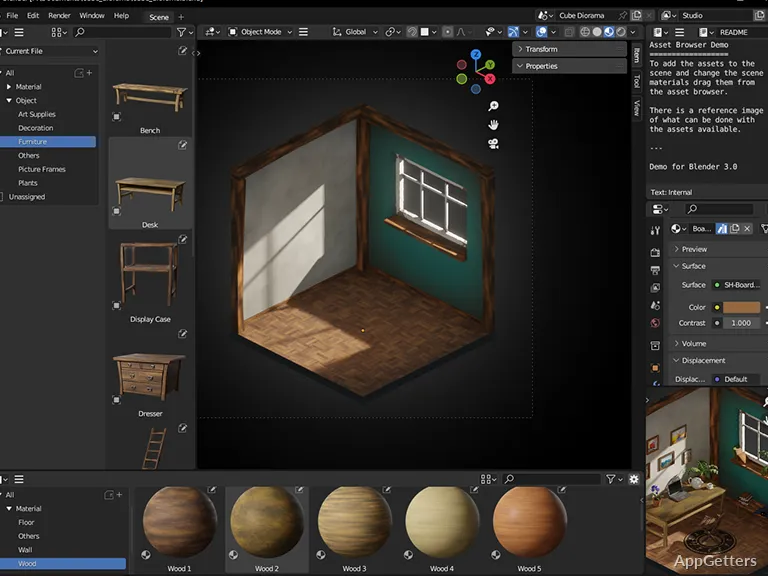
Blender Portable replicates the same interface and toolset as the standard desktop release. The users working with the portable edition will not even notice the lack of modeling, animation, rendering, sculpting, compositing tools, or any other benefits of Blender. This is simply because this is a portable version. Most often, the only step required is to launch the program after extraction on Windows systems. Setting up Blender for a machine that is used temporarily or as a secondary one is done in no time.

The portable edition resembles the installed version to the extent that it is hardly distinguishable from it during the usual creative work. In fact, projects open smoothly, add-ons are enabled, and performance stays mainly influenced by hardware, not by the fact of using the portable format. For the Blender experts, nothing is new here. Transitioning is going to be effortless. For beginners, the Blender learning curve is quite challenging. They will only have to get used to the Blender application itself. At least with the portable version, they will skip the installation and setup.

Shared and Mobile PCs

Mobility is the strongest argument for using Blender Portable by far. Users can carry the Blender workspace that they have set up on a USB drive. They can access it anytime they want on different Windows PCs. Such a setup is definitely a great solution for locations where a single computer is shared by multiple users, such as classrooms, libraries, offices, and living rooms.

Additionally, the portable version helps the user not to leave any cached files or system changes behind. People who create art on PCs that are handed to them temporarily often like to just delete the folder. They do not have to worry about leftover registry entries and uninstall processes. Blender Portable is a good fit nowadays for artists, students, and 3D enthusiasts. This includes those who are into testing projects, learning 3D design, and keeping separate versions for different production workflows.

Regardless, portability does have its flip sides. If the external storage drive that is being used to run a very large project is too slow, loading time is going to be an issue. Besides needing powerful enough equipment for rendering and complicated scenes, users can’t do much more.

Usual Blender Portable Performance and Stability

Most typical jobs will be performed by Blender Portable fairly well on Windows. Interface navigation stays fluid on up-to-date hardware, and Blender projects work well with the portable version if they were created with the installed one. Users who are into modeling, short animations, or educational projects will probably not find any significant difference in the way the program operates.

When it comes to problems with instability, these are likely to occur due to the lack of updating drivers and incompatibility of the hardware, more than the portable environment itself. The same as the conventional edition, it is possible that the GPU rendering settings and graphics drivers on some systems will cause trouble. They will need to be changed. Saving work regularly is highly recommended, chiefly when carrying out rendering or simulation tasks.

The last but not least matter is the one concerning the storage organization. Due to the portable version staying self-contained, the project folders being created would become large quite quickly. This is simply the price of convenience when it comes to carrying around the files. However, it will also require more file management than a typical installation with fixed storage locations.

Users Most Likely to Use Blender Portable

Blender Portable works great for users who want to be flexible without giving up functionality. 3D design students, hobbyists, and creators who move from one Windows system to another or use multiple ones are the ones getting the most out of the portable build.

On the other hand, the professionals who are handling very large-scale rendering work would still prefer the traditional installed setup. This helps them keep their workstation stability and storage management optimized for the long term. Even in that case, the portable version is not really a limited edition. It fits mobile workflows, temporary environments, and gives users greater control over how the software is stored and managed.

Software Details of Blender Portable 5.1.0

License
Free
Version
5.1.0
File Size
395.07 MB
Downloads
4
Language
English
Category
Op. System
Windows
Developer
Last Updated
March 18, 2026

Version History

4 versions
5.1.0
Latest
395.07 MB
March 18, 2026
5.0.0
296.9 MB
December 18, 2025
4.5.3
381.56 MB
September 11, 2025
4.5.2
286.94 MB
September 4, 2025

Leave a Comment

Your email address will not be published. Required fields are marked *

Software Icon
Security Report

Loading scan data...

Scroll to Top