EXE
Home » Software » Windows » Maintenance » IObit Software Updater for Windows
IObit Software Updater for Windows

IObit Software Updater for Windows

  • By IObit.com
  • Free
  • Version: 8.5.0.17
  • 19.92 MB
  • Security Report:

Updating software on a Windows computer is a task that often ends up taking more time than one initially thinks. In fact, several applications come with their own update procedures. Some update prompts quite regularly, others update silently, so the user seldom gets to know. This results, over time, in a messy mixture of old software versions, missing security patches, and changing system performance levels. Those who like to keep their software updates in one neat place would find the idea of IObit Software Updater, a tool that unifies the update process so that it can be done from a single window, rather appealing.

Centering Updates on a Single Interface

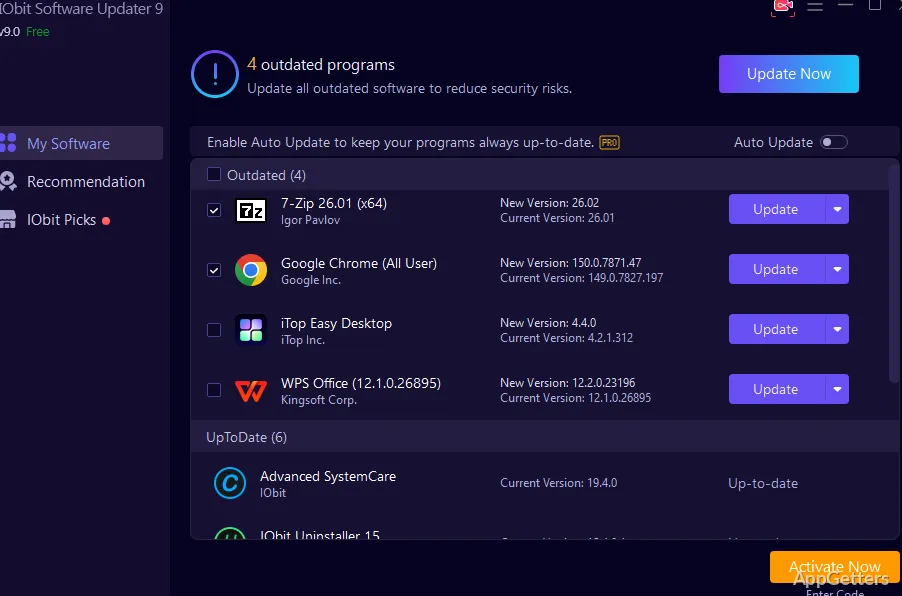
The use of the software IObit Software Updater, in principle, seeks to make one’s life easier by doing away with unnecessary hassles. A post-installation feature of the program is checking the user’s PC and making a note of software of high usage whose versions can be upgraded to newer ones. The display of such programs is in the form of a list highlighting each update that a user can decide to either perform one by one or altogether.

Such a simple method cuts down on the occasions when the user has to hand-check an application for an upgrade. Browser programs, utility tools, as well as those for audio and video, can be updated in the most convenient manner. One usually just has to agree to do the updates, and thereafter, the system does so with very little interference from the user.

The caveat here is that not all applications are supported by the updater. There may be some that the user has installed but won’t be displayed in the updater. As a result, the updater cannot be relied on entirely.

Actual Purchasing Procedures and How They Would Help

Indeed, a win-win situation, the concept is as good as the amount of time one keeps one’s system free from threat, amongst other things. In other words, rather than having to respond to the update prompts separately from different programs, the user can manage the entire updating process at one go. A practical side to this is the educational/home users aspect, as they are the ones, generally speaking, who want to keep their computer systems, on the whole, safe without having their workflow badly affected.

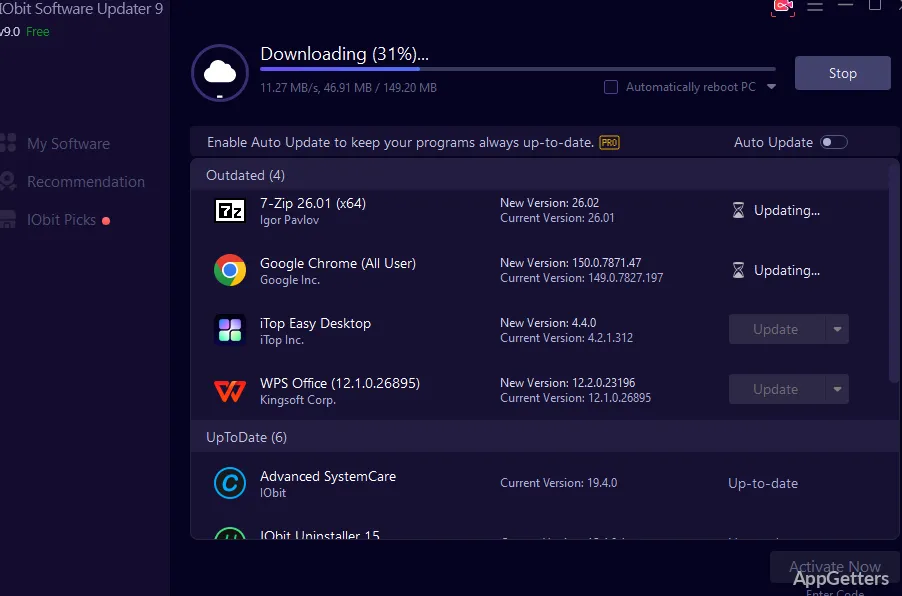
Batch update is the feature that is wagering most of the time in one’s favor, so that clicking is not required all the time. Besides, one can set up and make use of a scheduler that will run the updating automatically. The user will hardly even notice it at all. Post-setting of configurations in the background, updating is relatively effortless to perform.

Furthermore, as a result of some of the updates being major, one may still end up needing manual handling on the user agreement. And changes in the version number. So while the software tool eases the trouble of ordinary upkeep. It will leave some things to be done by manual check and user supervision.

Stability and System Impact

With up-to-date initial tests, IObit Software Updater fulfills its duties without very wide variations in system performance.

Tasks such as scanning are quite rapid, while the installation is done mostly error-free. Even under load, the program’s demand for resources is kept low. This is confirmed by the fact that it was virtually unchanged on the test machine. Other applications had to be shut down in order for the test system to function properly.

Installation of updates goes off without major hiccups in most cases. But there can be occasions when the user application is at fault. Not all software supports direct installation, so the program can only act as a go-between in these cases. These will effectively be updates performed externally to the utility.

The Downside and Some Things to Think About

It is beyond doubt that convenient as it may be, the updater has its share of limits. That is sometimes the case where not only updating happens. But also the installation of new components in line with a particular version of the software. May end up causing a problem that will be difficult to trace back to its source.

A further matter is that of update control. Some users might want to be able to postpone updates due to stability factors, especially within workplace environments. In comparison, this tool provides quite basic control, but it may not reach the extent of fine points. One gets this by working with each application separately.

A Perfect Solution to Everyday Software Maintenance

For those looking for an uncomplicated way of managing application updates on the Windows platform, IObit Software Updater is going to be right up their alley. Students, casual users, and home computer users are the main audience. This software works well for them. It saves time and adds convenience.

By lowering the effort users have to put in for keeping programs updated and lessening the issue of missed updates, it is making day-to-day operation easier and smoother. So, on the other hand, in cases where the system is used for more complex or specialized purposes, the tool will be at its best. It is better treated as a secondary or backup rather than a main solution. In fact, the feature of the tool that handles the updates will be inevitably overlooked. In the light of other tasks.

Software Details of IObit Software Updater 8.5.0.17

License
Free
Version
8.5.0.17
File Size
19.92 MB
Downloads
0
Language
English
Category
Op. System
Windows
Developer
Last Updated
May 15, 2026

Version History

6 versions
8.5.0.17
Latest
19.92 MB
May 15, 2026
8.4.1.15
19.74 MB
April 6, 2026
8.4.0.13
19.74 MB
March 21, 2026
8.3.0.12
19.56 MB
January 14, 2026
8.2.0.11
19.37 MB
November 12, 2025
8.1.0.10
19.11 MB
October 28, 2025

Leave a Comment

Your email address will not be published. Required fields are marked *

Software Icon
Security Report

Loading scan data...

Scroll to Top