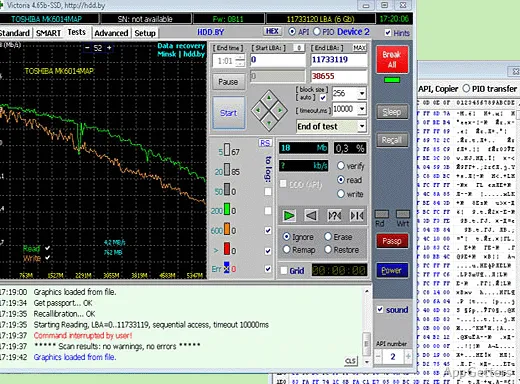
Drive health readings, surface-test results, and speed graphs put Victoria HDD/SSD’s diagnostics in one place. It examines HDDs and SSDs, including NVMe and SAS/SCSI drives, and reports SMART data and other device details.
What drive information does the passport show?
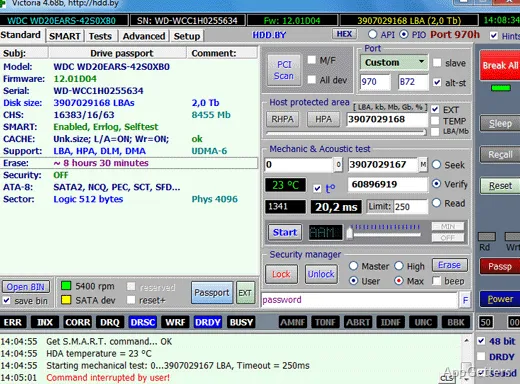
The passport panel identifies the selected storage device and displays technical details. Victoria can retrieve temperature readings for NVMe and SAS/SCSI drives, along with other device information. Extended passport queries provide additional details for supported devices.
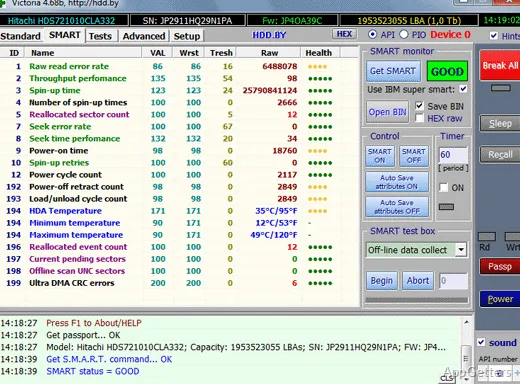
SMART data has its own view. Victoria can calculate a health assessment from selected attributes instead of relying only on the status reported by the drive. The result can include “Unideal” for a device whose SMART indicators are not ideal but do not point to severe trouble.
How does a surface test find trouble spots?
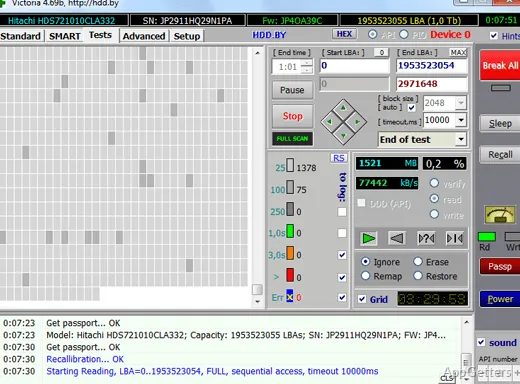
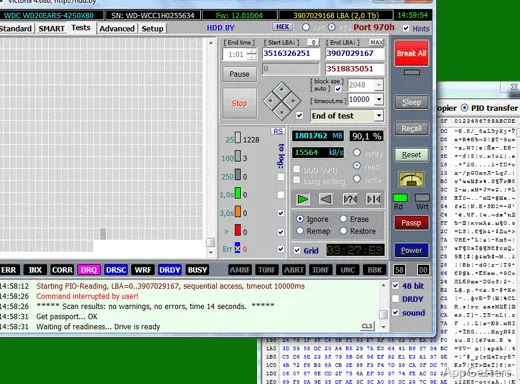
Choose a physical drive and set the test range with start and end LBA values. The surface-test panel offers read, verification, and write modes. During a scan, Victoria records response and speed information, then plots reading performance on a graph; the log records events from the operation.
The scan can reveal sectors with slow or problematic responses, giving a more detailed view than a single overall health label. Write mode changes data on the drive, so it should not be treated as a read-only diagnostic.
Can Victoria inspect individual sectors?
The HEX editor lets users examine sector contents directly. It can load data from a file and save editor contents to a file; the editor also provides a control for writing a sector to the selected drive. Victoria logs a sector overwrite and disables the save-to-drive control until the editor is opened. This workflow is intended for hands-on disk inspection, and an incorrect write can damage stored data.
For partition analysis, Victoria includes a GPT table analyzer. It examines the first table copy; checking a second copy requires a manual step.
Pros
- SMART health analysis with a selectable assessment method
- Surface tests include read, verification, and write modes
- Supports M.2/U.2 NVMe and SAS/SCSI storage
- Sector editor can load and save data files
Cons
- Write-mode tests and sector editing can alter drive contents
System requirements: Windows 7, Windows 8, Windows 10 · 32-bit and 64-bit · 1 GB RAM or more · SVGA graphics; 1280×1024 recommended · Administrator rights required · Internet access desirable
Does Victoria HDD/SSD show SMART information?
Yes. It displays SMART data and can calculate a health assessment from selected attributes, including an “Unideal” status.
Which storage devices can Victoria test?
It supports HDDs and SSDs, including M.2/U.2 NVMe and SAS/SCSI devices. The developer also identifies memory cards as supported storage.
Can a Victoria surface scan erase data?
Read and verification modes inspect the drive. The test panel also has a write mode, which changes drive contents.