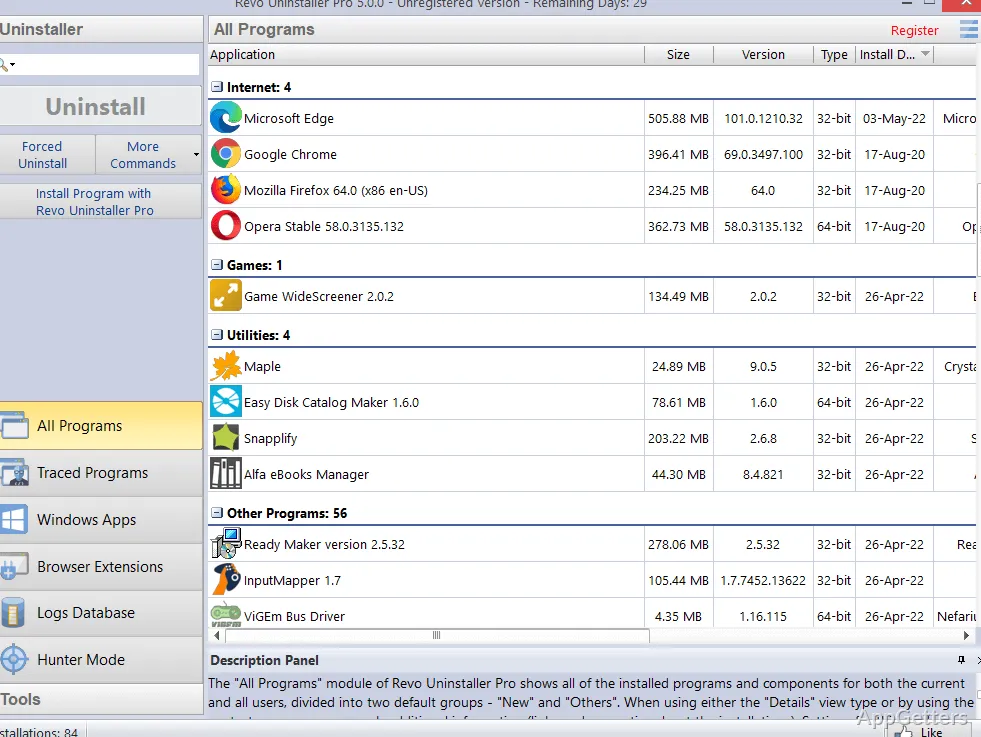
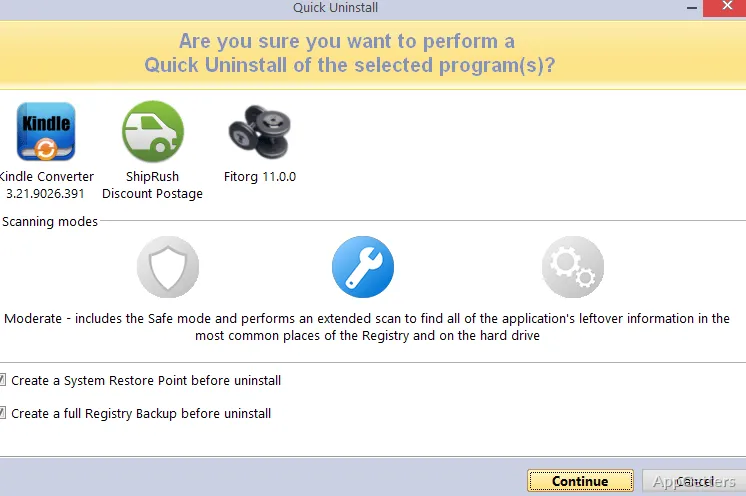
The main window centers on a list of installed programs, alongside tools for uninstalling and cleaning. Revo Uninstaller Pro runs a program’s own uninstaller, then scans for files, folders, and registry entries that may remain.
Scan for files and registry entries after uninstalling
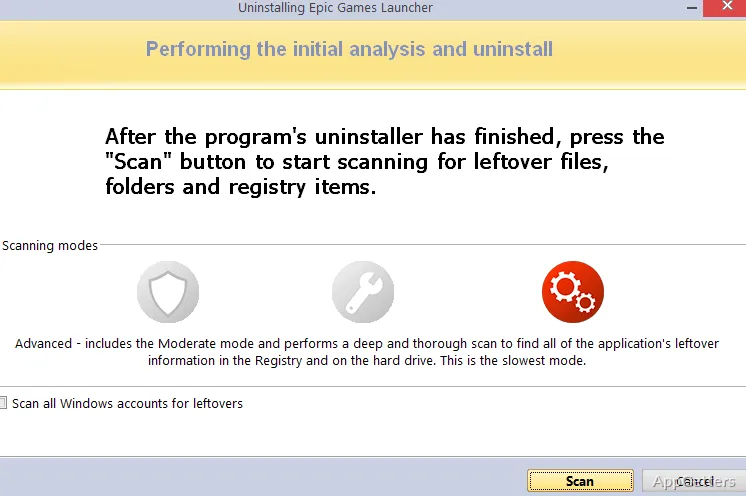
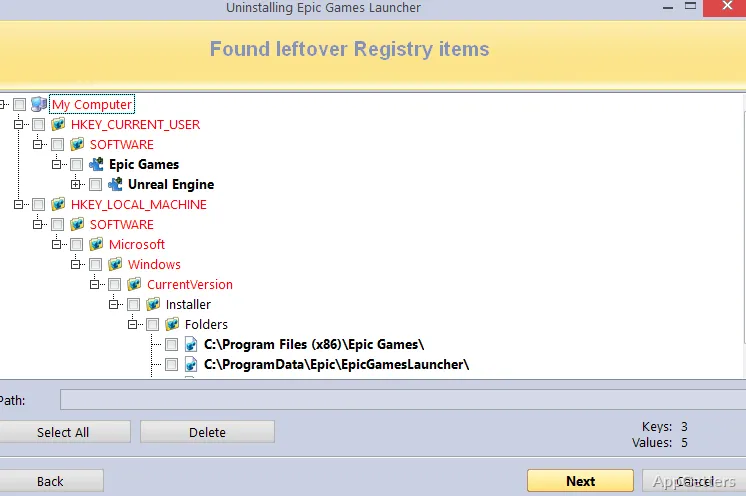
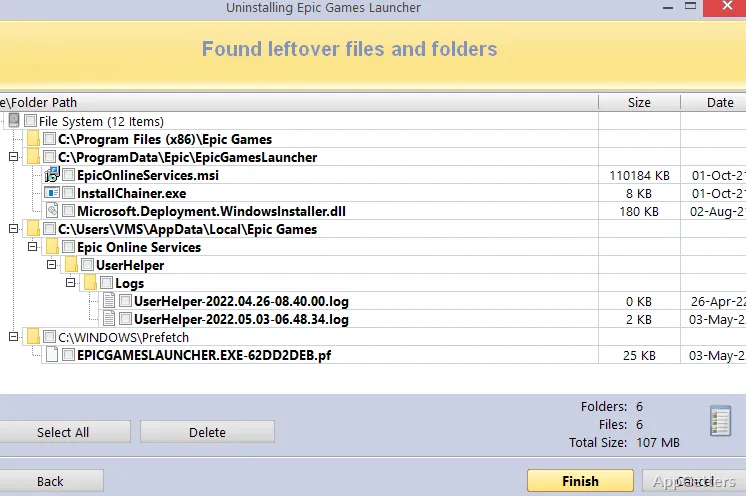
After the built-in uninstall finishes, Revo searches for remaining folders, files, and registry entries associated with the removed program. The scan can find traces the program’s own removal process leaves behind, and Revo presents results for review before cleanup.
Extended scanning adds another way to look for remnants. For programs that have already disappeared from the installed-app list, Forced Uninstall can search for their remaining components without requiring a normal uninstall to run.
Target programs with Hunter Mode
Hunter Mode uses a target on the screen to identify a program by its window or icon. Once pointed at an item, users can choose an action for it, which is handy when a program is difficult to identify in the installed-software list.
- Quick and multiple uninstall options support working through more than one program.
- Revo also covers Windows apps and browser extensions.
Keep logs of monitored installations
Revo can monitor changes made to the system during software installation and store them in a logs database. Those records give the uninstaller a reference for removing changes associated with a monitored program later. A multi-level backup system provides another safeguard when cleanup involves system entries.
Use the additional cleaning tools
The program includes extra cleaning utilities alongside its uninstall and monitoring features. These provide other cleanup tasks in the same application, while the main workflow remains centered on removing software and dealing with what it leaves behind.
Pros
- Scans for leftovers after a program’s standard uninstall
- Forced Uninstall targets remnants of already-removed software
- Hunter Mode lets you target a program from its window or icon
- Installation monitoring stores system-change logs for later removal
System requirements: Windows 7, Windows 8, Windows 8.1, Windows 10, Windows 11 · 64-bit only
How does Revo Uninstaller Pro remove leftover files?
It runs the program’s standard uninstaller, then scans for related files, folders, and registry entries that remain.
What does Forced Uninstall do?
It searches for remnants of software that is already uninstalled or cannot be removed through its normal uninstaller.
What does Hunter Mode do?
It lets you point to a program’s window or icon on screen and choose an action for that program.