Want a full backup of a bootable USB stick, or to check whether a cheap flash drive really holds what it claims? The free USB Image Tool saves complete images of USB drives and writes them back to a device. It also supports image verification and compressed image files, covering both backup and recovery workflows.
USB device images
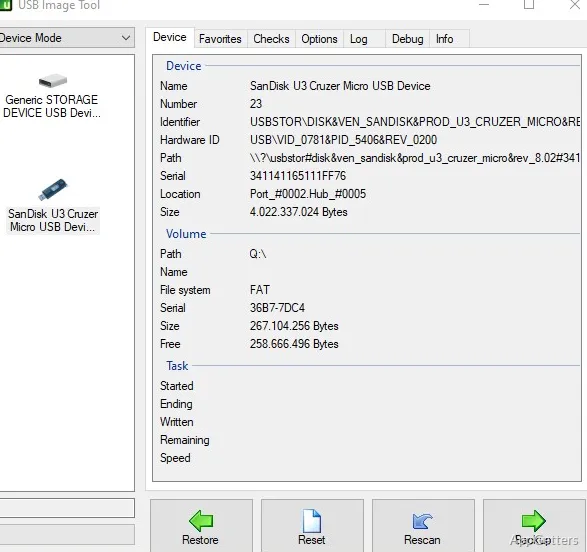
The main device list provides the starting point for selecting a USB drive to back up or restore. An image captures the device as a whole, preserving its layout and data in one file instead of making a collection of separate file copies.
That whole-device approach suits removable media whose boot or partition setup needs to be retained. After creating an image, the saved file can be written back to a USB device when the original needs to be recovered or recreated.
Image verification and compression
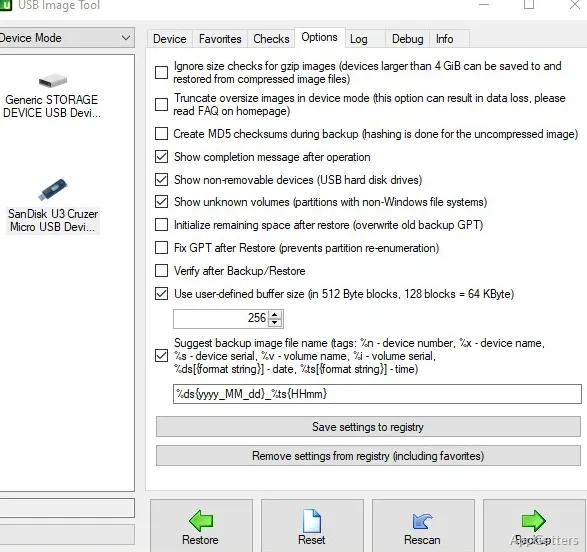
USB Image Tool offers verification alongside backup and restore operations. Verification checks image data as part of the imaging workflow, including after a restore.
The program also supports a zipped image format, so an image can be stored in compressed form. The format can be selected as part of the backup workflow.
Task details on the info tab
During a backup or restore, the info tab displays task progress details, including when the operation began, its estimated finish time, and average speed.
A separate drive-integrity check tests the full device data to detect USB drives that report a false capacity.
Pros
- Creates and restores whole-device USB images
- Supports zipped image files
- Offers verification for backup and restore tasks
- Shows running task details on the info tab
System requirements: Windows 7, Windows 8, Windows 8.1, Windows 10, Windows 11 · .NET Framework 4.7 (not required for the command-line utility)
What does USB Image Tool save in an image?
It saves a complete USB device image, preserving the drive's data and layout in one image file.
Can USB Image Tool verify a restored image?
Yes. Verification is available as part of restore workflows to check the restored image data.
What does the drive-integrity check do?
It tests the full device data to detect a USB drive that reports a false capacity.