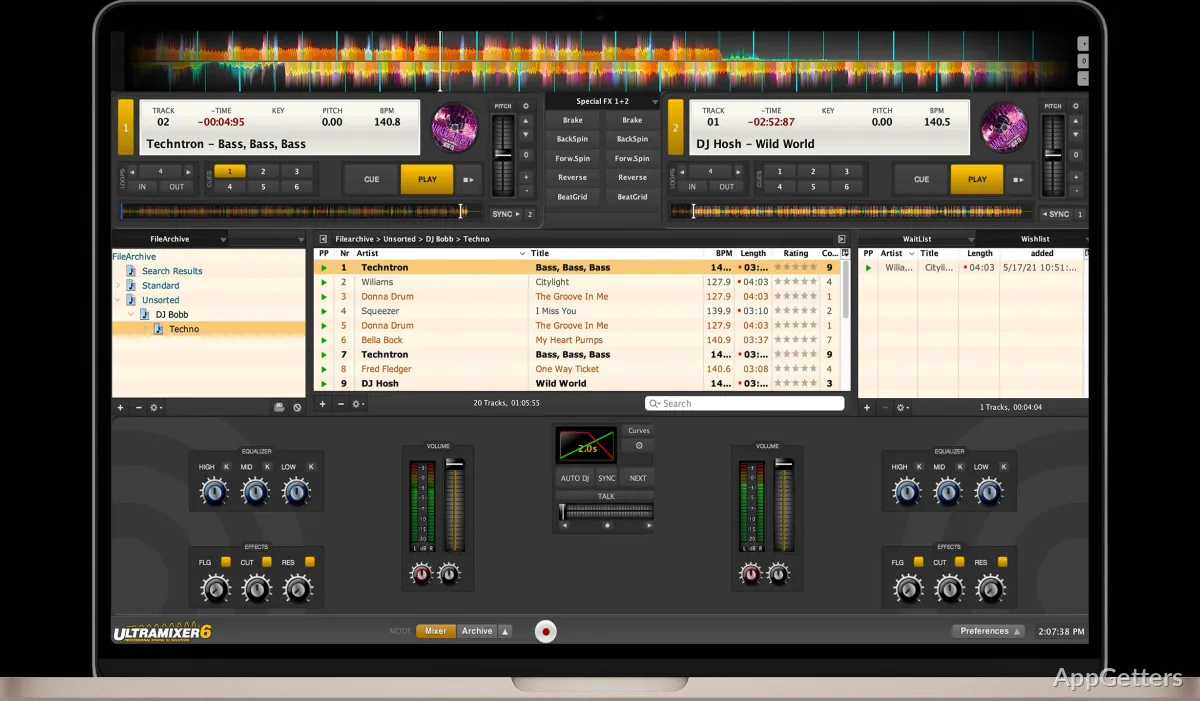
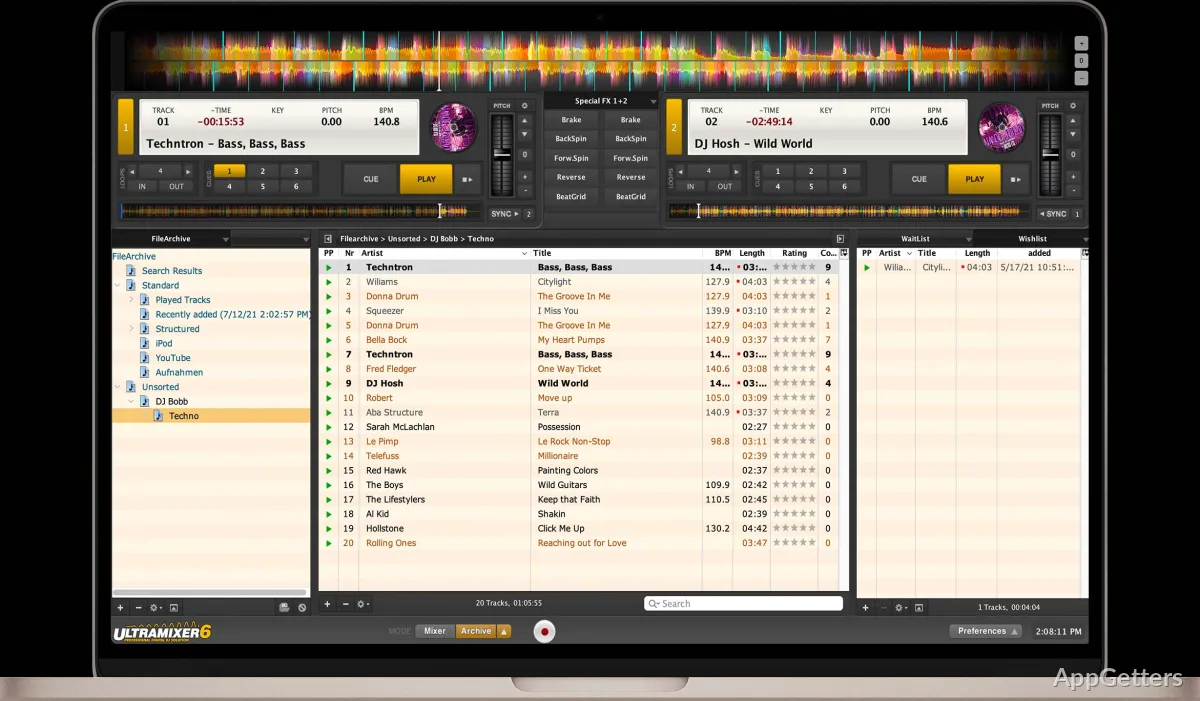
The main window centers on two playback decks, a track browser, and a mixer for live transitions. UltraMixer brings track selection, playlist handling, and audio control into one workspace for DJ sessions and events.
How do the two decks work?
Load a track on each deck, then use the mixer to manage playback and move between songs. Cue points let a DJ mark places in a track for access during a set. Tempo synchronization can assist with matching tracks, or be left off when the DJ wants to manage timing manually.
Can UltraMixer manage a music library?
The built-in media manager keeps browsing, searching, and playlist creation within the DJ software. Select music from the browser and organize tracks into playlists for a set or event, without moving to a separate music-organizing tool.
- Search the collection to find tracks.
- Build playlists for a planned session.
- Load selected music onto either deck.
What can it do during a live set?
UltraMixer combines track playback and mixing controls in the same window, so track selection and transitions are part of one workflow. Its focus is on playing and mixing music live, with playlist management available alongside deck controls.
Pros
- Two decks support live track-to-track mixing
- Playlists can be managed inside the program
- Track search and browsing are built into the workspace
- Cue points and tempo synchronization support transition workflows
System requirements: Windows 7, Windows 8, Windows 8.1, Windows 10 · 64-bit only · UltraMixer 6: Intel Pentium IV or AMD processor, 2.0 GHz or faster · 1024 MB RAM (2048 MB or higher recommended) · Two sound cards or a multichannel sound card recommended
Can UltraMixer mix two tracks live?
Yes. It has two playback decks and a mixer for managing transitions between tracks.
Can I create playlists inside UltraMixer?
Yes. Its media manager supports browsing, searching, and playlist creation.
Does UltraMixer support cue points and tempo sync?
Yes. You can set cue points and use tempo synchronization during mixing.