EXE
Home » Software » Windows » Utilities » TagScanner for Windows
TagScanner for Windows

TagScanner for Windows

  • By Sergey Serkov
  • Trial
  • Version: 6.1.20
  • 5.02 MB
  • Security Report:

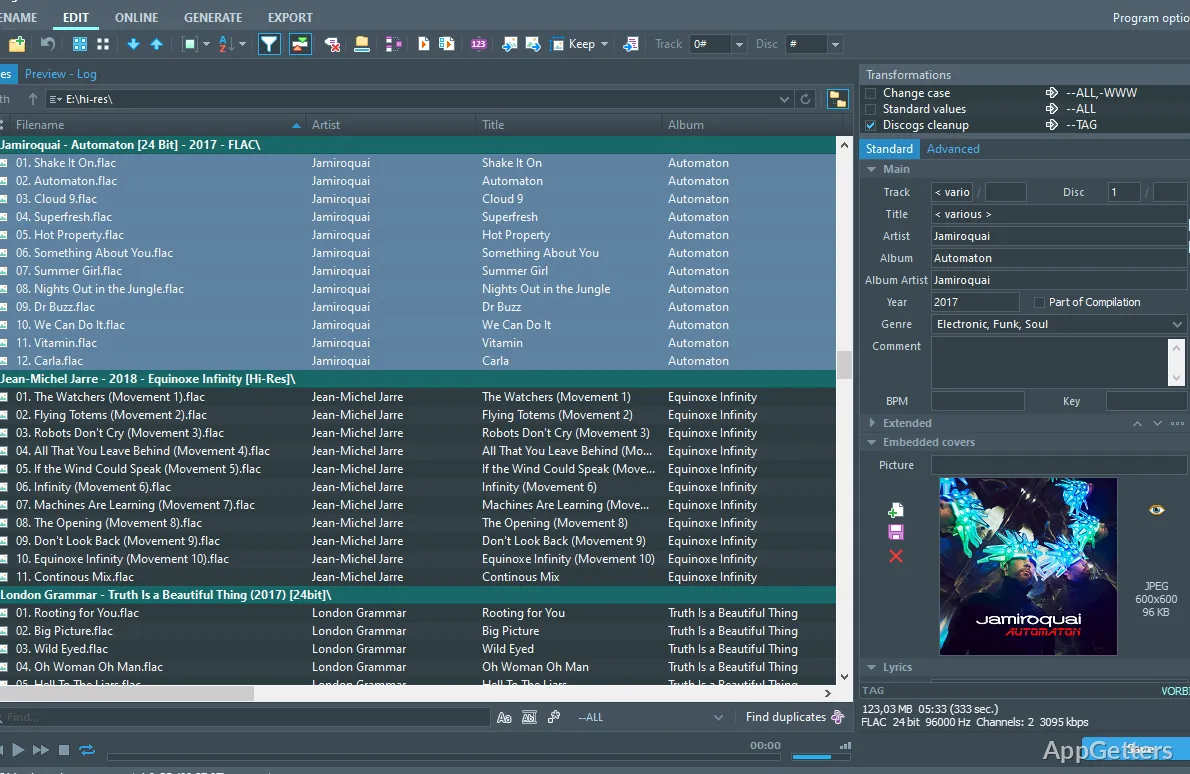
Growing your music collection steadily over time can get quite annoying if your music files, all of a sudden, lose their correct titles, cover art, or matching metadata. Music files sourced from different places are hardly ever tagged uniformly. As a result, you would face problems while sorting, searching, and even syncing among different devices. TagScanner is a utility tool that is focused on the mass organization and fixing of audio metadata. Therefore, it provides users with the opportunity to restore the order of their files even if they are inexperienced with technology. Windows users who mostly deal with music files in the MP3 or FLAC formats will find this program a great way to standardize the files. Additionally, it aids in keeping the library clean as well as easily searchable.

Cleaning Up Inconsistent Music Libraries

TagScanner can be of tremendous help when one has to organize scattered music folders with files that are tagged only partially. By editing tags in multiple files simultaneously, the database can be searched, and the files can be sorted. It has an edge over working with each file one by one. This will especially do wonders if separate tracks of the same album are running without the respective artist’s or album’s name. Also, users can simply make use of a particular set of rules for the entire folder instead of editing each file one by one.

The program recognizes various tag types and has the option to convert between them (e.g., ID3 and Vorbis comments). This allows the program, among others, to be compatible with the majority of audio players. Even though the interface might, at first sight, seem overloaded, most of the functions can be found where you expect them to be. Once you become accustomed to the program, the work you do there can be very productive.

Renaming and Structuring Files with Accuracy

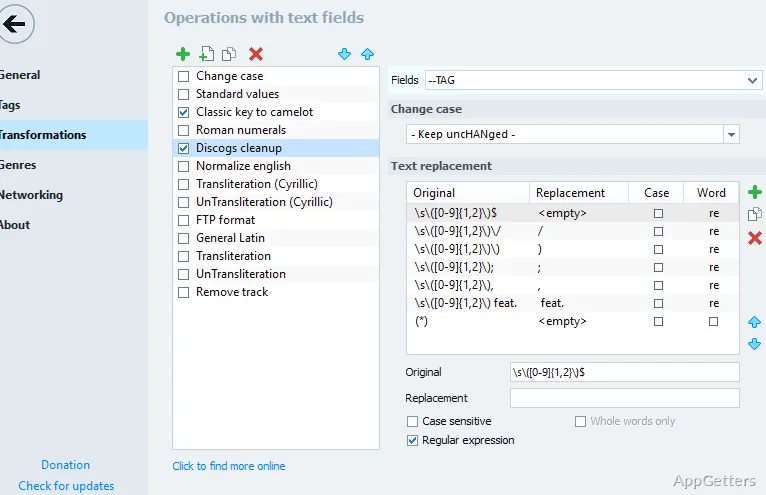
Among TagScanner’s features, the ability to rename files based on their tags is one of the best. With just a few clicks, you can rename all the files with messy names to a standard format consisting of elements like artist, album, and track number. Having this feature makes sense if you prefer to find music by navigating through folders rather than relying on the software of a music library.

This scenario is also of great help when extracting metadata from filenames. Realistically, this feature is effective for predictable file name patterns. On the other hand, however, if a name pattern is used irregularly, it can be really hard to achieve good accuracy of automated processing without the requirement for manual corrections.

In fact, this two-sided scheme, i.e., tagging files from their names and renaming files from their tags, allows the program to be sufficiently flexible for various styles of organization without any imposition of a strict system.

Album Art and Metadata Sources in Real Use

Retrieving and inserting album art into music files is a very beneficial feature of TagScanner. It searches for the album cover online, and whenever a cover is found, it is embedded straight into an audio file. This way, a folder with external images is not required, making the playing experience consistent across devices.

The retrieval of metadata generally works quite well, in particular with popular music. However, with uncommon or local music, one might sometimes get the wrong result, or no result at all, and thus manual changes will be necessary. The preview option allows users to check the modification that will be performed, thereby lessening the chances of bulk-editing with wrong data.

For authorized playback and management of music, there is dedicated software. TagScanner, however, complements such software with its special focus on the correction and completion of metadata.

Where TagScanner Fits in a Typical Workflow

Those who typically use music files locally are the natural users of TagScanner. It is ideal for students, collectors, and typical household users who maintain music libraries not connected to the Internet and want to keep them tidy without having to buy into software ecosystems.

In a sense, the program is most effective as a tool used for cleaning and keeping one’s library in good shape, rather than being a media player one would use on a daily basis. Normally, its users reconnect with it when there is a need for a major reorganization of the library or if a new batch of music is to be added. Besides being lightweight and portable, the software is also a good choice for less frequent use cases.

Software Details of TagScanner 6.1.20

License
Trial
Version
6.1.20
File Size
5.02 MB
Downloads
6
Languages
English English, Chinese, French, German, Italian, Portuguese, Spanish
Category
Op. System
Windows
Developer
Last Updated
May 12, 2025

Version History

6 versions
6.1.20
Latest
5.02 MB
May 12, 2025
6.1.19
5.02 MB
January 7, 2025
6.1.18
4.99 MB
November 25, 2024
6.1.17
4.26 MB
April 11, 2024
6.1.16
4.26 MB
November 3, 2023
6.1.15
4.27 MB
April 21, 2023

Leave a Comment

Your email address will not be published. Required fields are marked *

Software Icon
Security Report

Loading scan data...

Scroll to Top