Sometimes, as time passes, managing files efficiently with Windows doubles or even triples your work, making things quite a hassle. In other words, when your folders increase in number and your working processes become very complex, the default File Explorer might appear to be quite limiting. Although Basic navigation probably works fine, tasks such as organizing multiple directories, moving between various locations quickly and comfortably, and customizing the interface often reveal the constraints of the File Explorer. Heavy users of file management, like students, workers, and organizers in general, are the ones who usually go looking for more control. They want it without the frustration of a complicated system. Tablacus Explorer is a light and very adjustable alternative. It really is a navigation and usability enhancer at its core.
At the same time, it still gives the users the liberty to design the whole interface according to their comfort habits. Instead of creating something entirely new with file management, it takes the old approach. It redefines and improves it in a way that is very easy to use.
A tabbed workflow that is intuitive
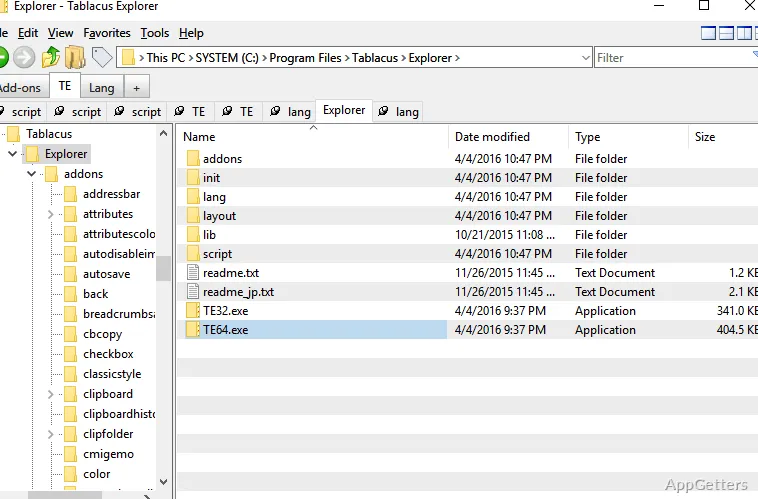
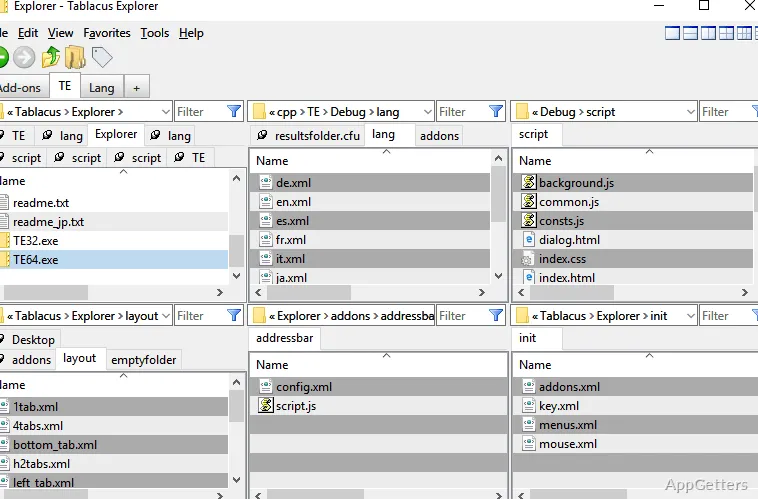
The biggest modification Tablacus Explorer brings you is probably their tabbed interface. Moving around in different folders will no longer mean that you will have to deal with several windows. You will be able to open several folders within a single window. You can just switch from one to another at your will. In regular use, this can be a genuine game-changer, especially if you are moving files between folders or if you need to do a side-by-side comparison between their contents.
Even if you come to the scene as a complete newbie, everything should be very obvious and self-explanatory with the tab system. Even dragging and dropping will be quite intuitive to you. Also, all the other file operations, such as copy, rename, etc., will remain very simple for you. As time goes by, you will get to enjoy fewer windows opened. They lead to a much clearer and neater workspace.
It is a very good method for students or users at home. They are always filing away documents, media, or project folders. It keeps the regular activities less difficult without demanding a big shift in the user’s frame of reference in file navigation.
Customization that will be your companion all the way
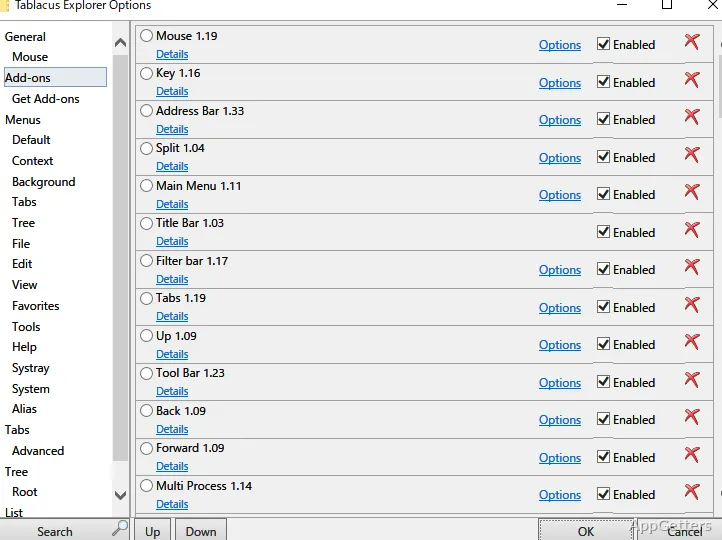
Among others, Tablacus Explorer has a lot to offer in terms of deep configuration options. At first glance, it might seem rather bare-bones. It is meant to be expanded by means of add-ons as well as by configuring certain parts. Using add-ons, one can easily switch from one customization mode to another. This helps to fine-tune things as per personal preference.
This only means that one can keep things very basic at the start. At the same time, it still leaves a lot of room for new features and configurations at later stages. Simply put, this allows one to first familiarize themselves with tab-based file exploring. Later on, they can explore the add-ons for expert navigation and file management. This slow and stepwise approach to learning will help one to sidestep the intimidation factor. It often comes along with advanced file managers.
On the other hand, this feature might also be seen as a downside by some users. Users who want the application in a final form and ready to use might get a bit discouraged by the bare initial setup. Of course, some features are manually activated. Also, the full set of options is quite big. It might take some time to understand.
Performance and day-to-day reliability
Tablacus Explorer is fast and very light on resources, even if you use it on a regular basis. It is very fast to launch. Not only that, but its file operations are also carried out without the user being able to notice any delay. On top of that, this aspect is of great importance, especially if you use older systems or setups where system overhead is a concern.
Depending on the hardware, but mostly depending on the professional skills, it can be used when talking about how well the software performs. This means that it rarely or almost never harbors any of the problems or bugs that arise from doing regular things with the software. For users who emphasize stability, this dependability is an important factor.
On the other hand, there have been some reports of unusual and peculiar behavior when running certain add-ons or custom configurations. Although the main file browsing experience is on very solid grounds, at times, heavily customized setups do require a bit of troubleshooting. However, it is not a rarity for extensible tools. It is just one of those things that the users should take into account, should they decide to heavily modify the interface.
A versatile file manager for more experienced users
The best that Tablacus Explorer can do is to incorporate it into workflows where flexibility, control, and an almost unlimited number of options matter the most. Looks come last. Also, frequent users who work side by side with several folders will find it a good match. They want to have a well-organized, tab-driven environment. Apart from students and home users, light professional users can also get hold of its streamlined navigation and efficient performance.
Simultaneously, it is a very productive setting for users who decide to take full advantage of the custom options offered. On the other hand, those who want a completely pre-configured and fixed experience might not find Tablacus very attractive right off the bat. However, users who are comfortable with changing and adjusting settings will find that it is a very neat, reliable tool. They can refine and perfect their setup. It fits perfectly into their workflow and will not be the one dictating it.