Tired of checking for new episodes of every show and renaming files by hand? Sonarr, a free open-source TV series manager, automates that routine. It tracks series, works with configured Usenet or torrent sources and download clients, and organizes episodes into a managed library.
Series tracking and episode calendar
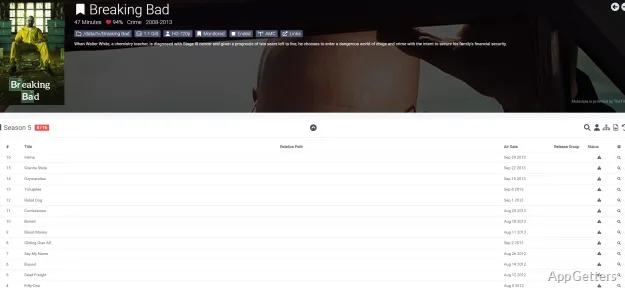
Sonarr runs as a personal video recorder for TV series. Add the shows to track, then use the calendar to see upcoming episodes and the activity view to follow downloads. The interface opens in a web browser, including locally at localhost:8989.
To find a particular episode release, Manual Search displays available releases so you can select one and send it to a configured download client. Customizable quality profiles guide which releases Sonarr accepts; upgrade rules can allow an existing episode to be replaced when a preferred quality becomes available.
How does Sonarr handle a new episode?
Sonarr monitors the series in its library and checks configured sources for matching releases. When a release is selected automatically or through Manual Search, Sonarr passes it to the connected download client. Failed-download handling can block a release that does not work and try another available option.
Library organization and Windows operation
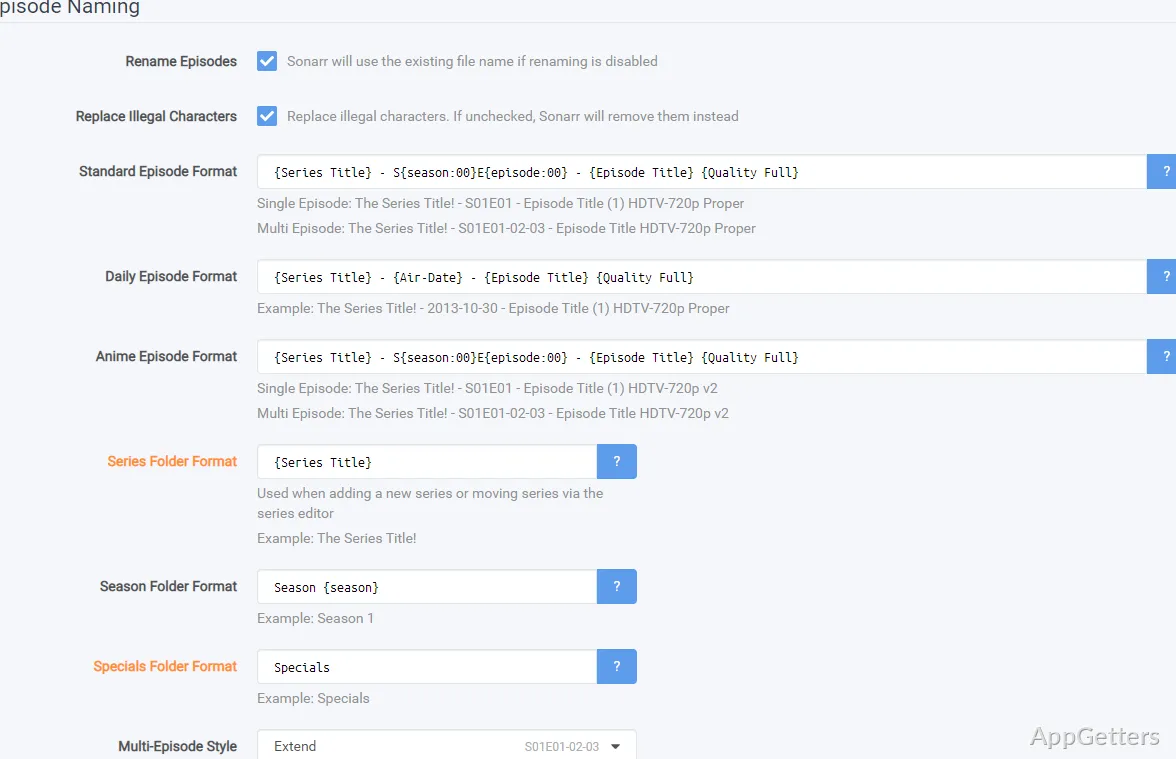
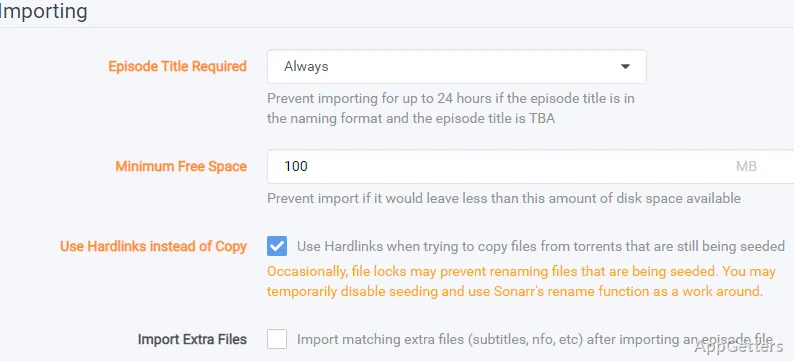
After downloads complete, Sonarr can import episodes into the series folders and apply consistent episode names. This gives media servers and other library software a predictable folder and filename structure. Multiple series views provide different ways to browse the collection.
On Windows, Sonarr can run as a system tray application or as a service. A service continues running when no user is logged in, but it needs additional permissions and configuration to reach network drives. The tray option suits setups where a user stays signed in. Use Sonarr with sources you are entitled to; downloading copyrighted TV shows you don't own is illegal in most countries.
Pros
- Calendar view shows upcoming episodes
- Manual Search lets you choose a release
- Custom quality profiles guide release selection and upgrades
- Failed downloads can be blocked and retried automatically
Cons
- A Windows service needs extra setup to reach network drives
- Needs separate indexers and a download client
- Downloading copyrighted shows you dont own is illegal in most countries
System requirements: Windows 8.1, Windows 10, Windows 11
Does Sonarr stream TV episodes?
No. Sonarr tracks series and manages releases through configured sources and download clients; it is not a streaming player.
Can I choose a release manually?
Yes. Manual Search shows available releases and lets you send a selected one to a download client.
What happens when a download fails?
Sonarr can block the failed release and try another available release.