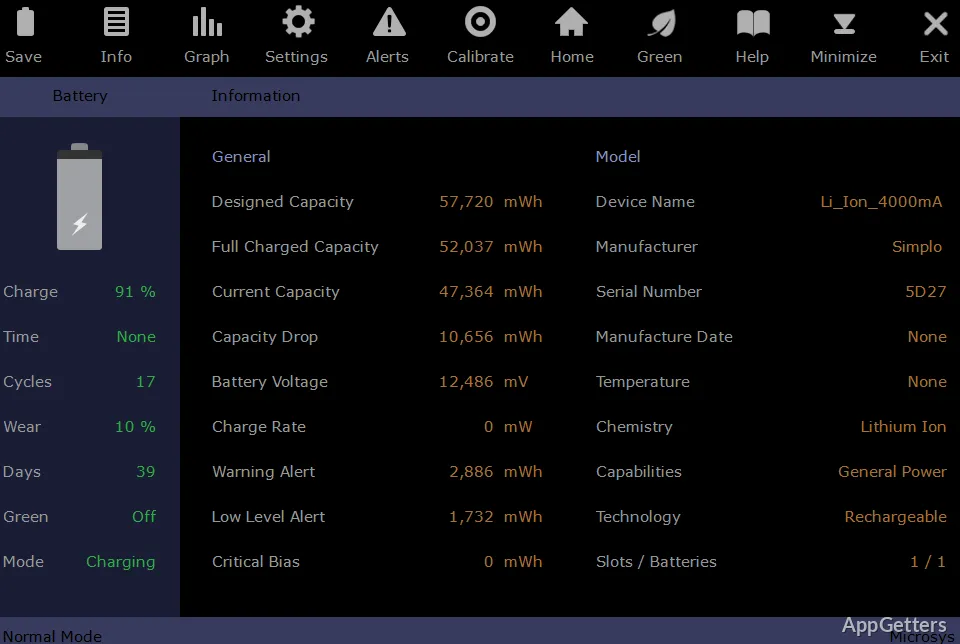
Laptop battery not lasting as long as it used to? Smarter Battery charts capacity over time and tracks wear, cycle count, and estimated remaining time for a selected battery.
Battery information and history
The Information page presents battery and model details alongside live readings. Smarter Battery calculates wear level and discharge-cycle count, and estimates how much time remains at the current rate of use. When a computer has more than one battery, the Battery link switches the selected pack and refreshes the displayed data.
On the Graph page, capacity appears against time. The graph can cover an extended period, up to 16 hours, so a full charging or discharging run can be examined. During discharge, an additional projected line shows an estimated path based on remaining time or the software’s calculation. Graph captures can be saved as numbered JPG files.
What can the alerts and gadget show?
The Alerts page provides separate Warning and Critical thresholds. Each can trigger based on battery percentage or estimated time remaining, and the alerts operate independently of Windows battery alerts.
A desktop battery gadget displays the current charge state in a choice of formats. Smarter Battery continuously reads battery data while running, so the displayed estimate changes with the battery’s current condition.
Calibration and settings
The Calibrate page gathers battery wear, full discharge cycles, usage time, and related calibration readings. It also provides a Fast Discharge procedure. To keep calibration information current, the utility needs to remain running with the first battery selected.
Settings and alert changes take effect when changed. Use each page’s Save control to retain the changes for later sessions. The program can register up to four batteries, allowing their readings to be selected individually.
Pros
- Graph page shows capacity changes across charge and discharge periods
- Save battery graphs as numbered JPG images
- Warning and critical alerts can be set independently
- Calibration and Fast Discharge procedures are included
Cons
- Calibration data needs the utility running with the first battery selected
System requirements: Windows 7, Windows 8, Windows 10, Windows 11
Can Smarter Battery show how battery capacity changes over time?
Yes. The Graph page plots capacity against time and can display up to 16 hours of data.
Can I set battery alerts separately from Windows alerts?
Yes. Warning and Critical alerts have independent thresholds and can trigger by capacity percentage or estimated remaining time.
What does the Calibrate page track?
Battery wear, the number of full discharge cycles, total usage time and related calibration readings.