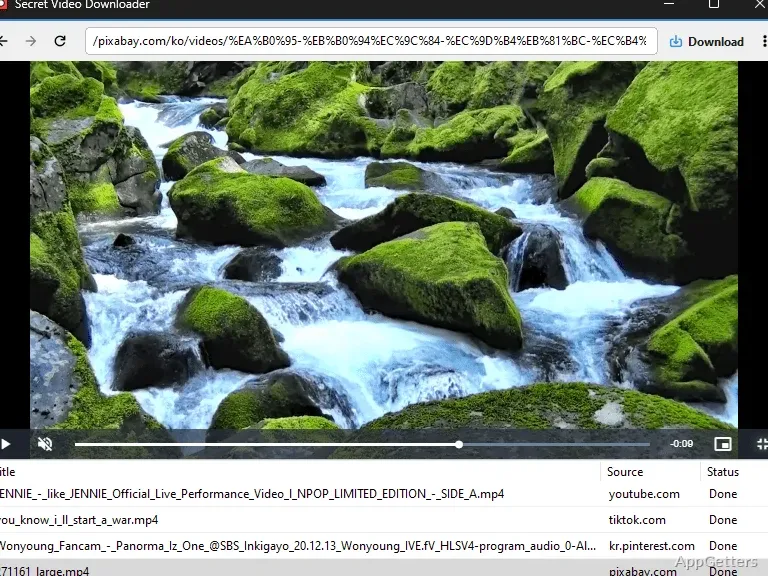
Publicly available videos from supported websites can be saved to your PC for offline viewing. Secret Video Downloader also provides a picture-in-picture player and a hotkey for saving a web page as an image.
How do you save a video?
Choose a site from the home screen, play a video, and use the download control when a publicly available video is available to save. Secret Video Downloader also supports downloading video clips and offers direct downloads from recommendation feeds, so you do not always have to open each video’s page first.
Some videos open at a new address, and the program supports downloads from those links as well. The download control can show videos that are currently downloading and those already completed.
Picture-in-picture and page capture
When a video playing in the app switches to full-screen, Secret Video can move it into a picture-in-picture window. Adjust the window’s size and position, then keep the video visible while working in another window.
A separate hotkey saves the entire current web page as an image. This captures the page, while the video download control saves publicly available video.
Playback, downloads, and settings
The app combines website playback with video saving. It can also record the screen while content plays inside the app. Saved videos are intended for common formats, though no particular format names are provided.
- The Extensions menu provides controls for turning extension features on or off.
- Settings group save options and file extensions together.
- Hardware acceleration can be enabled or disabled.
Pros
- Picture-in-picture window can be resized and repositioned
- Hotkey saves an entire web page as an image
- Download videos from recommendation feeds without opening each video page
- Download list shows videos that are in progress or finished
Cons
- Automatic updates are unsupported; updates are distributed manually
Can Secret Video Downloader play videos as well as save them?
Yes. It plays videos from supported websites and can save publicly available videos.
How does its picture-in-picture mode work?
A full-screen video playing in the app can switch to a movable, resizable picture-in-picture window.
Can it download videos from recommendation feeds?
Yes. The app supports direct downloads from recommendation feeds without opening each video page.