EXE
Home » Software » Windows » general » PC Health Check for Windows
PC Health Check for Windows

PC Health Check for Windows

A lot of Windows users rely on guesswork to figure out if their system is working properly or even meets the basic criteria for new updates. This gets clear when we see upgrade prompts, performance issues, or compatibility questions. It is in users’ nature to look for a simple method of checking the health and availability of their device, rather than going deep into system settings or comprehending technical specifications. PC Health Check comes exactly at a place where it can be used as a simplified route. It evaluates the main features of a Windows PC. In this case, the requirement of technical knowledge is totally eliminated.

A Simple Way to Understand System Status

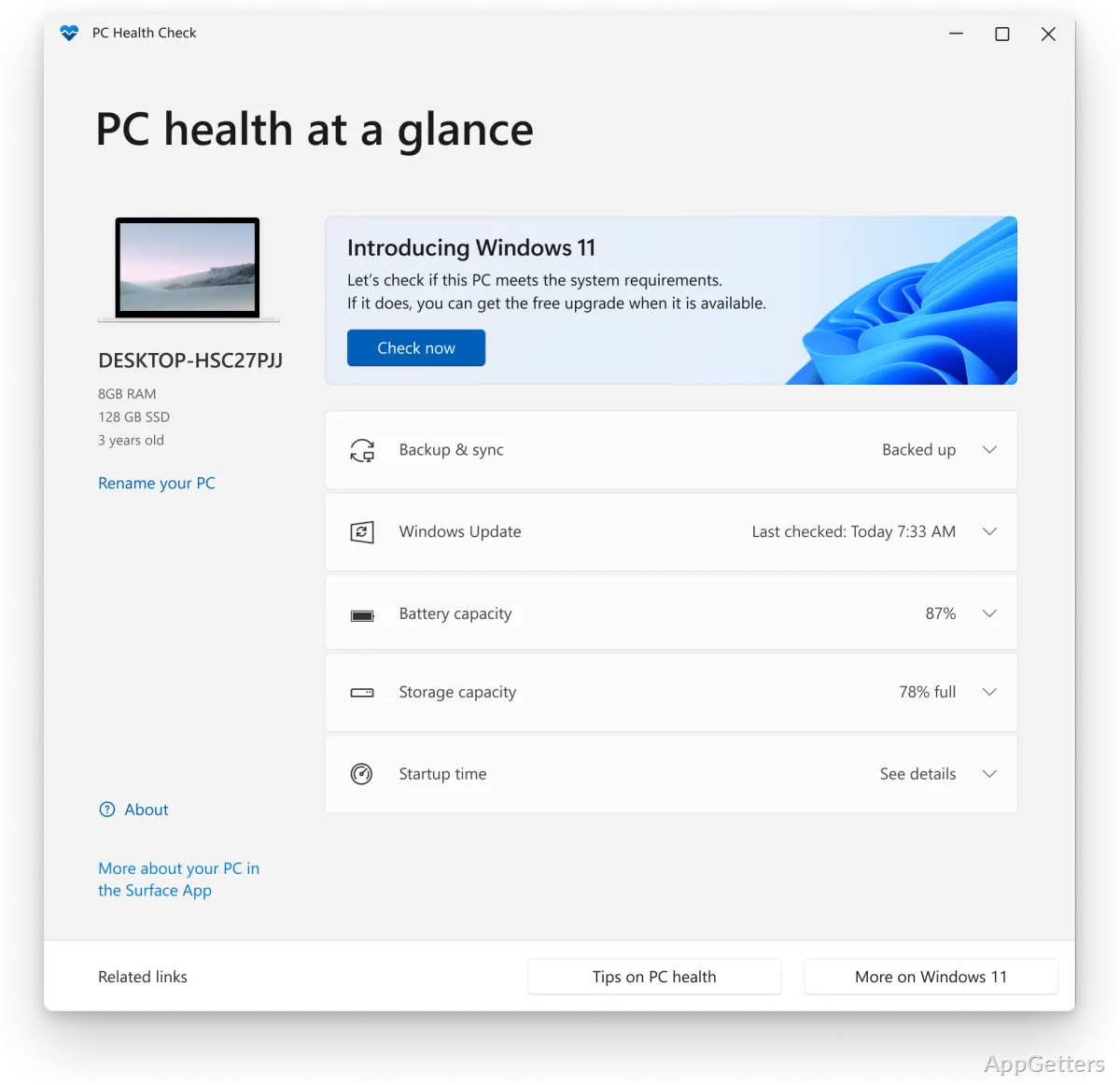
PC Health Check, at the ground level, aims at making the understanding of system status easy and clear, rather than giving detailed information. Opening the utility shows a neat snapshot of the device to users. It covers basic specs, disk space availability, laptop battery condition, and whether the update is installed, etc. Checking for eligibility for major Windows upgrades is one function that is highly used. It helps in drastically reducing the level of insecurity of users. These users are not sure if their device can be upgraded.

Emphasizing only the immediately pertinent details and not drowning users with heaps of diagnostic data is what makes this the right choice. Students or home users can get a better understanding of their system with this one. It requires no technical knowledge and no multiple system menus to be navigated.

Everyday Use and Practical Value

In normal usage, PC Health Check acts as a handy, small guide rather than monitoring the system continuously. People normally use it when their system is not running well, when they get a warning about almost full storage, or when they have a change of mind about installing an update. To a certain degree, the program can assist users in making decisions, such as deciding to throw away some files. It can also help in making sure that the system is up to date.

Still, it is not that capable of diagnosing and dealing with the problem automatically. So, the user has to carry out the steps required for resolving the issues. These include uninstalling software, updating drivers, or adjusting settings. In a way, it only suggests how users can proceed, but it does not take over the entire process.

Where It Falls Short

PC Health Check has a simple interface, but people looking for detailed information will find the limitations to be quite obvious. It does not provide a detailed diagnosis or give users advanced measurements of performance. In fact, it does not even include any troubleshooting mechanisms. Compared to more extensively developed system utilities, its coverage is deliberately limited.

For instance, the tool could tell the user that the system doesn’t qualify for the new Windows. But in most cases, it does not get down to the details of the exact reasons. Hence, advanced users often feel a lack of clear and succinct explanations, as well as steps that can be taken easily. So, these users could be dependent on third-party tools or Windows utilities for in-depth analysis.

Who It Fits in Everyday Windows Use

PC Health Check would probably be a good fit for average users and those whose main focus is not the computer but their brief needs and quick responses. It is suitable for those who want to do some light maintenance of their PCs without the need for deep technical knowledge.

To experts, it is a matter of saving time. It is the first step to a more precise assessment. It can only give basic information and support, but it cannot provide a replacement for detailed diagnostics. Its role in daily Windows use is that of a lightweight companion, good for quick checks but not meant for deep system management or troubleshooting.

Software Details of PC Health Check 4.0

License
Free
Version
4.0
File Size
13.68 MB
Downloads
0
Languages
English English, Spanish
Category
Op. System
Windows
Developer
Microsoft Corporation
Last Updated
November 17, 2024

Version History

2 versions
4.0
Latest
13.68 MB
November 17, 2024
3.7.220415001
13.61 MB
August 21, 2023

Leave a Comment

Your email address will not be published. Required fields are marked *

Software Icon
Security Report

Loading scan data...

Scroll to Top