Handling songs for worship or community singing becomes complicated quite quickly. This happens if different materials are scattered in notebooks, printed sheets, or different computers. A lot of music teams, even these days, still prepare everything manually, or with presentation software that was not initially made for lyrics and chord charts. In such cases, a lot of the time at the rehearsals is lost. The final adjustments are always done at the last moment before the services or events.
OpenSong is a tool compatible with Windows. It is made to organize, edit, and present lyrics of songs specifically for the live environment. It aims at making things easier, not just for the church. And it helps small worship teams and community groups. They prepare the materials for worship time. As it is not a music production tool, it is used for making a structured library of lyrics and chords. With OpenSong, users can easily shift from having documents scattered everywhere. They can have a song database in one place. It can be quickly accessed and shown.
Managing Song Libraries in One Place
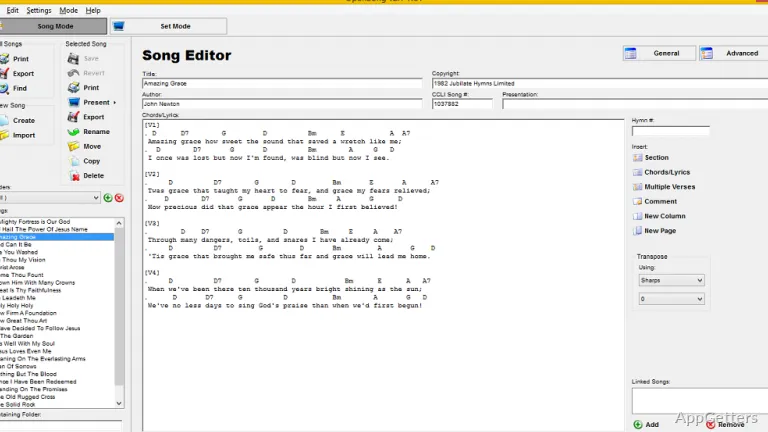
If you start using OpenSong, the first thing you notice is its method of organizing songs. Rather than keeping lyrics as separate files, the program stores them in a library. This library can be searched. So, it is very easy to categorize songs. It is also easy to make song groups for the sets. They can be accessed quickly while practicing or in the actual worship time.
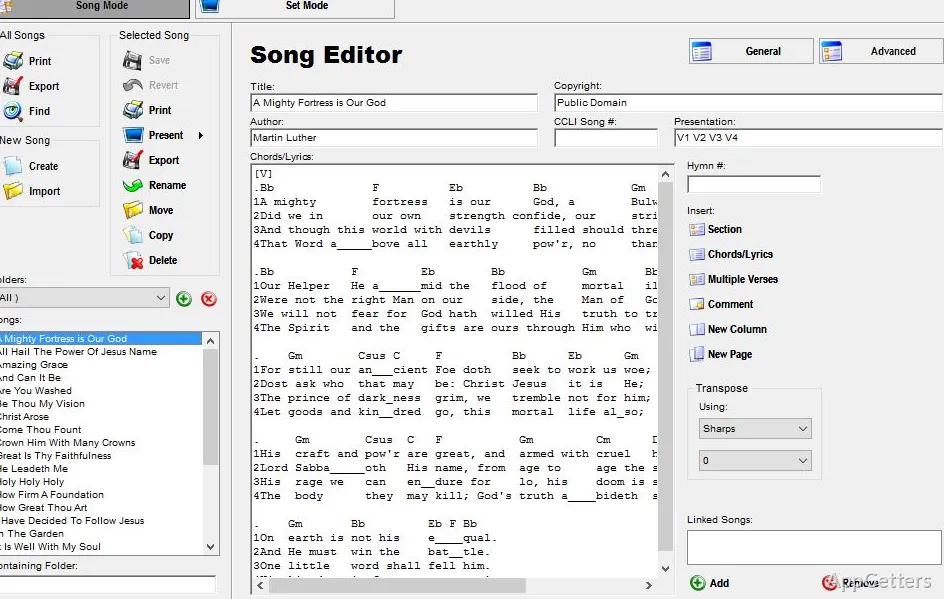
The look of the program is quite old-fashioned and plain, but it is functional. The songs are saved using a text-based format. They include the lyrics, chords, and other information such as the name of the author and key. For a lot of groups, such a setup makes editing quite easy. Without having to write down the whole document all over again, a song can be changed to a different key. It can also be changed to a different arrangement.
Churches that reuse the same songs week after week will find this database very practical. The slides they make can be saved and used again. Or changed in the new slideshow. This is all done in a few seconds.
Presentation Designed for Live Settings
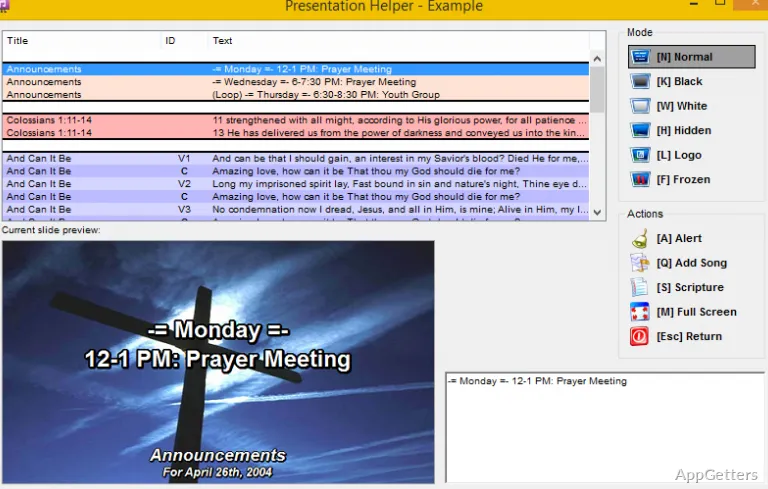
It is possible to present lyrics for singing on a secondary screen or a projector. OpenSong doesn’t just create song files. It also has integrated presentation capabilities. It can be a great advantage for worship teams. They do not need to have a look at which general-purpose slideshow software comes with it. This consolidated approach saves time in preparation.
Slides are generated automatically from the song text. The software breaks down the verses, choruses, and other parts of a song. They are then made into slides. They can be shown one after the other during the singing performance. With this, the user does not need to do all the side slide formatting that is a part of office software.
This presentation system, in fact, is something quite simple. Questions of how to present the lyrics are handled very effectively and clearly. But this software does not go as far as trying to imitate advanced effects. Professionals use them in their presentations. Perhaps the very fact that this product is simple may be a reason many small teams might choose to use it. The possibility of technical problems in the middle of a live presentation becomes almost zero.
Editing and Preparing Songs for Performance
Aside from editing a complete song, OpenSong supports the simplest last-minute line changes. Changes to lyrics and chords may be directly made inside the program’s writing part. It is pretty much like a well-set-up text editor. So, it can be a cinch to position the chord right, change verses, or even correct the look. This can be done without having to constantly change programs.
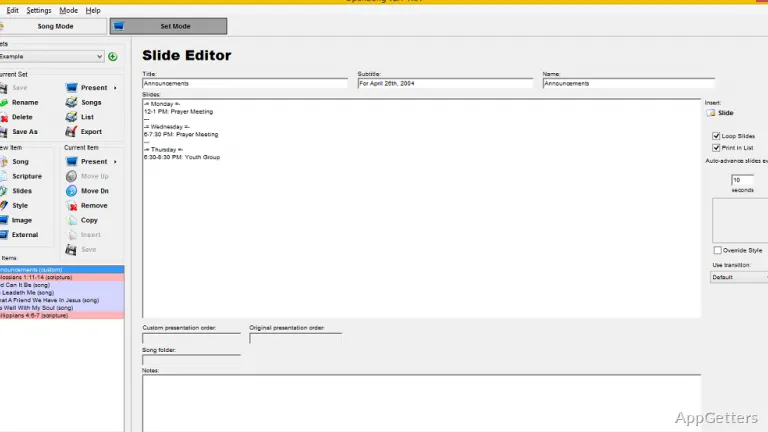
Also possible is the making of song sets for a worship service or any other event. The songs in the library can be put in order. They can also be preloaded to the presentation screen. At the moment of use, the person operating only needs to follow the set list.
What happens with volunteer groups is that this way of working can be very helpful for them. Most of the time, they do not have the greatest technical skills. Because the system of making changes is simple enough, new users will most likely be able to pick it up rather quickly.
Where OpenSong Fits Best
OpenSong is most efficient for small and medium worship teams who need a good and meaningful way to manage song lyrics. Since it has only the most essential features, it can be used by volunteers, students, and church staff. They may not be at ease with complex systems for presentations.
On the other hand, the software shows that it was created long ago in some of its parts. Its interface is somewhat old-fashioned. The visual configuration options are quite limited when compared with contemporary presentation tools. Those teams whose main concern is a graphics-heavy display might find it too restrictive.
For groups whose main concern is to have lyrics and chords managed in the most efficient way possible, OpenSong is a very good and dependable tool. It helps keep songs in order and makes presentations a lot easier. Consequently, time spent on preparation is reduced. Rehearsals and service times go like clockwork.