EXE
Home » Software » Windows » Screen Recorders » oCam for Windows
oCam for Windows

oCam for Windows

  • By Ohsoft.net
  • Free
  • Version: 550.0
  • 9.1 MB
  • Security Report:

Recording the screen is a necessity in one way or another for most Windows users. Apart from students who are tasked with creating project demos, teachers who produce educational content, or home users who want to save tutorials, gameplay, or debugging steps, there could be numerous reasons. Although Windows itself has some recording capabilities, users often find them quite rigid for other recording situations. oCam is a tiny screen recording program that helps you a lot in recording. It mainly focuses on adding handy recording features, so it does not have a complicated workflow. This is a very easy way of handling things for anybody who wants to capture desktop video, record app activity, or just save a screen reference.

Recording Without a Steep Learning Curve

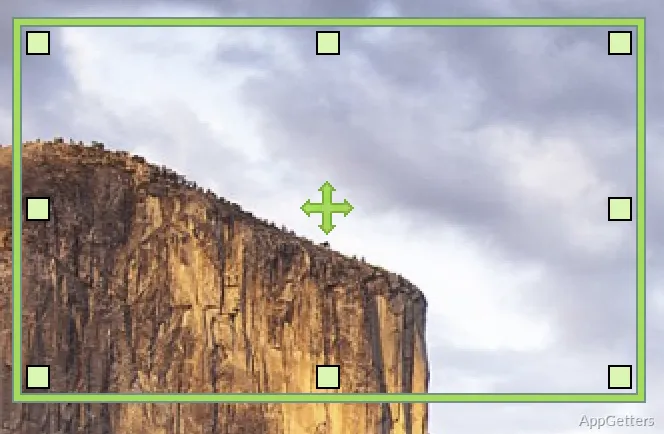
A very obvious feature of oCam is that it does not take much time for a user to start a recording session. The GUI, in fact, shows you a choice of capture area right on your monitor, so you are free to decide exactly what you want to record. In this way, you are not only able to skip quite a bit of post-production but also limit your recording to your own window or a certain part of the desktop.

Its regular usage fits the creation of software tutorials, online lessons, and demonstration videos excellently. A user is perfectly free to choose between recording the entire screen or focusing on a smaller area. During recording, the controls are always in sight. This, in turn, supports the practice of making repeated recordings much simpler, especially for beginners who have never had any experience with screen-capture software. As such, the process is generally quite easy, and most of the time, almost completely hands-free.

Practical Features for Different Recording Tasks

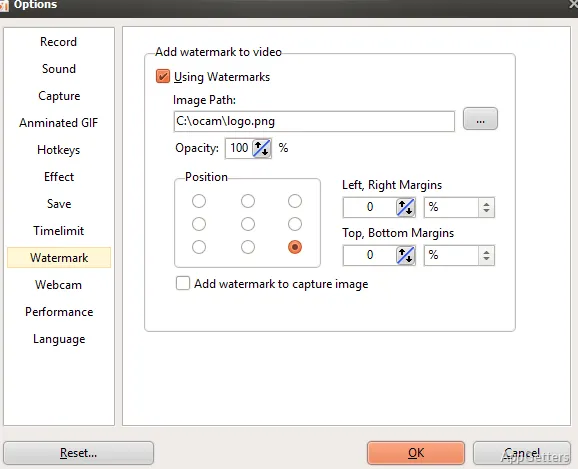
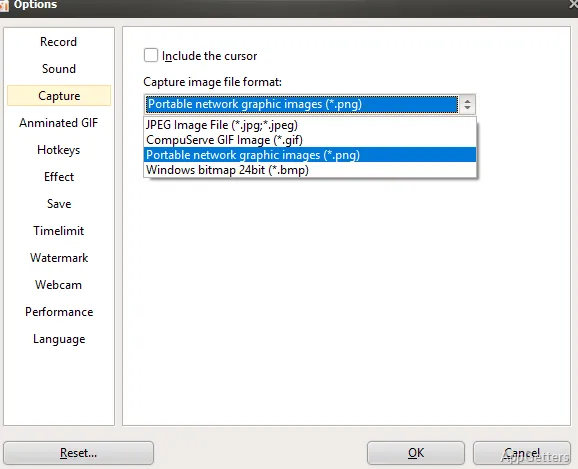
Besides a usual screen-capturing feature, oCam also has several other options accommodating a wide range of scenarios. A user is able to record video along with system audio, microphone input, and store a recording in a wide range of saved formats. Thanks to all these functions, it becomes a very good tool for making all sorts of educational content, walkthroughs, and even simple presentations.

In fact, even professional gamers and video creators consider this tool very useful. It is as straightforward as well as an intelligent screen recording tool that will not give you the feeling of a complicated one. It is a fact that it is not connected to video editing professional suites, as it does not have those features; however, it still provides many everyday recording needs quite well. People who seek flexibility to some extent will undoubtedly find it useful. But they do not want the hassle of the technical side. They will consider it a pleasure to change recording and output options.

Regular PCs, simply equipped with a contemporary Windows operating system, are compatible with the software since it is largely a stable performer. This is particularly the case if the length of the recorded task is quite short. Doing so eliminates the necessity of reworking the material.

Limitations and everyday considerations

Like most other lightweight screen video capture software, oCam is a great tool for this purpose. But if users want a wide range of video editing options or visual effects, they will need other software. For professional production features, they will have to use other tools after finishing the recording.

The control panel is quite efficient in terms of functionality. However, its appearance may feel rather old-fashioned. This becomes more noticeable when compared to the latest recording tools. Apart from that, you may also encounter a situation where, instead of going for a package with advanced presentation options, you measure a software by the range and depth of its features, apart from just recording capabilities. Inevitably, the results sway towards the premium alternatives. Nevertheless, these are fairly minor inconveniences. They matter little to those whose main focus is merely to perform screen capturing in a fast and reliable manner.

On the whole, it is fair to say that for educational, personal, or instructional purposes, the program runs well. Recording is done without the aid of Stardom and other tendencies. It also meets most users’ expectations. Besides that, significant requirements for hardware are also not part of the package, which in itself is a helpful point.

A Practical Fit for Students, Teachers, and Home Users

For faithful screen recording production without getting into the use of sophisticated video software, oCam is a perfect solution. It is ideal for students, teachers, and home users who are on Windows. Students producing their homework can profit from oCam quite a lot. Teachers preparing their teaching materials can benefit as well. Technical support staff explaining their steps and home users making tutorial videos may also find it useful.

What really makes it stand out, though, is that it is very easy to use. This is because, firstly, it asks for very little input from the user. Yet, it has enough features to serve the top recording requirements and situations. It may lack a few production features at the moment.

Software Details of oCam 550.0

License
Free
Version
550.0
File Size
9.1 MB
Downloads
0
Language
English
Category
Op. System
Windows
Developer
Last Updated
March 26, 2024

Version History

1 version
550.0
Latest
9.1 MB
March 26, 2024

Leave a Comment

Your email address will not be published. Required fields are marked *

Software Icon
Security Report

Loading scan data...

Scroll to Top