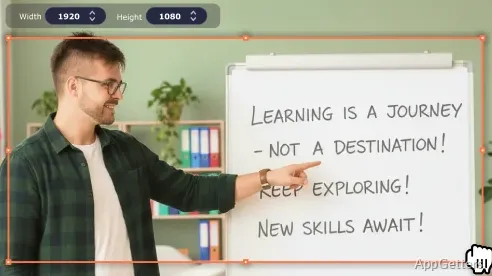
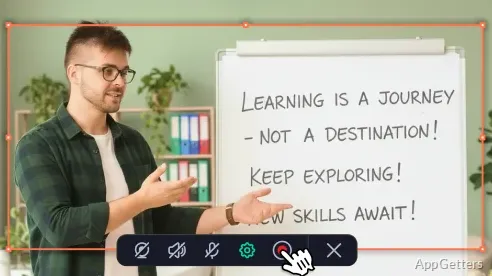
Recording what you are doing on the computer has become really easy these days. It is extremely necessary now for educating students, maintaining contact with colleagues, and working together. If required, students can record the lessons for later reuse. Those who work from home can record presentations to share with their colleagues. Various content creators can record tutorials or presentations, and so on. It is a dilemma for most of us to locate screen recording software that is not only super easy to use but also affords enough flexibility with various recording situations. While most applications only provide very basic capture features or demand an advanced production workflow, Movavi Screen Recorder is a Windows desktop software that delivers a simple and enjoyable recording experience. It supplies a variety of changes for an average user’s needs.
Additionally, the program enables the user to make their recorded videos more visually attractive and informative through the use of its simple video editing tools.
Designed for Fast and Convenient Recording
Now, the highlight of Movavi Screen Recorder is its friendly user interface, or, in other words, a very simple user interface. Its interface is designed in such a way that a beginner hardly needs any training to carry out recording work. The location of vital controls is very quick and easy to identify. This ultimately results in less time spent on application learning and more time on task accomplishment by the user themselves.
For recording content from different channels such as webinars, online meetings, presentations, educational content, and software demonstrations, it works efficiently. In case a full-screen recording needs to be carried out, or a user wishes to record a chosen part of the screen, a user definitely has the liberty to do that. These are the foremost flexible recording features one can have in line with their changing needs. So, combining everything, Movavi Screen Recorder offers considerable recording flexibility. It also manages to stay quite simple, which is, in every analogy, a real winner. Thus, for a majority of users, the simplicity of setting it up is one of the factors that count highly for their selecting this product as their personal choice.
Supporting Everyday Productivity and Learning
Movavi Screen Recorder can be naturally and easily integrated into situations where there is a need to capture information. It also helps users share information in the most efficient way possible. Students save their recorded lessons to use them for later revision. Teachers can make their educational video recordings without spending much time on their technical setup. Work-from-home employees use screen recording as the main tool. It helps explain various processes, provide feedback, and document software executions for other colleagues.
The main idea of the software’s workflow is visual quick communication that spreads from one side to the other. Instead of typing long texts, the user directly records the actions happening on their screen. They then share them only when they are really needed. Collaboration gets quicker, and errors get reduced. This is especially important in professional situations where a picture tells more than a thousand words. For users who work with recording regularly, these small changes in their workflow may result in substantial productivity gains.
Performance, Reliability, and Realistic Expectations
In regular Windows usage, Movavi Screen Recorder tends to perform well without any major glitches. It does not crash even when you are doing several things on your computer at the same time. Also, for the most part, the program will not make your PC lag, even if it is not a very high-end machine. This is important because for people who work, it is undesirable for them to take breaks while recording, as recording is only a part of their work.
Movavi Screen Recorder would best serve a user who needs to record single takes and basic editing after the recording. Users who do highly sophisticated video editing and special effects should go for video editing software, not screen recorders. A screen recorder is an application purposely designed for capturing screen features, events, and a series of actions. It is not expected to offer a broad suite of editing features.
Well-suited for Students, Educators, and Remote Professionals
Movavi Screen Recorder is a great option for people who require screen recording that can be done quickly, efficiently, and reliably. It suits users who do not have the time, patience, or knowledge required to operate a professional production tool that can be excessively complex. This is the category of users that the program is heavily biased towards, especially students, teachers, remote workers, trainers, and generally home users.
Movavi Screen Recorder is constantly presenting itself as a tool that can be used by everyone. The offer of screen recording is made available to all. At the same time, it is flexible enough to be actually used for common situations in the real world. It primarily highlights efficiency, consistency, and user-friendliness over advanced production functions.
If you are a Windows user and need to record classes, presentations, demonstrations, or work instructions on a regular basis, Movavi Screen Recorder is a very smart solution. It allows you to continue with your daily digital work without making major changes, for the most part, to your recording needs.