Voice communication is a part of our daily computer usage now. Users chat in online games, make group calls, and are active on live streaming services. However, many users desire an adjustment of their voice in those environments at some point. A number of them require privacy. Some want artistic expression. Just a handful are willing to change their voice. This lessens the chances of being recognized immediately online.
Voice-changing software is just what they need at this point. MorphVOX and other such tools are designed to fulfill that requirement. They work by changing the microphone input directly. This is different from the traditional way of recording first and editing later. Instead, the voice is modified live while it is going through the system. Such a tool will be a discreet addition to the daily workflows. This is the case if voice chat is a frequent activity for Windows users.
Giving Real-Time Voice Changing a Go
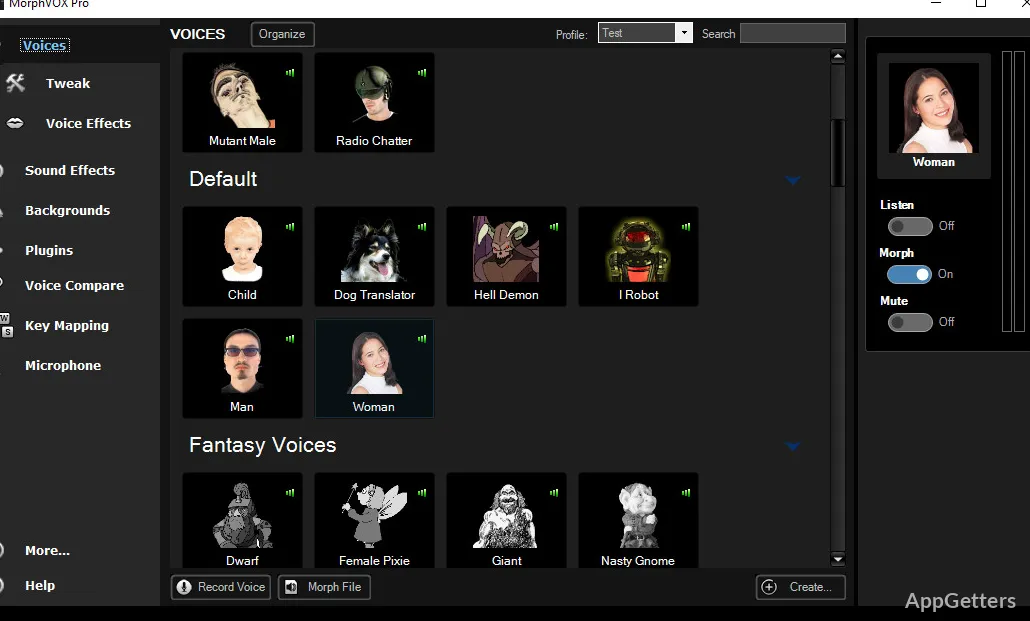
MorphVOX is primarily into real-time voice changing as opposed to post-production editing. After you have installed it, the software starts functioning. It directs the microphone input through its own audio processing network. Voice chat programs or games simply recognize it as one more microphone source.
As a matter of fact, it makes the tool convenient for integration with platforms such as online games, voice meeting tools, or chat applications. The usual flow is that after installation and configuration, users pick MorphVOX as their microphone input. Then the voice effects get applied right away during the conversation.
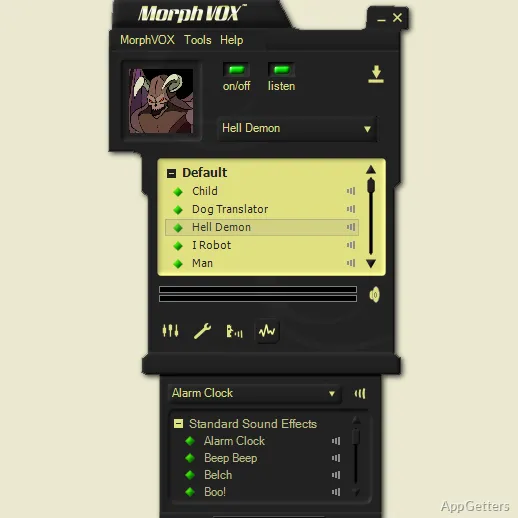
The software offers several voice profiles that change the pitch, tone, and resonance. These character types mimic different voices, such as deep voices or cartoon characters. Although the main selling points are the presets, it is also possible with the software to make changes. This is for improving how the voice transformation acts.
Built for the Worlds of Games and Online Communities
No surprise that the MorphVOX audience is mostly made up of gamers due to their culture of online community communication. Most of the multiplayer games nowadays depend on having voice communication. A voice changer can give an element of fun, disguise, or simply support role-playing for different characters.
Tests done show that the software aims at low CPU usage first. Changes in instant processing voice can sometimes result in a lag. But MorphVOX is able to keep the delay at an acceptable level most of the time. This is on a typical Windows computer. In a gaming environment, this is important. The voice should stay in sync with the rest of the players’ actions.
Also, there is the matter of background sound in a conversation. The software not only allows you to have sound effects or ambient sounds. You can also use the soundboard features for triggering mid-conversation. Streamers and players who want to make their voice interactions even more lively are usually attracted by these parts.
Usefulness and Everyday Limitations
In spite of being flexible in the ways it can be used, MorphVOX still needs a little effort on your part to be able to run it without a hitch. Initially, tweaking your microphone, setting audio levels, and making sure it is compatible with other voice tools may be your tasks. Audio routing is not that easy for beginners. Less than 5 minutes are usually required to make the concept clear.
Voice quality is also a big dependency of the microphone you are working with. It is highly likely that a simple microphone cannot do justice to the voice effects. A good microphone definitely results in much better transformations.
Moreover, a possible drawback could be that profiles with very wide changes can sound a bit off. Even though moderately changed voices sound quite natural, it is the case that users may not be completely satisfied with the results of their interaction. This may happen if they go all the way to the most transformed voices.
MorphVOX and Daily Windows Usage
The actual users who will make use of MorphVOX are the ones engaged in voice chat environments regularly. They also want to have their voice heard under control. This is as per their liking. Online gamers, streamers, and community moderators are the most common users.
Students or other casual users at home can use the software for online communities. In those places, they may have to take a stand for their privacy and safety. To maintain a low profile or remain an anonymous one in the conversation, simply changing your sound a bit can be very helpful.
On the whole, MorphVOX is one of the useful audio tools under the Windows environment. It is not meant for the big-time professional audio production studios, but rather live voice interaction. It gives those users who we find in the voice-based online spaces the simplest way to play around with the voice identity. They can still keep the communication in real-time.