In the past, home DJing with a computer meant shelling out a lot of money for a turntable controller and a specific software bundle in order to get started. This meant those who want to make music just for fun or to improve their skills were put off because they had to invest a lot of money before even trying to go DJing at a living room party. The problem is that many of those who want to learn just need a good way to do mixing, beat matching, and recording their set without too much trouble of dealing with licensing or subscriptions. On Windows, as a platform where the range of hardware and drivers can be quite large, stability is also an issue worth looking at. Mixxx shines in this area by giving you a complete set of DJ features. You can use it right on your computer.
Mixxx: A Fully Functional DJ Environment for Windows
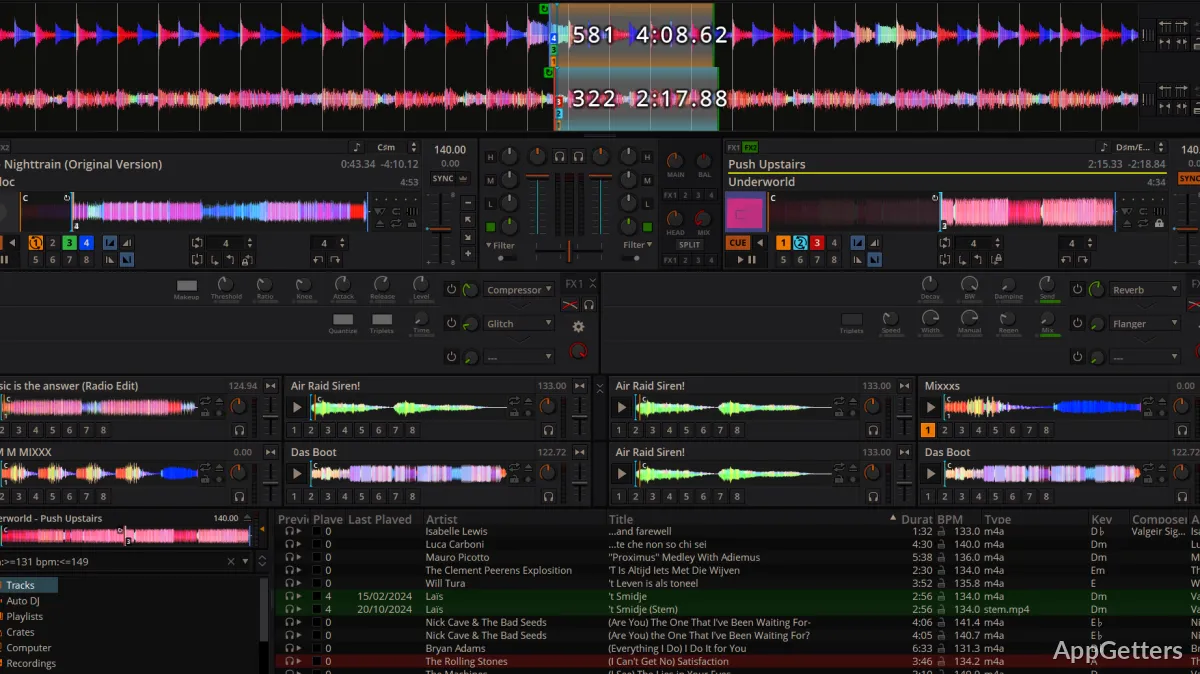
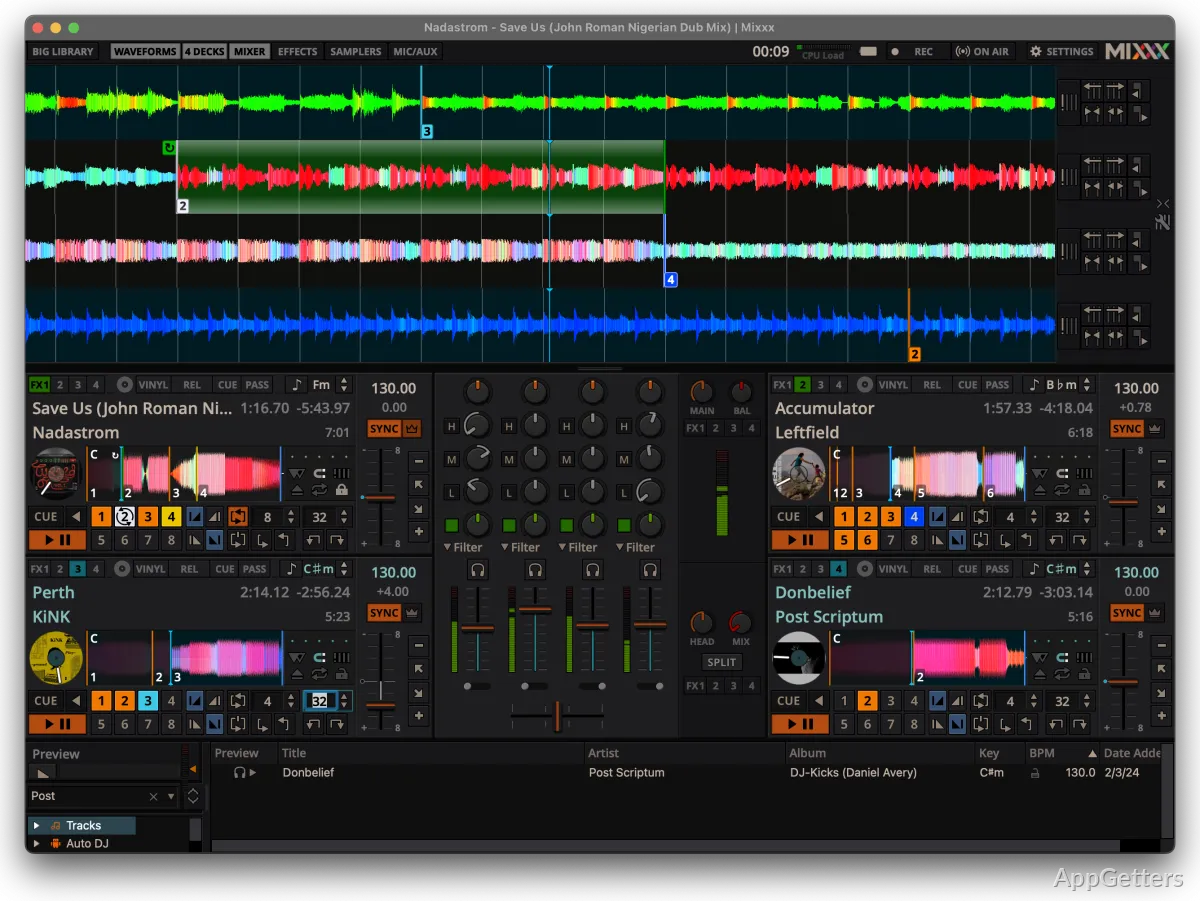
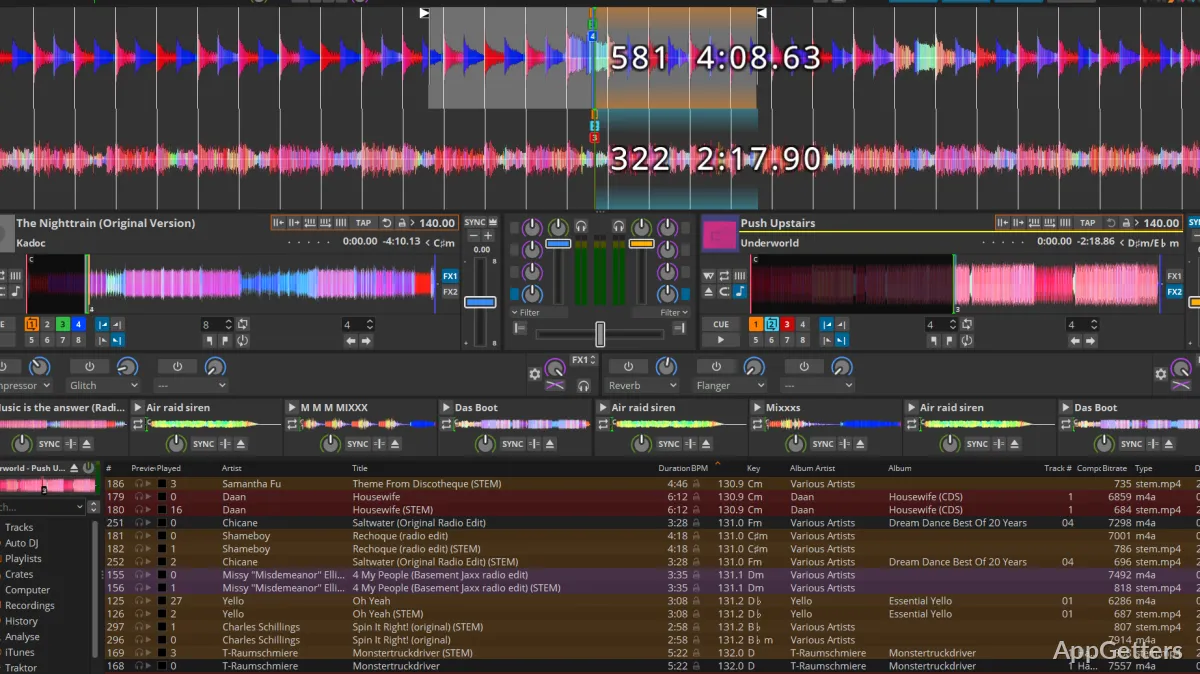
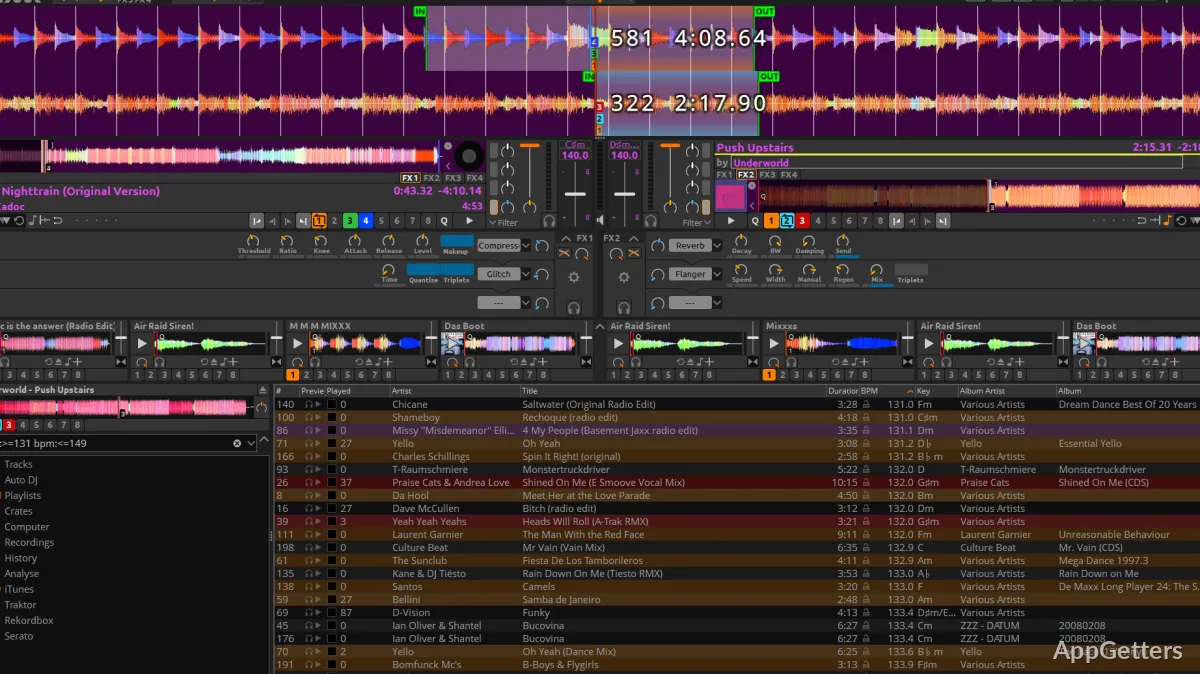
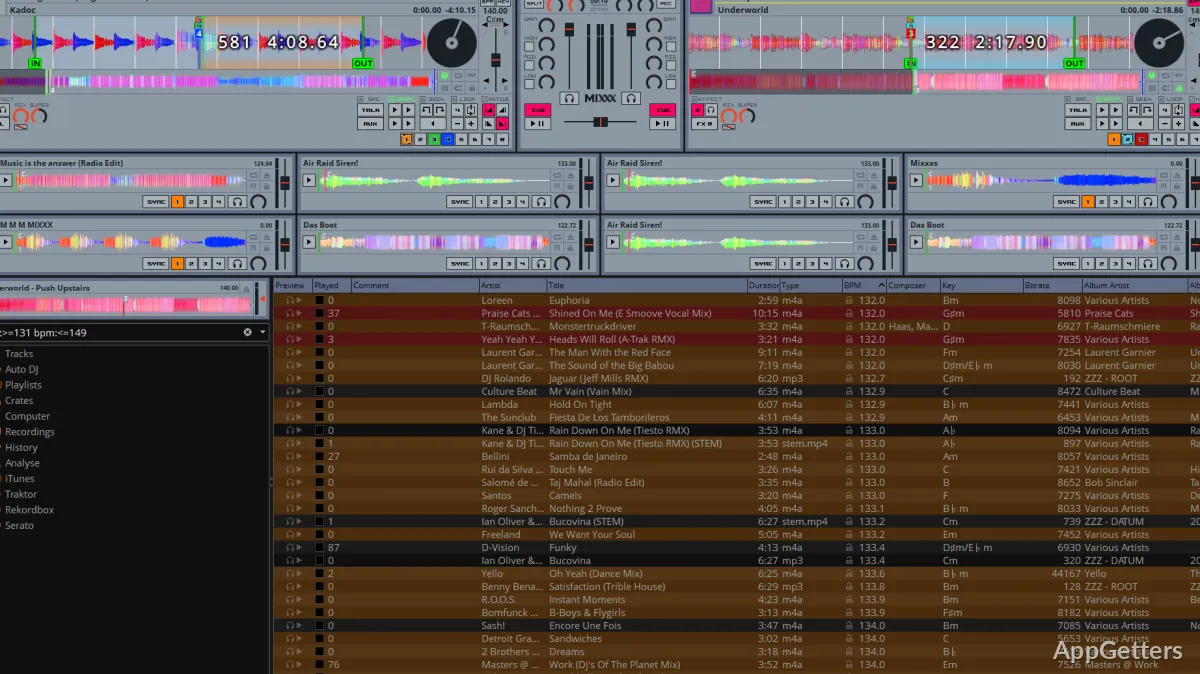
When it first starts, Mixxx presents you with a workspace that isn’t merely visually attractive but also very intuitive for those new to DJing. It reflects the concept of physical DJ decks with two or four virtual turntables, a central mixer, and waveform displays. These help visualize track alignment. Besides the familiar workflow, these parts also show where tracks can be loaded, analyzed for BPM, and synchronized if needed.
The application feels natural rather than artificial in daily use. Each knob is made with a neat label, and the colors of the shapes and textual elements are there to aid the mind.
Track Library and Mix Preparation
A lot of DJing time is spent on the music library side of things. Mixxx helps you shorten that time by processing the bulk of incoming songs. It also determines the tempo, key, and waveform of the tracks. If you happen to have a lot of locally stored music, then it is certainly time saved. The time can be put to work on other things, like inspiration and trick videos.
Placing loops and cue points can be done straight on the waveform display. Therefore, these tools become a helping hand in learning different rhythmic structures and their timings. Mixxx keeps a record of all markers on the local device. Because of this, the preparation will be a piece of cake even when the track is playing again after a period of time.
Although analysis tools are pretty reliable, there are times when they may need manual adjustment. This is especially true for tracks with irregular tempos or the complex musical forms of tracks, which is simply the nature of many DJ applications.
Performance and Hardware
Mixxx for Windows is a good thing in that it supports a lot of MIDI hardware. Most of the entry model controllers on the market nowadays can be used with this software. It will allow users to control the decks, effects, and loops using physical knobs and faders rather than only using the mouse.
Even on a mid-range laptop, the software is stable and can be used to rehearse, record a small event, and set up a small studio at home. Because it is all running locally, there is no dependency on an internet connection to record or perform.
Nevertheless, for professional touring DJs, probably the large commercial platforms providing the possibility to make use of the club hardware directly will be unsurpassed in the near future. For personal setups, Mixxx is great. Compatibility with certain high-end systems will rely on community-created mappings.
The Place of Mixxx in DJs’ Workflow
Mixxx would also be a perfect match for students and backyard DJs who want to have a full-featured DJ environment without committing to commercial platforms. It is the basis of what would be needed to go beatmatching, trying out transitions, and recording mixes. All of this can be done on a Windows computer.
If you are a very occasional performer, or if you have a small private event, then the software will become a complete alternative for your mixing platform when you buy the compatible controller. However, this software will allow you to continue to learn DJing. It helps get you involved with the “professional” ecosystem further down the line.
At the end of the day, Mixxx is a really welcome addition to the world of DJing. This is by virtue of being both an effective instrument that can be relied upon for actual mixing sessions. It is also very user-friendly to those who use it merely for developing their skills and managing their music library within a dependable desktop application.