When a stream needs separate microphone and game audio, Mixline gives you a place to route and balance those signals. Logitech’s Mixline connects audio inputs to multiple outputs for streaming or recording, with controls for preparing routes and adjusting submix levels.
How do you route audio in Mixline?
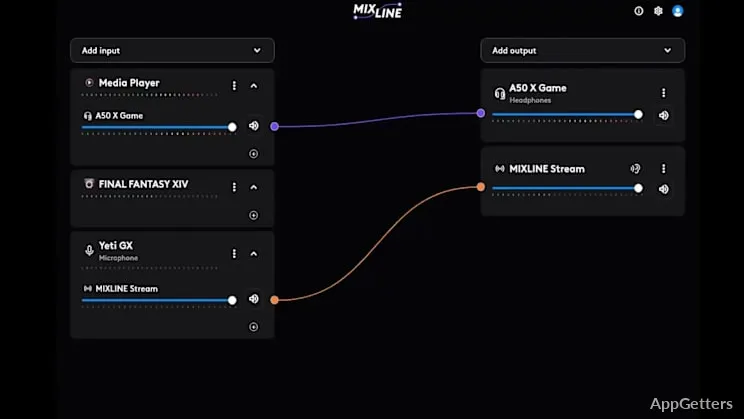
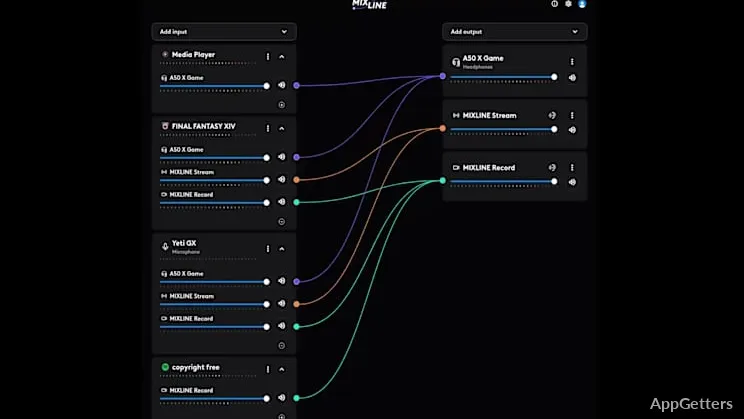
Start by dragging audio routes into the arrangement you want. Mixline lets you connect inputs to more than one output, so a source can be directed where the stream or recording needs it. A simple monitoring button lets you check the sound while setting up the mix.
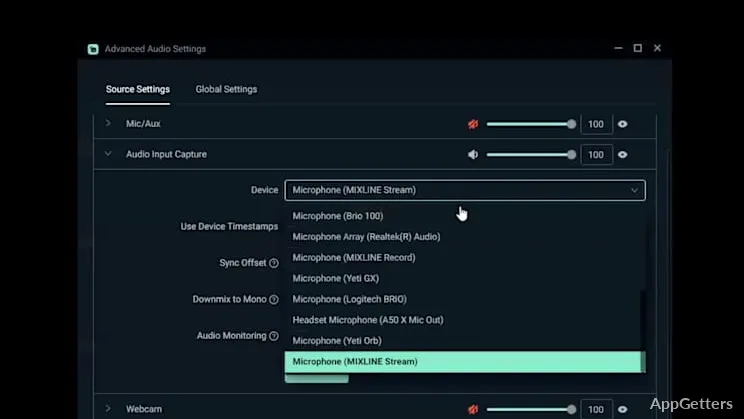
The routing workflow is designed for streaming and recording setups, including OBS, Streamlabs, and dual-PC configurations. You can bring sources together in Mixline, then send the resulting audio to the destinations in your setup.
How do submix volume controls work?
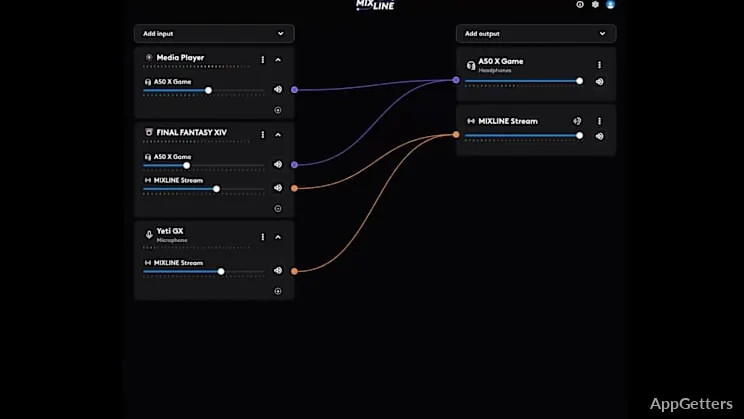
Mixline provides separate volume adjustment for the inputs in each submix. That gives you a way to balance sources independently—for example, keeping microphone audio at a suitable level alongside other stream audio.
- Arrange preferred audio routes by dragging them.
- Connect input sources to multiple outputs.
- Adjust input volume for each submix separately.
- Use the monitoring control to hear how the mix sounds.
Can Mixline handle streaming and recording?
Mixline brings routing and mixing into one application for streaming or recording. Its setup options cover common streaming workflows with OBS and Streamlabs, as well as arrangements that use two PCs.
Pros
- Routes inputs to multiple audio outputs
- Provides independent input-volume controls for each submix
- Includes a one-button way to check how the mix sounds
- Supports workflows involving OBS, Streamlabs, and dual-PC setups
System requirements: Windows 10, Windows 11
Can Mixline send one input to multiple outputs?
Yes. Mixline connects audio inputs to multiple outputs.
Can I adjust microphone and other source levels separately?
Mixline offers independent input-volume adjustment for each submix.
Does Mixline work with OBS or Streamlabs workflows?
Mixline includes setup options for OBS and Streamlabs streaming arrangements.