Want to save an online lecture, a radio stream or your own narration as an audio file? AceThinker Free Audio Recorder captures your PC's sound, your microphone or both, and saves the result as MP3.
Can it record computer sound and microphone input?
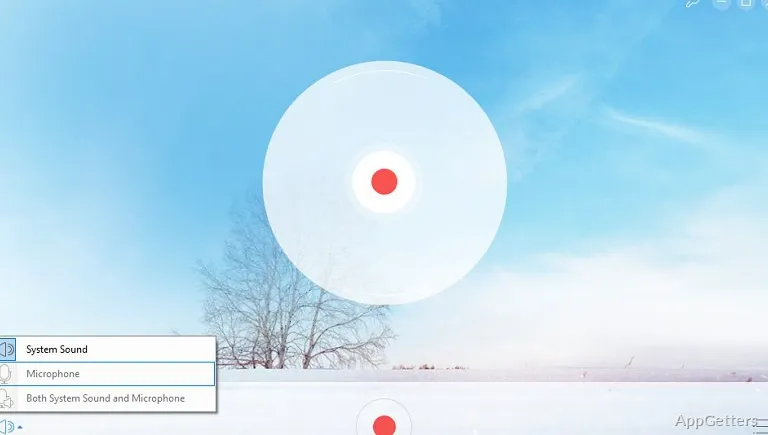
The recorder can capture audio playing on the computer, such as a lecture or other playback, and it can record a connected microphone. Choose the audio source that fits the recording: playback, spoken voice, or both sources when you want to include narration alongside computer audio.
How do you start and save a recording?
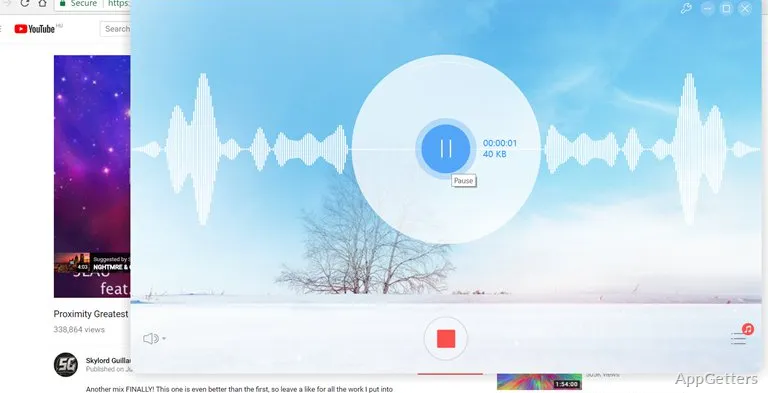
Start the sound you want to capture, then begin recording in AceThinker. Stop the session when you have the audio you need. Before saving, choose a destination on the computer and an output format; the program stores the resulting file there.
- Start playback before recording computer audio.
- Stop recording when the capture is complete.
- Select where the file will be saved and its format.
Can you organize recordings in the program?
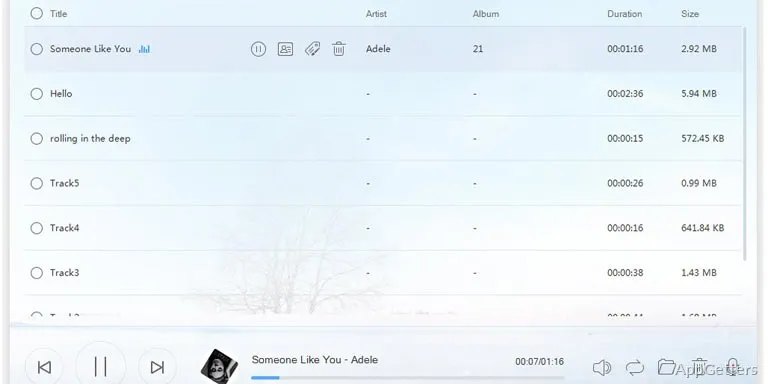
The built-in library lists every recording, where you can rename files and fill in details such as artist, album and cover image. The free recorder runs through a small launcher program that opens from AceThinker's website.
Pros
- Captures audio playing through the computer
- Records microphone input
- Lets you choose the recording destination and format
- Renames and labels saved recordings
Cons
- Needs a launcher installed from the website
- No audio editing tools
- Promotes AceThinkers paid recorders
System requirements: Windows 7, Windows 8, Windows 8.1, Windows 10, Windows 11
Can it record PC sound and my voice at the same time?
Yes. Select both system sound and microphone to narrate over what is playing.
Which format does it save?
Recordings are saved as MP3 files.
Do I need to install anything?
A small launcher is installed the first time you start the free recorder from AceThinker's website.