Need to back up your iPhone to your PC, or restore an iPad that won't start? Apple Devices is Apple's free Windows app for exactly that, taking over device backups, updates, restores and syncing from the old iTunes.
What can you manage from Windows?
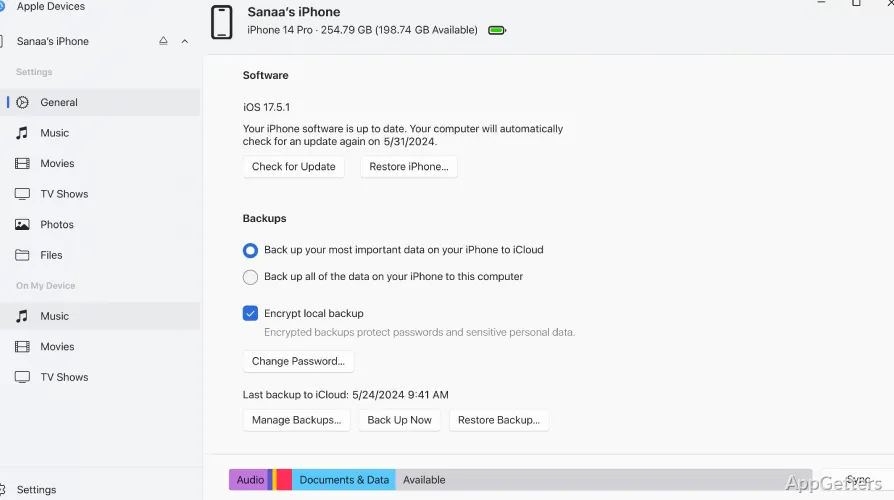
Connect an iPhone or iPad to the PC with a USB cable. Apple Devices recognizes the connected hardware and presents device information, including its current software version and whether an update is available. From there, the app provides controls for updating the device and managing its content.
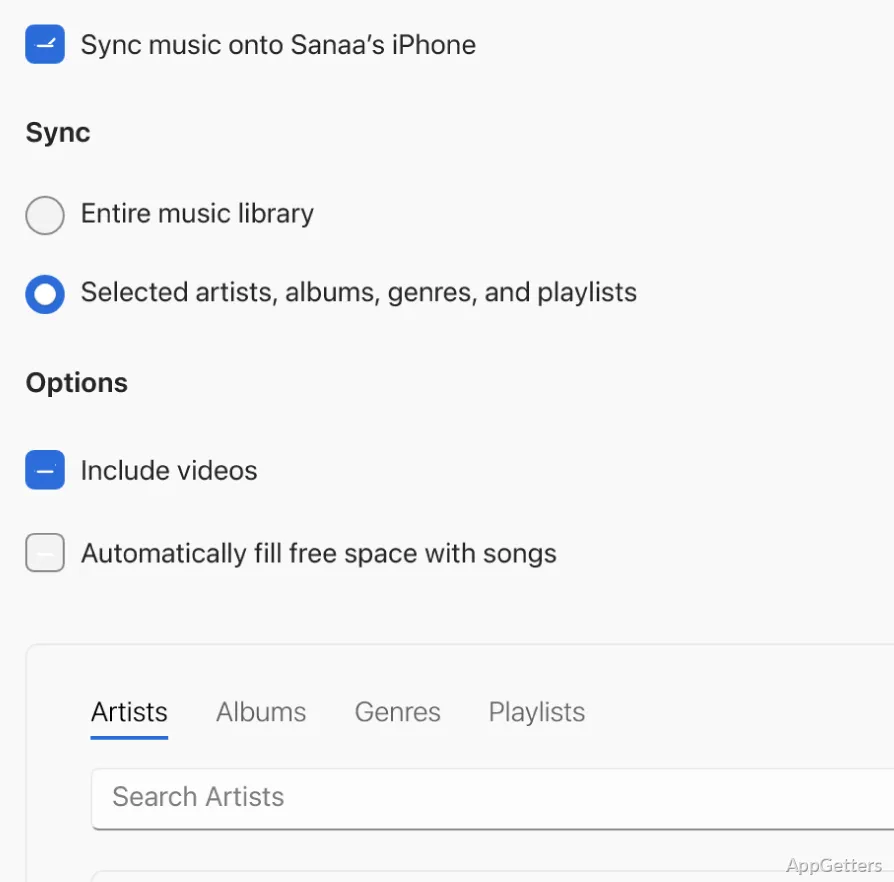
The app also handles syncing content between a connected device and the PC. This includes media such as music, movies, and TV shows. Device management and media syncing are handled in Apple Devices, separately from Apple’s other Windows media apps.
Device backups and recovery
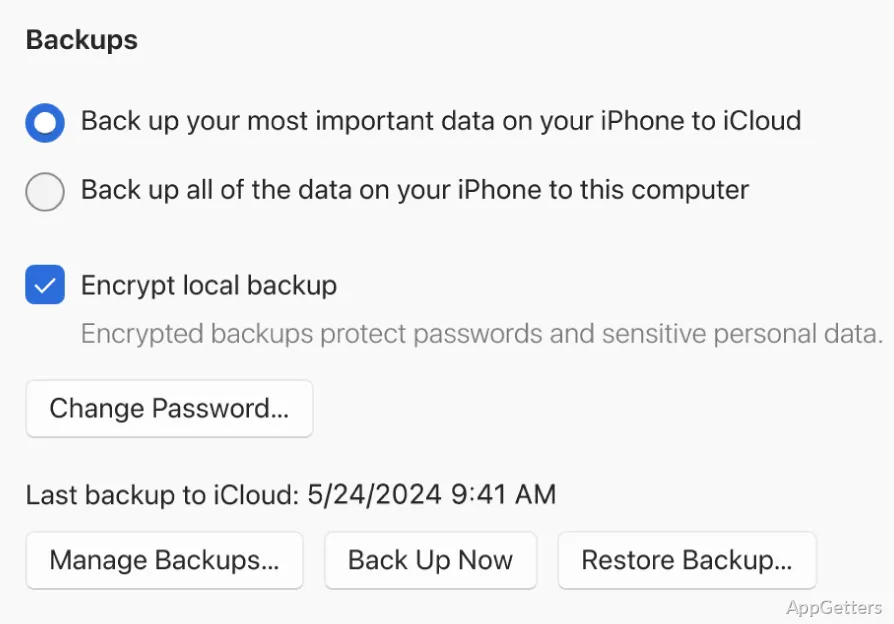
Create a backup on the Windows PC to keep a copy of information, files, and other content stored on the iPhone or iPad. Turn on encrypted backups to also save Wi-Fi passwords, Health data and saved website logins, which unencrypted backups leave out. Don't lose that password: without it the backup cannot be restored.
The same app can restore a connected device to factory settings. This is a recovery option that resets the device, so it should be used with care. Keeping a backup gives you a copy of the device’s data to restore from when needed.
Working with a connected device
After the first USB connection, you can enable syncing over Wi-Fi when both devices are on the same network. If a device is stuck on the Apple logo, Apple Devices can reinstall iOS or iPadOS in recovery mode.
It needs Windows 10 version 22H2 or Windows 11 and is installed from the Microsoft Store.
Pros
- Creates backups of device information, content, and files
- Can password-protect saved backups
- Shows device software details and available updates
- Provides a Windows option to restore factory settings
Cons
- No photo transfer; use the Photos app instead
- Large backups take a long time
- Needs Windows 10 22H2 or later
System requirements: Windows 10, Windows 11
Does Apple Devices replace iTunes?
For iPhone and iPad management, yes. Once installed, backups, updates and restores move from iTunes to Apple Devices.
Can I update or restore an iPhone from Windows?
Yes. Install iOS updates or restore the device to factory settings, including from recovery mode.
Can I sync over Wi-Fi?
Yes, after connecting once by USB and enabling Wi-Fi sync.
Can Apple Devices transfer photos to my PC?
No. Use the Windows Photos app or iCloud for Windows to import photos.