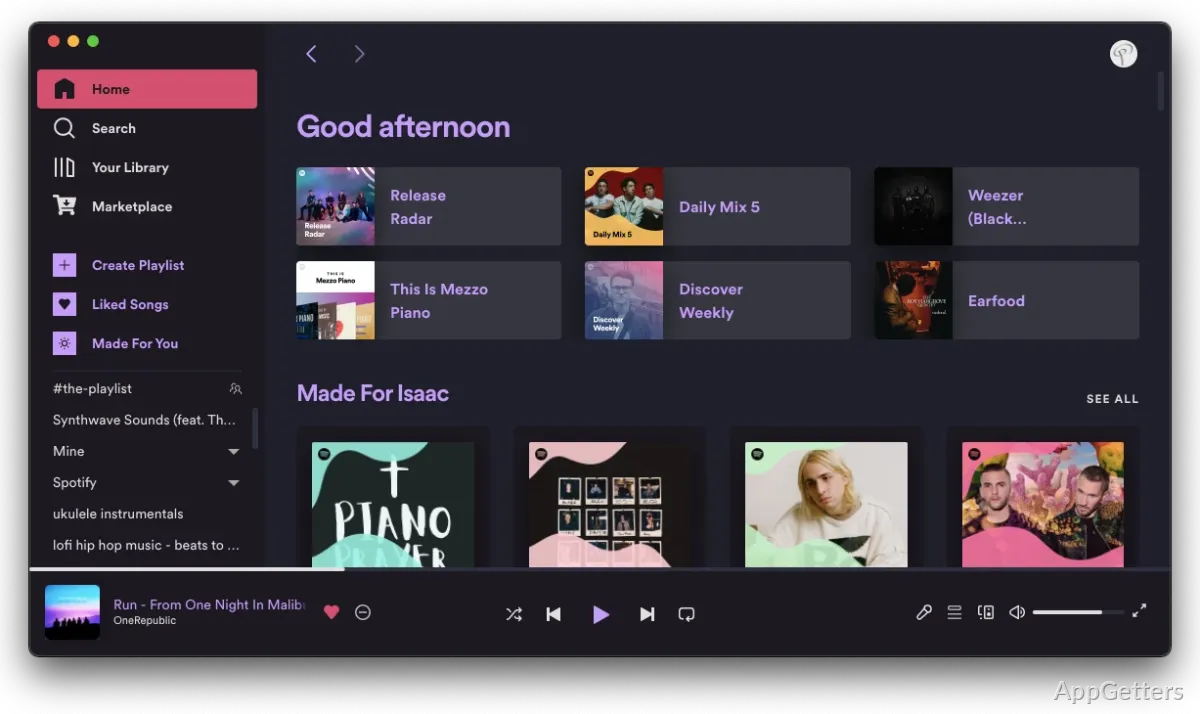
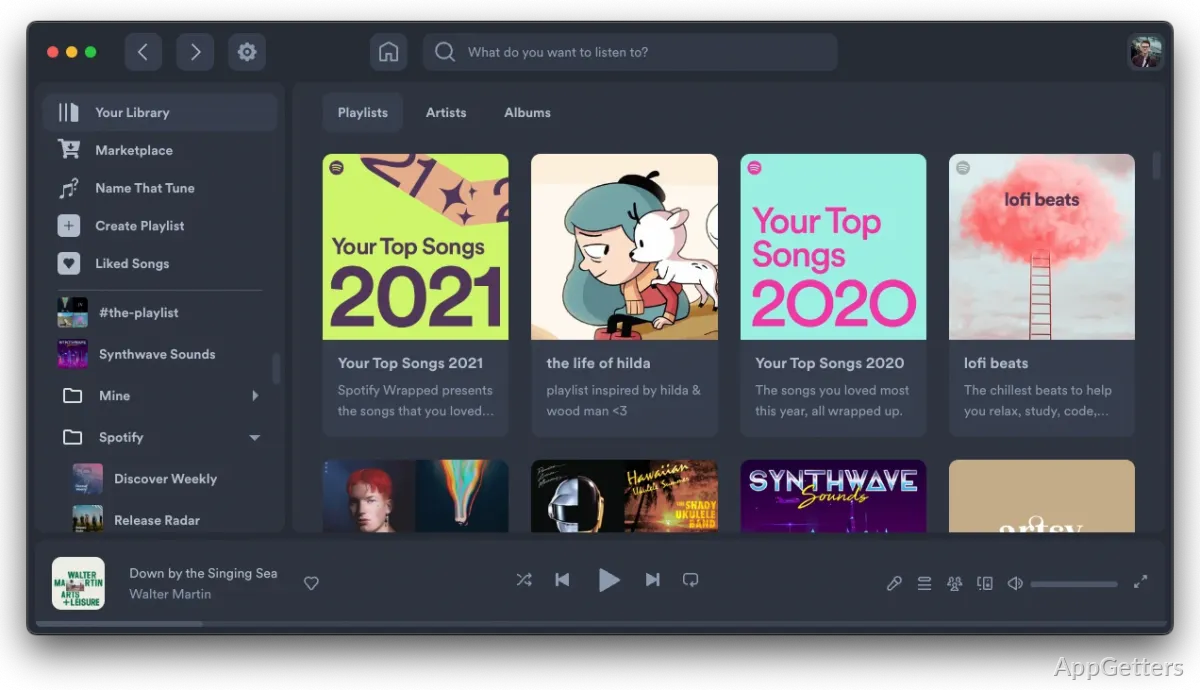
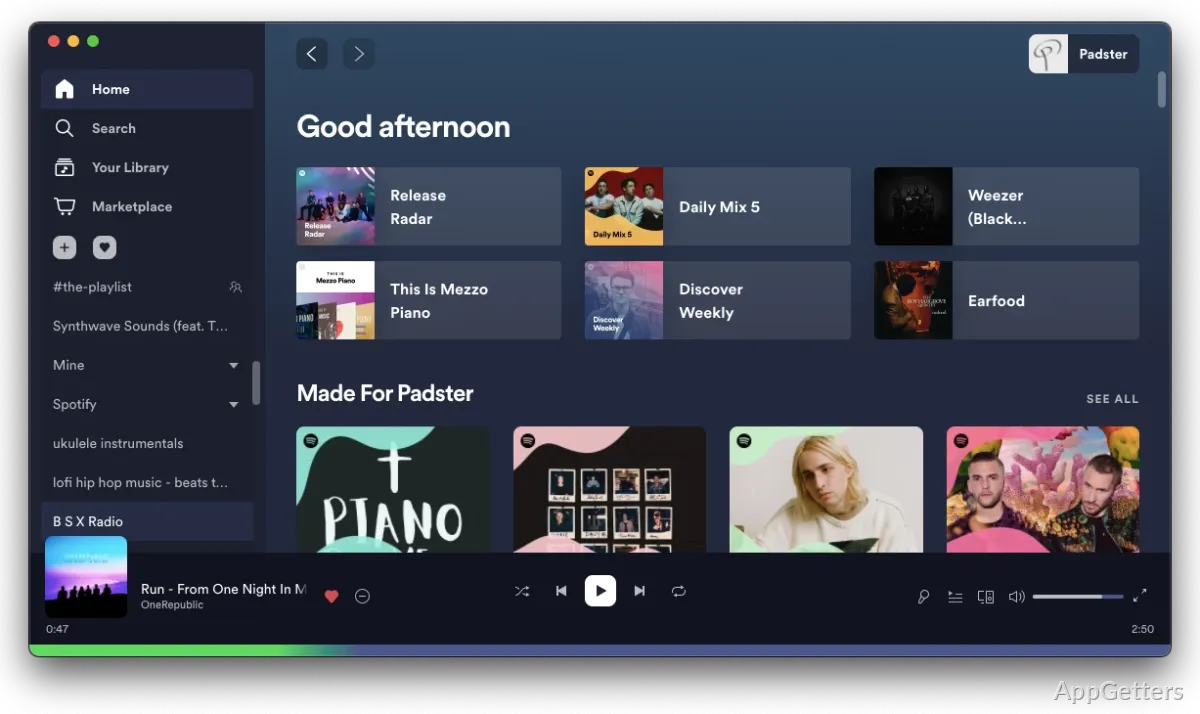
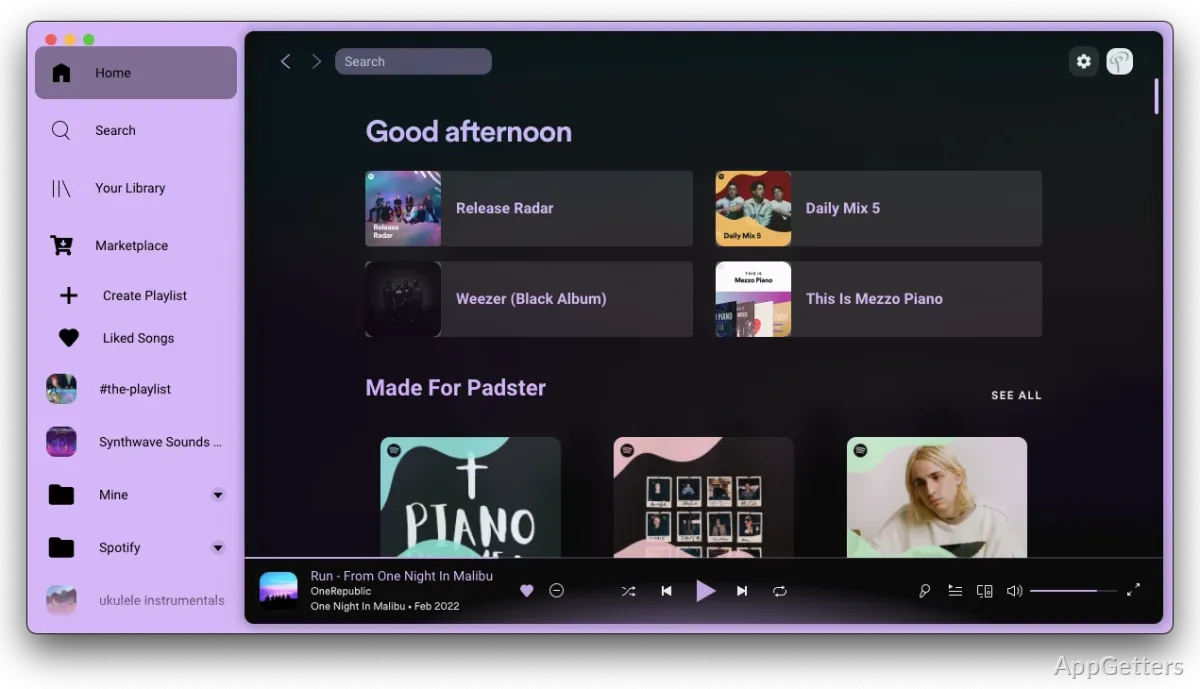
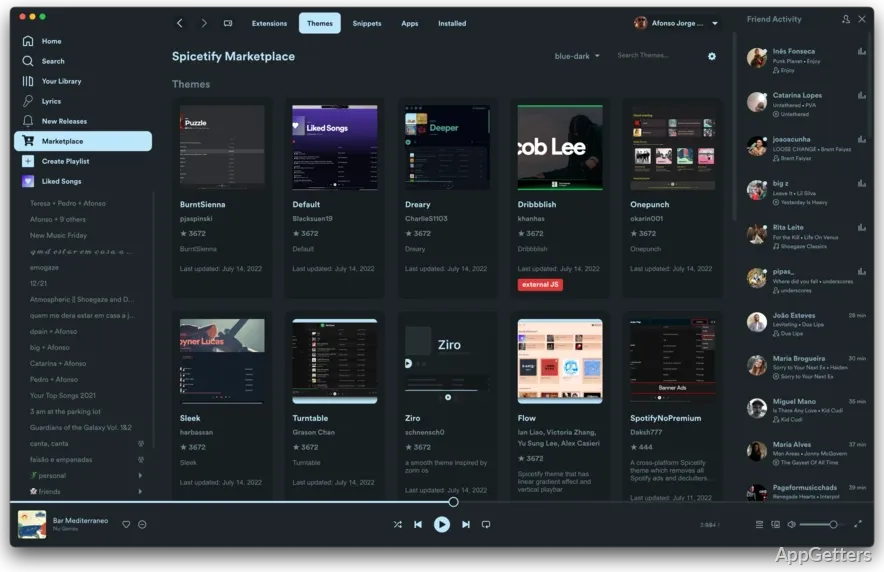
Want to change Spotify’s desktop look or add controls and other features? Spicetify modifies the Spotify client through a command-line tool, with themes, extensions, and custom apps for tailoring the interface.
Themes and interface styling
Spicetify applies visual changes to the Spotify desktop client. Themes can alter its color scheme and layout, while CSS injection provides a way to make more detailed interface adjustments.
The Marketplace adds a tab in Spotify’s sidebar for browsing themes, extensions, and snippets. Apply a theme to change the overall appearance, or combine one with smaller additions to adjust specific parts of the interface.
Extensions and custom apps
Extensions add functions to the Spotify client. Examples include keyboard shortcuts, playback controls, and connections to other services. Extensions can also change parts of the interface.
Custom apps add pages within Spotify. They can provide dedicated views for things such as lyrics or listening statistics, extending what appears in the client beyond its standard screens.
Applying and maintaining changes
Spicetify is controlled from the command line. Its commands cover applying customizations and backing up or restoring Spotify files, so a saved state can be brought back if needed.
Spotify updates can affect customizations. After an update, run Spicetify’s apply workflow again; if the current version of Spicetify does not support the changed client, an update to Spicetify may be needed first.
Pros
- Themes can change Spotify’s colors and layout
- Extensions can add shortcuts, playback controls, and service integrations
- Custom apps can add pages for lyrics or listening statistics
- Command-line tools support applying, backing up, and restoring customizations
Cons
- Spotify updates may require Spicetify changes to be applied again
Does Spicetify replace Spotify?
No. It customizes the official Spotify desktop client.
How do themes and extensions get added?
Open the Marketplace page from the sidebar, pick a theme, extension, or snippet, and install it from there.
What should I do after Spotify updates?
Reapply Spicetify’s changes. If they do not apply, Spicetify itself may need an update.