What can EnergyGrabTube do, and is it okay to use? This app from Polish developer Bytesoft searches and saves online videos and audio, mainly from YouTube, as MP4, MKV or MP3 files. Downloading from YouTube breaks its terms of service unless the video offers a download option or you own the content.
How do you find a video in EnergyGrabTube?
The app has its own search, so you can find videos without a browser.
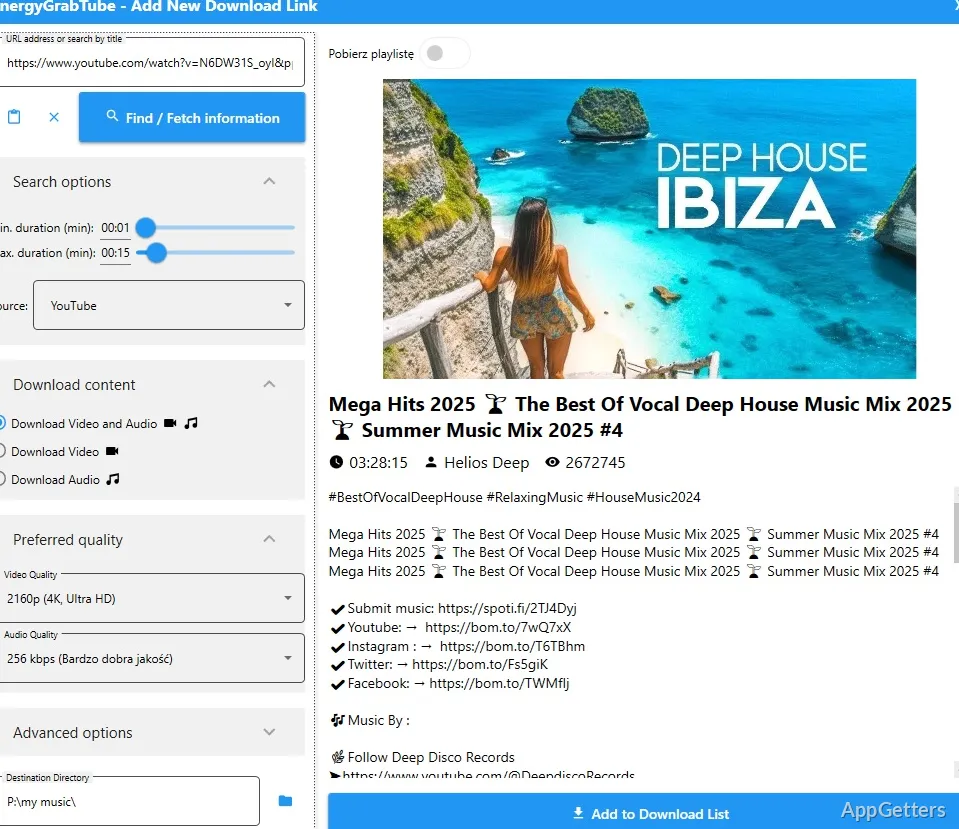
Before downloading, the app can show the item's thumbnail, title, duration, and description. These details let you distinguish a particular video or track from other results before saving it.
Which video and audio formats can you choose?
For video, EnergyGrabTube offers formats including MP4, WEBM, and MKV. Available resolutions include choices such as 720p, 1080p, and 4K, depending on the media. For audio, options include MP3 and M4A, with bitrate settings to select from.
The app can also extract a YouTube audio track as an MP3 file. This gives the video and audio workflows distinct output choices: select a video format and resolution for a picture-and-sound file, or an audio format and bitrate for a track.
Can EnergyGrabTube handle several links?
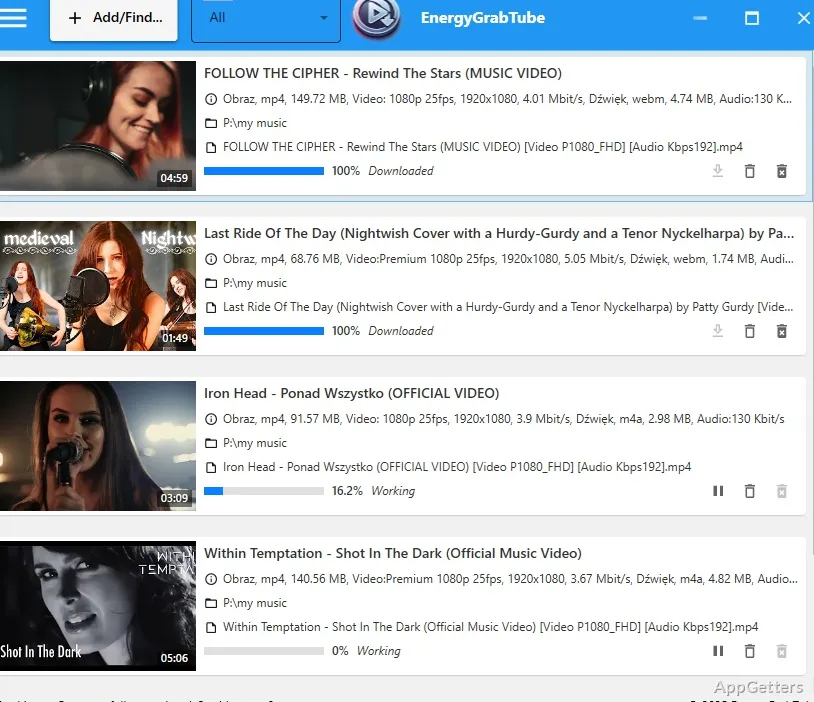
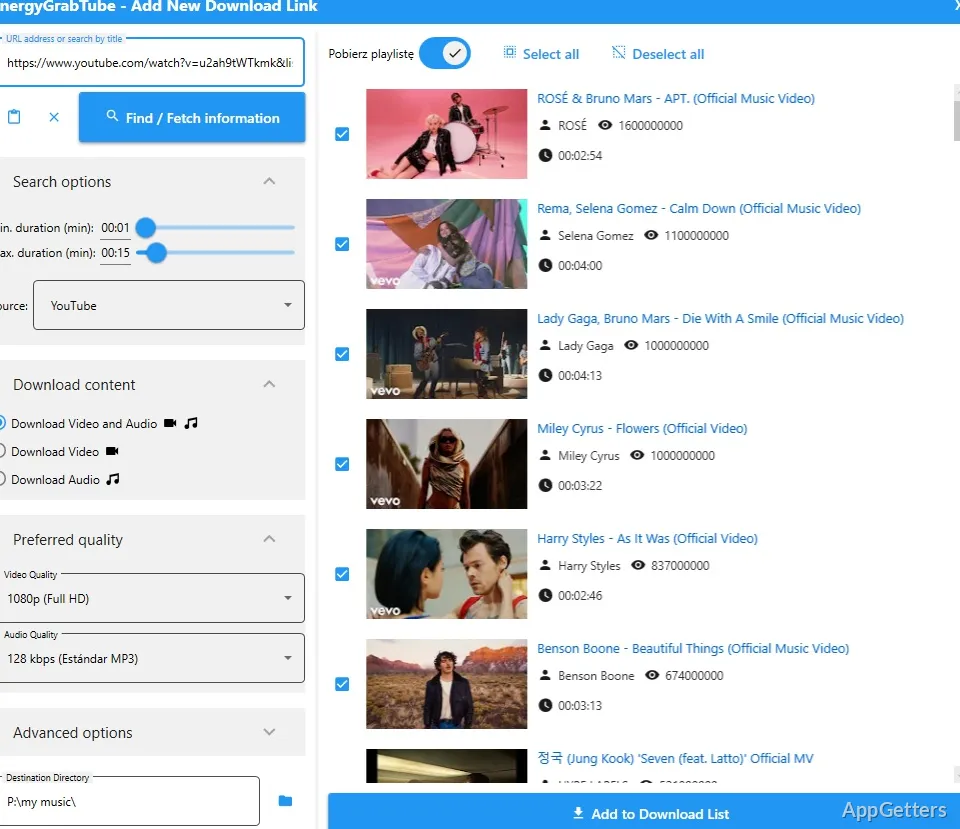
Yes. Add multiple links to the download queue instead of processing only one item at a time. For each item, choose the format and quality options available before downloading. This queue-based workflow suits a batch of videos or tracks you have already located.
What can you customize before downloading?
Output can be video in a chosen resolution or audio at a chosen bitrate. Copyright still applies to saved files, so keep downloads to your own or freely licensed content.
Pros
- Built-in search finds videos without opening YouTube in a browser
- Downloads video in MP4, WEBM, or MKV formats
- Saves audio as MP3 or M4A, with bitrate choices
- Queues multiple links for downloading
Cons
- Downloading from YouTube breaks its terms of service
- Can stop working when YouTube changes its site
System requirements: Windows 10, Windows 11
Can EnergyGrabTube save audio as an MP3?
Yes. It can download audio tracks as MP3, including audio from YouTube.
Can I search for videos inside the app?
Yes, the app has its own search.
What details appear before a download?
EnergyGrabTube can preview the thumbnail, title, duration, and description.