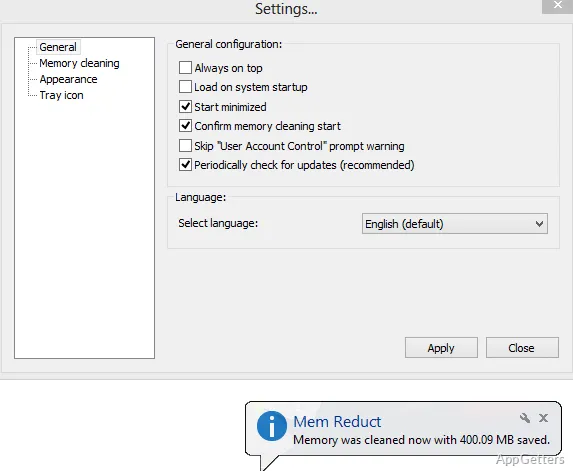
PC running low on RAM after hours of browsing and gaming? The free Mem Reduct shows physical and virtual memory use live and can free cached memory. Its main window shows memory figures, while cleanup can be started manually or configured to run automatically.
Read the physical and virtual memory figures
Mem Reduct divides its memory display into physical memory, virtual memory, and the system working set. Physical memory represents installed RAM; virtual memory covers memory allocated from storage when applications need more than physical RAM can provide. The working-set figure combines the two categories in the interface.
The figures give a current view of memory use, and Mem Reduct can show a comparison after cleanup.
Start a cleanup from the main window
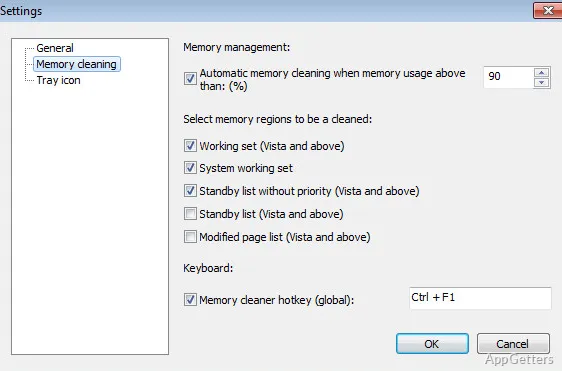
Select Clean Memory to request a cleanup. Mem Reduct clears memory areas such as working sets, standby pages, and modified pages through Windows system functions. These targets include cached memory; the amount of memory reclaimed depends on the system's current state.
- Use the main display to view current memory figures.
- Compare the figures after cleanup to see the reported change.
Set automatic cleanup from the tray menu
Right-click the Mem Reduct taskbar icon to access its controls. The automatic options let you choose a recurring interval with Clean Every or set a threshold with Clean when Above. Clean Areas provides control over which memory areas the cleanup targets.
Settings and statistics are also available from the program's menus.
Pros
- Shows physical memory, virtual memory, and system working set
- Includes a Clean Memory button for manual cleanup
- Offers Clean Every and Clean when Above automation
- Displays memory figures before and after cleanup
System requirements: Windows 7, Windows 8, Windows 10, Windows 11
What memory information does Mem Reduct display?
It shows physical memory, virtual memory, and the system working set.
Which memory areas can Mem Reduct clear?
It can empty process working sets as well as the standby and modified page lists.
Can Mem Reduct clean memory automatically?
Yes. The tray menu includes interval-based Clean Every and threshold-based Clean when Above options.