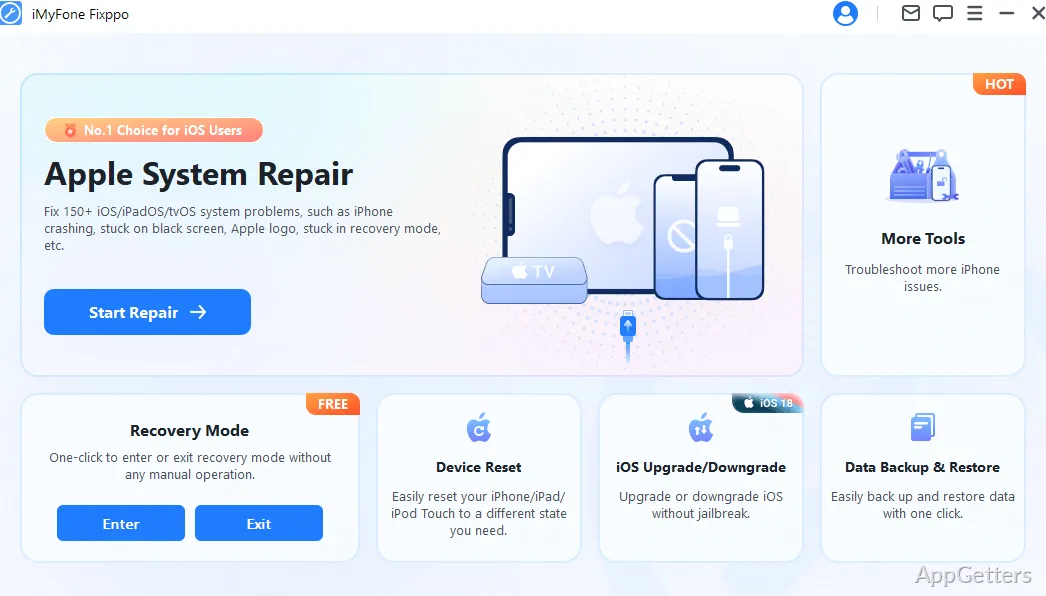
iPhone stuck on the Apple logo after an update, or frozen on a black screen? iMyFone Fixppo iOS Repair Tool tries to repair the system software from a Windows computer. It connects to the device and guides the repair through a selected mode and a firmware download.
Which iPhone and iPad problems can Fixppo repair?
Fixppo is designed for iOS and iPadOS system faults, including devices stuck on the Apple logo or in a boot loop, black or frozen screens, and problems starting after an update. The Standard Repair mode is intended to address common system issues without erasing the device's data.
The tool also includes Advanced Repair for more difficult cases. That mode resets the device, so its effect on stored data differs from Standard Repair.
How does a repair proceed?
Connect the iPhone or iPad to the computer, choose a repair mode, and download the firmware Fixppo provides for the process. After the firmware is ready, the tool carries out the repair and restarts the device when it finishes.
- For Recovery Mode troubleshooting, Fixppo has one-click controls to enter or exit the mode.
- Backup and restore functions are available for moving device data before or after an iOS upgrade or downgrade.
Can Fixppo change the iOS version?
Fixppo includes options to upgrade or downgrade iOS and iPadOS without jailbreaking. It can also install firmware as part of the repair workflow. The available options depend on the firmware supported for the connected device.
Pros
- Standard Repair targets system problems while preserving device data
- One-click controls enter or exit iPhone and iPad Recovery Mode
- Includes device backup and restore features
- Can upgrade or downgrade iOS without jailbreaking
Cons
- Advanced Repair performs a full system reset, which erases device data
System requirements: Windows 7, Windows 8, Windows 10, Windows 11 · 32-bit and 64-bit · 1 GHz or faster processor · 256 MB or more of RAM · 200 MB or more of available disk space
Does Standard Repair erase iPhone data?
Standard Repair is intended to fix common system problems without data loss. Advanced Repair resets the device and erases its data.
Can Fixppo get an iPhone out of Recovery Mode?
Yes. Fixppo includes a one-click option to exit Recovery Mode, as well as one to enter it.
Does Fixppo back up and restore device data?
Yes. The program includes backup and restore features for iPhone and iPad data.