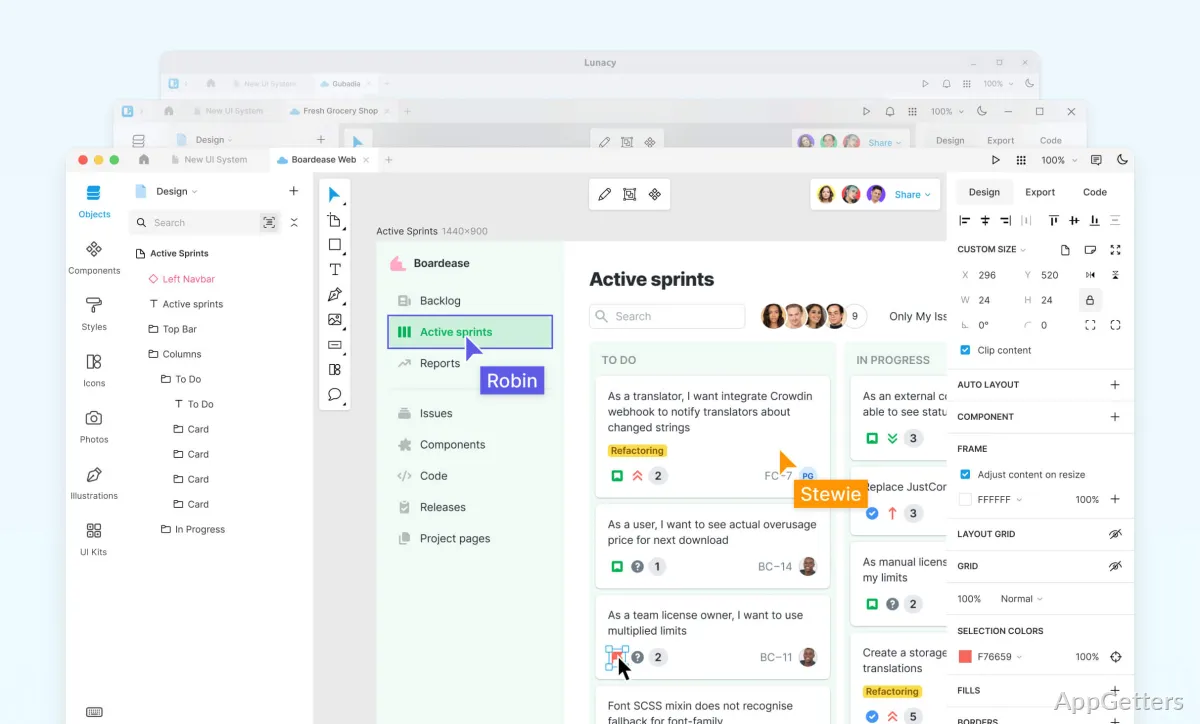
Looking for a free Windows app for designing interfaces and clickable mockups? Icons8’s Lunacy supports Sketch files, Figma-to-Sketch conversion, built-in graphics, and offline editing.
Layouts, components, and prototypes
Lunacy’s canvas is for arranging interface elements and shaping them into screens. Auto layout applies constraints and rules to elements, so a design can respond to changes in its contents or dimensions. Components and variables support reusable parts and shared design values across a project.
To check a flow, connect screens into a clickable prototype and try the interactions. For teams, real-time collaboration supports working on designs together; Lunacy also has online and offline modes. Sketch support and a Figma-to-.sketch conversion workflow make it easier to bring existing design files into a project.
Built-in graphics and AI tools
The asset library includes icons, illustrations, photos, and UI kits, which can be placed directly into a design. Lunacy also offers AI tools for common design tasks:
- Upscale an image to increase its resolution or remove a photo’s background.
- Generate placeholder text for interface layouts and avatars for lists or testimonials.
- Duplicate layers containing generated text or avatars to create new generated content.
Linked design and layer handling
Linked design can connect visual elements in Lunacy to HTML, allowing a designer to update linked elements on a live web page. Lunacy also automates a few repetitive layout details: shape colors adjust to the shape’s size and background, and layer order can be arranged according to layer size.
Pros
- Auto layout sets constraints and rules for responsive designs
- Clickable prototypes let designers test interface flows
- Built-in icons, illustrations, photos, and UI kits
- AI tools generate placeholder text and avatars, or edit images
System requirements: Windows 10, Windows 11 · ARM64 and x64 · Minimum: 2 GB RAM; 512 MB graphics; 2-core CPU; 500 MB available storage (HDD)
Can Lunacy open Sketch files?
Yes. Lunacy supports Sketch, and it can convert Figma designs to .sketch files.
Can a Lunacy design be tested as a prototype?
Yes. Connect screens to create a clickable prototype and test the design flow.
Can Lunacy be used offline?
Yes. Lunacy has an offline mode for editing designs without an internet connection.