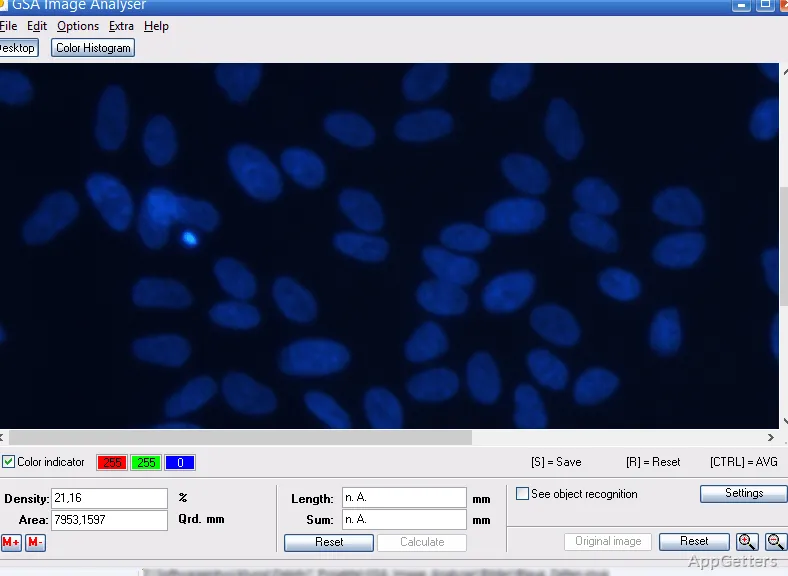
Counting cells, seeds or particles by hand under a microscope? GSA Image Analyser can turn visible objects into counts and spatial data. It imports images from files, scanners, microscopes, and cameras, with tools for object counting, area and distance measurement, and color analysis.
Object counting and measurement
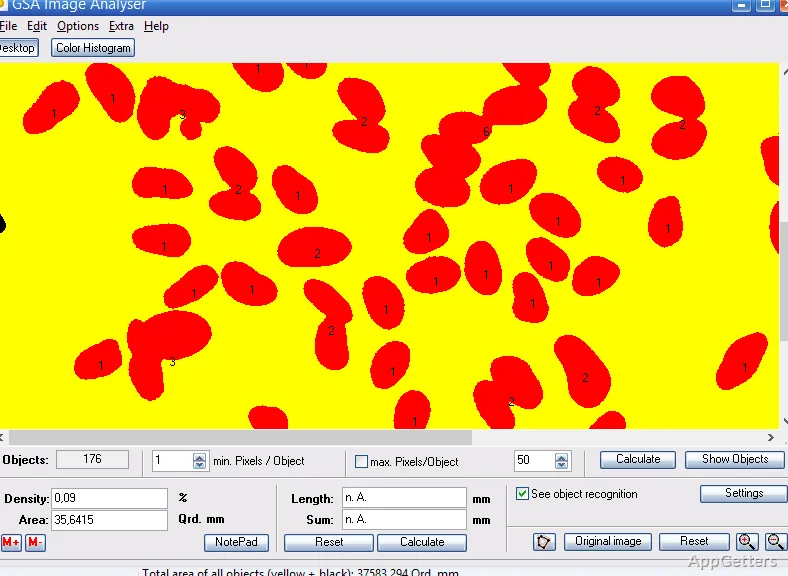
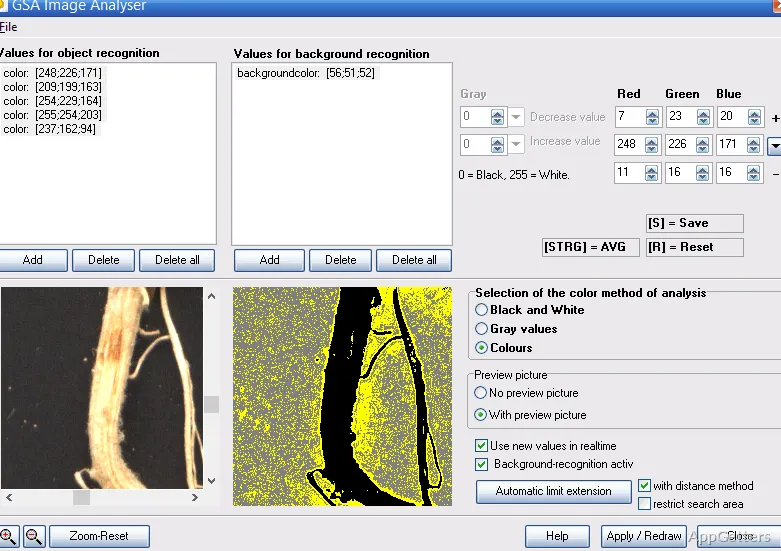
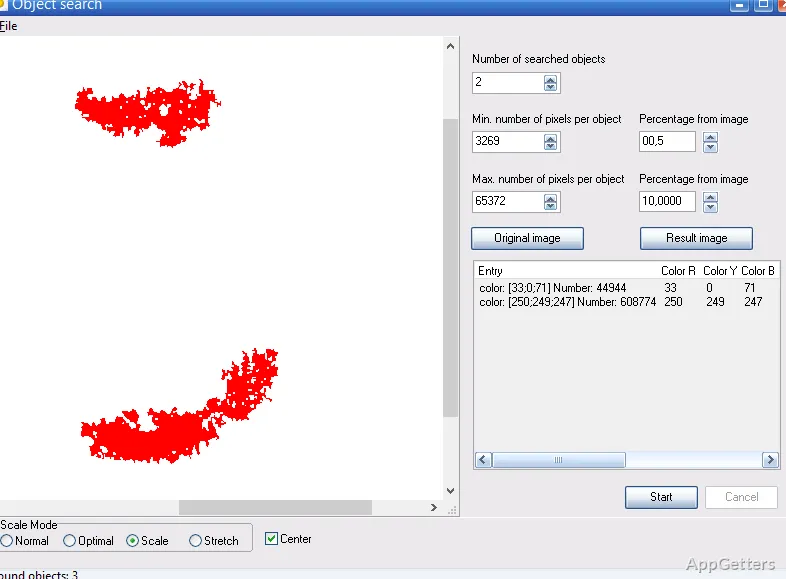
The automated recognition tools identify objects in an image and provide counts and measurements. Detection settings include size, threshold, shape factor, and contrast, which can be adjusted to focus on particular structures. The software also provides manual marking for samples that need click-by-click counting.
Measurements include area, length, and perimeter. For root-system analysis, the Tennant method uses grid intersections to estimate root length. Interactive marks can track manually counted objects on the image as the total increases.
How can color and image changes be analyzed?
Color analysis reports the percentage of selected colors across an image. RGB channel histograms show how color values are distributed, supporting inspection of samples such as foliage, chemical assays, or materials.
An image stack layers images captured at the same coordinates. Moving between layers or adjusting their transparency lets you inspect changes over time, such as growth or decay.
Preparing images and reviewing results
Before counting, image filters can address noise, uneven lighting, and contrast. Cropping and region-of-interest tools isolate the area under study, while manual image retouching can remove artifacts. Large images can be split into grid sections for systematic counting and verification.
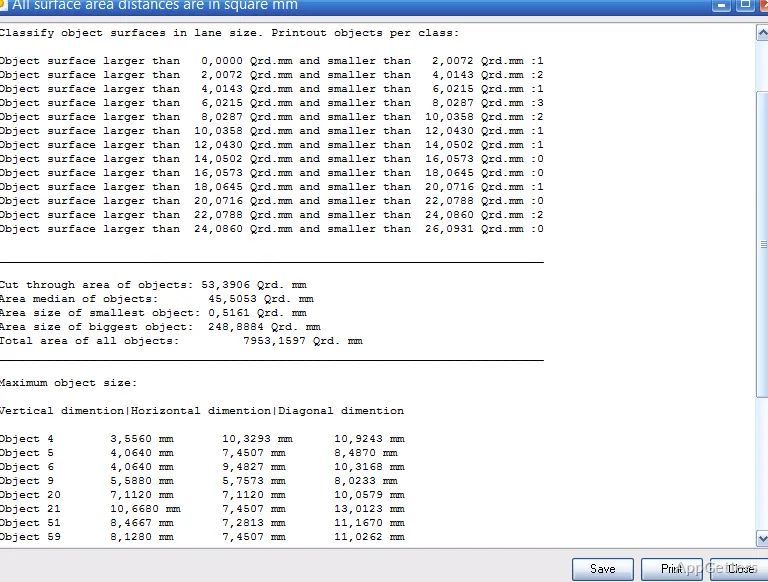
After analysis, object statistics include counts, dimensions, area distributions, and perimeters. Results can be exported in formats including CSV, Excel, and PDF for further analysis or reporting.
Image sources and workflow
Grid splitting helps with very large images: each section can be counted and checked in turn, so nothing is missed or counted twice.
Pros
- Counts detected objects and supports interactive manual marking
- Measures areas, lengths, and perimeters
- Automates root-length estimates with the Tennant method
- Analyzes RGB channels and exports statistics to CSV or Excel
Can GSA Image Analyser count objects automatically?
Yes. Automatic recognition finds and counts objects, and you can tune it by object size, shape, threshold and contrast. Objects can also be marked by hand.
How does it measure root length?
The Tennant method uses grid intersections to estimate the length of a root system.
What analysis results can be exported?
Object counts and measurements, including area distributions and perimeters, can be exported to CSV, Excel, or PDF.