EXE
Home » Software » Windows » general » Logitech Gaming Software for Windows
Logitech Gaming Software for Windows

Logitech Gaming Software for Windows

  • By Logitech
  • Free
  • Version: 9.04.49
  • 119.96 MB
  • Security Report:

Most Windows users probably agree that a gaming mouse or keyboard doesn’t quite complete their performance. This happens when they are simply used in the default way. There will generally be some buttons that the users don’t touch. The change in lighting will not really have an impact. The sensitivity alterations are often far from what the users’ actual games or working patterns require. Such situations become more apparent. This happens when users switch from one gaming or working activity to another. This other activity needs different control styles. Logitech Gaming Software has been conceptualized to solve that very challenge. It works as the user’s primary interface beyond the hardware. And it also works beyond the software. It enables the hardware. The software provides users with opportunities for customization. This can lead to their basic inputs becoming much more personal and efficient.

Making Sense of Peripheral Customization

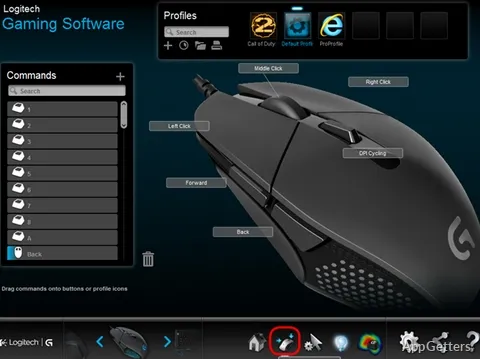
One of the main differences that can be noticed in the daily usage of the software is the ease of navigation. Even those who are only starting can easily manage things. These include changing DPI levels or reassigning buttons to different functions. Users can create profiles for different games or applications. This is a great little feature. It helps if you go back and forth between genres or multitask a lot.

This means that, for example, you may use your mouse one way in a first-person shooter. You may use it in a completely different manner in a productivity application. There is no demarcation or pause during a profile change. Usually, once they are configured, the profiles automatically take care of tasks in the background. This frees you up from constantly adjusting things. You can stick with your established workflow.

Performance Tuning in Real Use

The software is also able to help with advanced adjustments. You make them because you know they can affect the way you play. They can also affect how you use the mouse at work. You can change and fine-tune things such as sensitivity stages, polling rates, and acceleration.

When you keep using Logitech Gaming Software, you will find that it is very reliable. The loading time for profiles is nearly instant. Changes get applied without the software needing a restart. It is not perfect, though. For example, in appearance, the interface may come across as slightly old-school on older systems. You might sometimes experience that the software fails to detect a device. This happens especially when you have many devices connected at the same time. These are not very frequent faults. They do not negatively affect the overall experience.

Lighting and Macros Without the Complexity

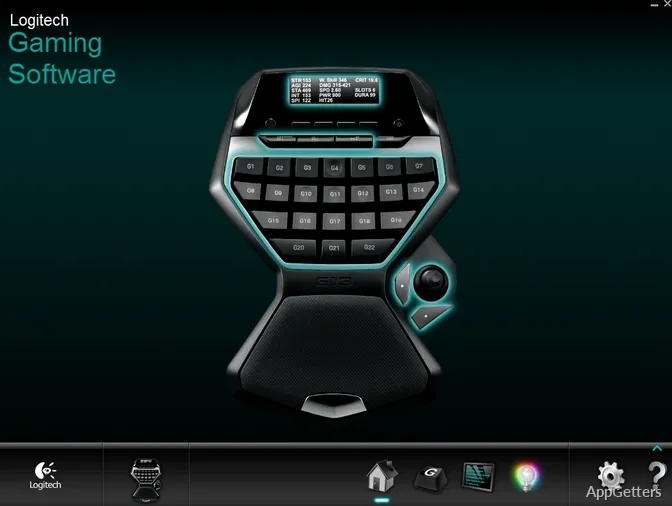
It’s quite typical that RGB lighting and macro features make customization tools a genuine headache. As far as the relation between the two is concerned, it still makes sense to keep it minimal. Most of the time, lighting changes will probably be done using the software. This happens only at the very first moment of installing the device. The software provides only the necessary lighting effects.

When it comes to macros, things are kept very simple. This makes it easy even for novices to get around. If you want to record sequences and assign them to a particular button, it is simple. The same applies to someone who has not used macros before. It also applies to an experienced user wanting a refresh. This is a great point towards the software being a preference for gamers, students, or office users. They may wish to automate actions that they perform repeatedly. This low level of difficulty is one of the main advantages in the long run for continued use.

Where It Fits in a Modern Setup

Logitech Gaming Software is a great friend for those who consider firm performance without much change a good thing. It complements users who modify their devices once. They can then depend on those settings consistently and proficiently. Even though Logitech G Hub is a newer product, it has a more up-to-date look. It also has features available via the cloud. This older software still has quite a bit of use. This is true for users who are happy with its ease of use and stability.

For Windows users who own the right Logitech devices, it is a dependable piece of software. It is not a continuously developing platform. Overall, it is a good fit for users who only need a certain level of control. They do this without unleashing endless complexity. They want reliability without frequent updates that interrupt their setup.

Software Details of Logitech Gaming Software 9.04.49

License
Free
Version
9.04.49
File Size
119.96 MB
Downloads
0
Language
English
Category
Op. System
Windows
Developer
Last Updated
December 5, 2023

Version History

1 version
9.04.49
Latest
119.96 MB
December 5, 2023

Leave a Comment

Your email address will not be published. Required fields are marked *

Software Icon
Security Report

Loading scan data...

Scroll to Top