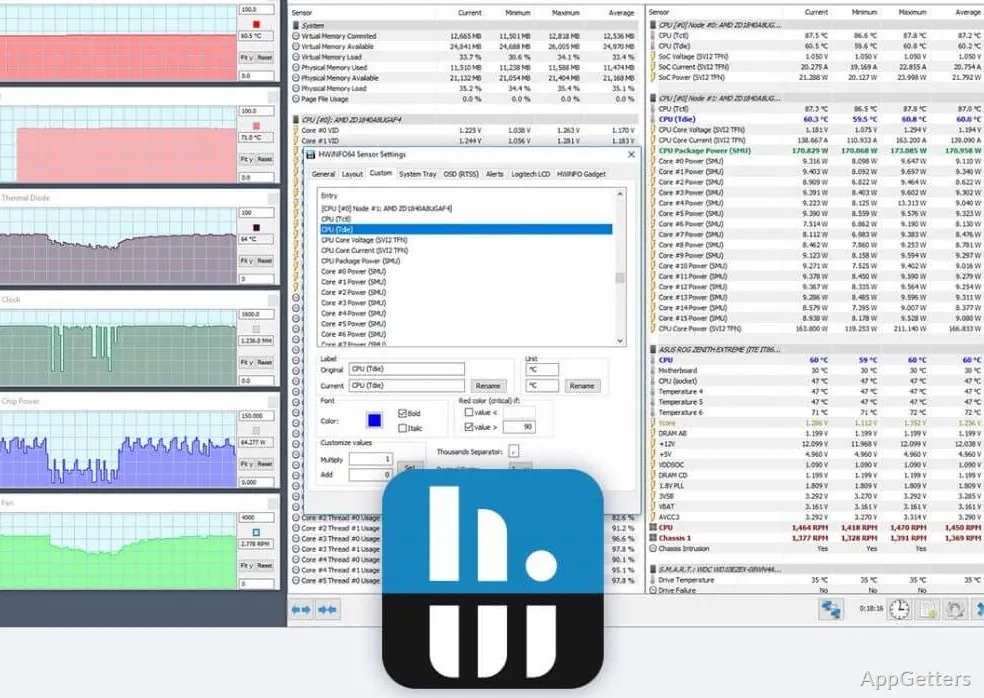
Want to know exactly which parts are in your PC and how hot they run? The free HWiNFO shows live temperatures, voltages and fan speeds in its Sensors window, and also builds a detailed inventory of detected components and provides tools for diagnostics and reporting.
Explore the hardware tree
HWiNFO organizes detected components in a hardware tree, where selecting an item reveals its identifying details. The inventory covers hardware throughout the system, making it possible to inspect individual components as well as get a broad system overview.
A separate System Summary view gathers key information about the computer’s major components. Use it for a quick reference, then open specific entries in the main view when a device needs closer inspection.
Track live readings in Sensors
Open the Sensors window to follow changing readings while the computer is idle or under load. Depending on the hardware, monitored data can include CPU and GPU temperatures, voltages, fan speeds, and other component status values. The interface offers options for adjusting how monitoring information is presented.
- Watch sensor values as workloads change.
- Log readings for later review, such as when tracing temperature changes during a longer session.
Create reports and status logs
HWiNFO can produce different types of reports and record system status over time. Reporting suits a component inventory or diagnostic record; sensor logging captures changing readings for later inspection. The program also supports connections with other tools and add-ons.
Pros
- Live CPU, GPU, and other hardware sensor readings
- Detailed component inventory and system summary
- Sensor logging and multiple report types
- Customizable monitoring interface
System requirements: Windows 7, Windows 8, Windows 8.1, Windows 10, Windows 11 · 32-bit and 64-bit · ARM64 supported
What information does HWiNFO show?
It reports detailed information about detected hardware and displays live sensor data, such as temperatures and performance readings.
Can HWiNFO record sensor readings?
Yes. Its logging features can record system status and sensor data for later review.
Where can I see temperatures while a workload is running?
Open the Sensors window to watch available temperature readings update as the workload runs.