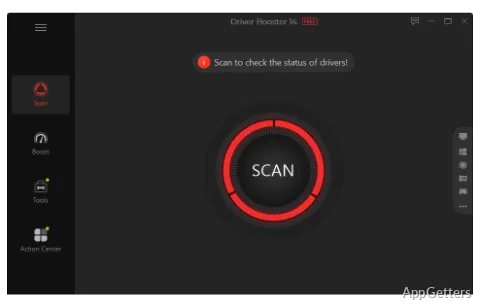
The main window centers on a system scan that checks connected hardware for outdated, missing, or broken drivers. Driver Booster then shows available updates and lets you choose which ones to install.
Driver Booster scans devices and installs selected updates
A scan checks drivers for components such as graphics cards, sound devices, network adapters, printers, and USB controllers. Results identify drivers that need attention, and the program can download and install updates from its interface.
When Driver Booster finds more than one version for a driver, you can select the one to install. Updates can be handled individually or together. Driver files undergo checks with Microsoft WHQL and IObit's security scan.
Game Boost tunes gaming-related drivers and resources
The gaming tools include updates for graphics drivers such as NVIDIA GeForce, AMD Radeon, and Intel Graphics. Game Boost can free system resources, while a separate repair scans for missing game DLLs and other game components.
- Update graphics drivers used by games.
- Scan for missing game DLLs.
- Use Game Boost to free system resources.
Restore points provide a way back after driver changes
Driver Booster can create a Windows restore point before installing drivers. If an update causes problems, that restore point gives Windows a recovery option.
Pros
- Scans for outdated, missing, and broken drivers
- Offers a choice when multiple driver versions are available
- Includes Game Boost and missing game DLL repair
System requirements: Windows 7, Windows 8, Windows 8.1, Windows 10, Windows 11 · 32-bit and 64-bit · ARM64 supported · 1 GB free disk space · 1024×768 screen resolution or higher
What kinds of drivers does Driver Booster scan?
It scans drivers for hardware including graphics, audio, network, printer, and USB devices, and flags outdated, missing, or broken drivers.
Can Driver Booster repair missing game DLLs?
Yes. It scans for missing game DLLs and other game components and can repair detected issues.
Can I choose which driver version to install?
Yes. When multiple versions are available for a driver, Driver Booster lets you select one.