EXE
Home » Software » Windows » general » Free Studio for Windows
Free Studio for Windows

Free Studio for Windows

On a Windows PC, handling different types of media files can often make one’s workflow very scattered. For example, formatting changes, video downloading, audio trimming, or making files work on certain devices are tasks that often need separate programs. Each has a different interface and its own set of difficulties. For occasional users and learners, this kind of separation wastes time and confuses them. Free Studio is a single solution that tries to combine many media utilities under one roof. It leads to less complicated day-to-day operations. This is possible without high technical skills.

A Single Platform for Your Daily Media Grinding

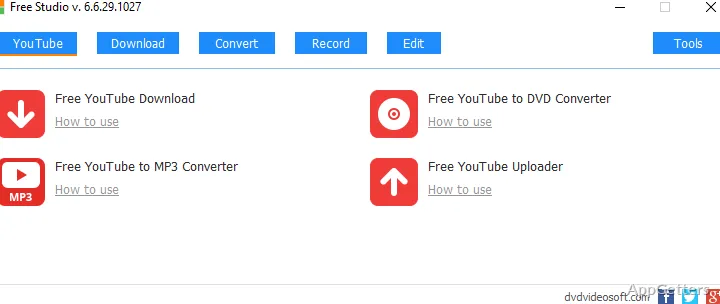
Generally, Free Studio is just a bunch of tiny tools with very specific purposes. These are colocated within the same interface, rather than a massive, very complicated program type of paradigm. The structure categorizes various things such as video conversion, audio processing, and downloading. This way is an ideal and safe approach to guide new users. Often, in practice, they do not even know the tool they want.

Once you use this software for the first time, it is evident that accessibility is the main priority here. Each segment opens very swiftly. Mostly, only the necessary options for users are presented. This does not lead to user tiredness. It avoids telling them all the information. Certainly, for those doing varied switching activities, at one moment they need to convert the video. They may need to get the audio afterward. They will quite appreciate the convenience of one single ecosystem.

Performance and Actual Use Cases

For Free Studio daily use, based on our testing with medium intensity workload tasks, performance is quite stable. The day-to-day conversion of videos downloaded from the Internet works reliably. Using medium-class Windows systems is the best condition. It helps to get the downloading speed and video conversion as close to the maximum as possible. Multiple file processing is also made possible. This can be very convenient when large archives are involved. However, the actual speed will mainly be dictated by the machine’s abilities.

On the other hand, if you carry out an activity with a heavy or 4K video file, Free Studio’s main feature set is pushed to the limits. Here, problems such as prolonged retouch sessions and some user annoyance may occur. These are caused by the lack of advanced parameters. These are the outcomes of running a tightly converted video for a very long time. There is no option to accelerate faster, etc. However, at the same time, for very basic use at home, it is still possible. This includes getting a cell phone video and doing basic editing. This is without even much Free Studio installation needed.

Advantages That Lead to Efficiency

One of the prominent points about Free Studio is that it is simple to operate. People who are beginners in media software can learn by themselves. With the help of manuals, they take the first steps into the world of free media conversions. This is possible even with the free version. Areas such as a) compilation of movies to a new format and b) audio extraction just require a few interaction points between the user and the software.

Also, on the plus side, is the large number of functionalities enclosed under one single roof. You won’t have to have multiple programs. These would be for downloading, followed by conversion, and the simplest level of editing, if you plan to use only such functionalities. This way, users reduce the system clutter. It is easier to maintain a single program.

Moreover, the interface is slightly old-fashioned. During installation, one has to be careful with ads and bundled software options, etc. This is quite common for free software. However, it may become a source of annoyance to the user here.

Typical Windows PC Scenario Placement

Thus, Free Studio will be ideal for a user who does not need all the bloat and heaviness of complicated tools. They may still need a very good media base kit. It helps to take care of all media-related needs. A great combination will be students preparing their presentations with changing formats. It also suits home users organizing their personal media. It is useful for anyone who is only sometimes doing conversions. They can take a lot from the program without any problem.

On the one hand, professional tools must be used for editing or high-level encoding work. Free Studio is not meant for that purpose. This is not what it is supposed to do anyway. Instead, it stands as a practical option. It has sufficient features to handle the average media task. At the same time, it is very friendly and lightweight.

For those who see user comfort as paramount above all else, Free Studio is a faithful sidekick. It is always at hand in your average Windows environment.

Software Details of Free Studio 6.7.7.1110

License
Free
Version
6.7.7.1110
File Size
100.71 MB
Downloads
0
Languages
English English, Chinese, Danish, Dutch, Finnish, French, German, Greek, Hungarian, Italian, Japanese, Polish, Portuguese, Russian, Slovak, Slovenian, Spanish, Swedish, Thai, Turkish, Vietnamese
Category
Op. System
Windows
Last Updated
July 18, 2024

Version History

2 versions
6.7.7.1110
Latest
100.71 MB
July 18, 2024
6.7.4.1101
172.96 MB
August 27, 2023

Leave a Comment

Your email address will not be published. Required fields are marked *

Software Icon
Security Report

Loading scan data...

Scroll to Top