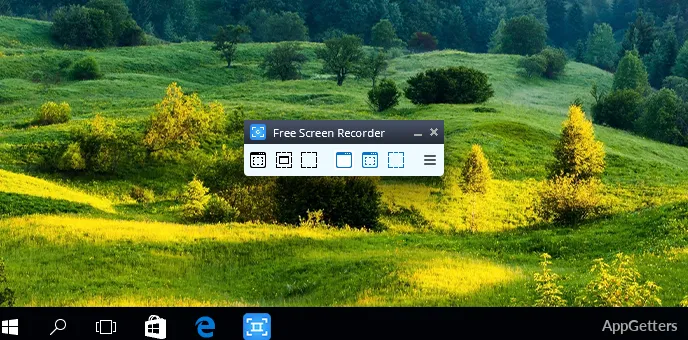
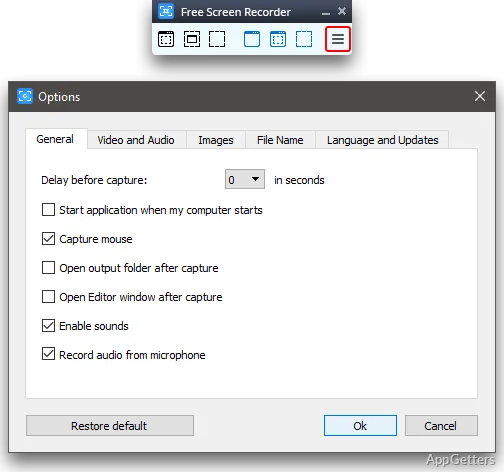
Currently, a fair few Windows users consider it a necessity to record the screen activity. To give you an example, learners download online lessons. Teachers create video tutorials and show how a certain procedure is done. Computer experts record the system malfunctioning or explain how to fix it. The high-end screen recorders come with a lot of useful features; however, people who are only interested in recording might want simple programs free from numerous editing options. Free Screen Video Recorder focuses on a segment of users who desire to capture the screen in a very straightforward way without the need to create a whole big thing.
Apart from the basic recording and screenshot features, this software is actually quite approachable for beginners. At the same time, it provides the essential flexibility even for day-to-day activities. Those who prefer simple applications instead of comprehensive ones will most likely find this very light tool their best choice.
Regular Recording Experience
Free Screen Video Recorder is highly commendable for its simple design and ease of use. The features are sufficiently explained for most of the users to start recording without a great deal of mar. The great convenience of this can hardly be exaggerated since sometimes fast screen captures are required for work, school, or personal projects.
Recording a particular part of the screen or screenshotting can be considered as the main functions of the software. Basically, for most cases, these functionalities fulfill the requirement to the full extent, namely, making sequential guides, showing the software options, or illustrating the way to resolve a problem.
As the program is targeting only the main recording feature, it helps to keep navigation extremely simple. Besides, the users after recording are less likely to look for the fulfilled files in long folders or lists. They are more likely to enjoy their freshly-made recordings and share those with the community.
Advantages and Limitations
The biggest advantage of Free Screen Video Recorder is that it is available to a broad range of users. For a person who has no experience with screen recorders, it will be a great starting point. The learning curve is low, and the basic recording features are very easy to comprehend.
At the same time, it is the feature of simplicity that creates certain limitations. Users preparing professional training materials, high-level gaming content, or videos with many edits will outgrow the program sooner or later. Features that you may find in higher-end recording software are very limited or lacking here. These include advanced editing and plenty of options for customization.
Actually, quite a few users consider this compromise hardly a problem at all. The program is designed for the key recording functions only, and it is not meant to stand up to comprehensive content creation software.
Dependability for Typical Recording Tasks
Simple tasks such as screen capture or video recording of the desktop are exactly the kind of jobs that Free Screen Video Recorder suits well when used at home. It is able to deal successfully with most demands for recording, such as, for example, training, class demos, software use cases, technical support videos, and so on.
Another factor is that Free Screen Video Recorder was carefully designed so that it is able to run and produce the results even on weaker technical devices. It also helps when the program is used in combination with some of the standard office programs or web-based applications.
Like with many other free-to-use programs, one can expect some limitations if more complicated recording tasks are tried. Still, for simple screen capturing needs, and in this area, the software gives a level of regularity. That will be satisfactory to many casual users.
Perfect for Casual and Learning-Oriented Users
Free Screen Video Recorder is a perfect option for people who run a Windows environment and wish to record their screens without any difficulty or commitment. It has the potential to greatly help learners, educators, individuals working from home, and office workers through its simple interface and easy-to-use controls.
The main strength of this tool is that it greatly simplifies the screen recording process. One of the main goals of the tool is to allow users to capture the screen quickly and easily. This is done without the help of advanced production features that those users might not use anyway. Those who just want a functional screen recorder for everyday recording will definitely find this program quite useful. It stands out among Windows software.