EXE
Home » Software » Windows » Download Managers » Free Music & Video Downloader for Windows
Free Music & Video Downloader for Windows

Free Music & Video Downloader for Windows

  • By The SZ
  • Free
  • Version: 3.15
  • 79.3 MB
  • Security Report:

Streaming sites have indeed made accessing music and video content a lot easier, yet they can’t always meet every single requirement of the users who rely on them daily. In fact, many people may find themselves in a situation where their internet connection is unreliable. They only have limited bandwidth available, or their content is something that must always be kept for later viewing. That is exactly the point in time when software such as Free Music & Video Downloader is really entering the scene.

Aiming at systems based on Windows, this simple-to-use program dedicates itself to the one and only task that it explains so well: fetching media from the web and dropping it straight into the computer. Instead of stepping on the toes of streaming services, the program figuratively holds their hand. It provides a feature that connects exposure to content temporarily and allows access to it at any time, permanently.

A Simple Download Process

On a regular basis, the tool basically operates around three steps. You first go to your chosen website and grab the URL of the music or video. Then you get back to the downloader and paste the link there. The Free Music & Video Downloader app will then examine the specified URL, pinpoint the user’s top options, and offer the chance of saving the file on the hard disk.

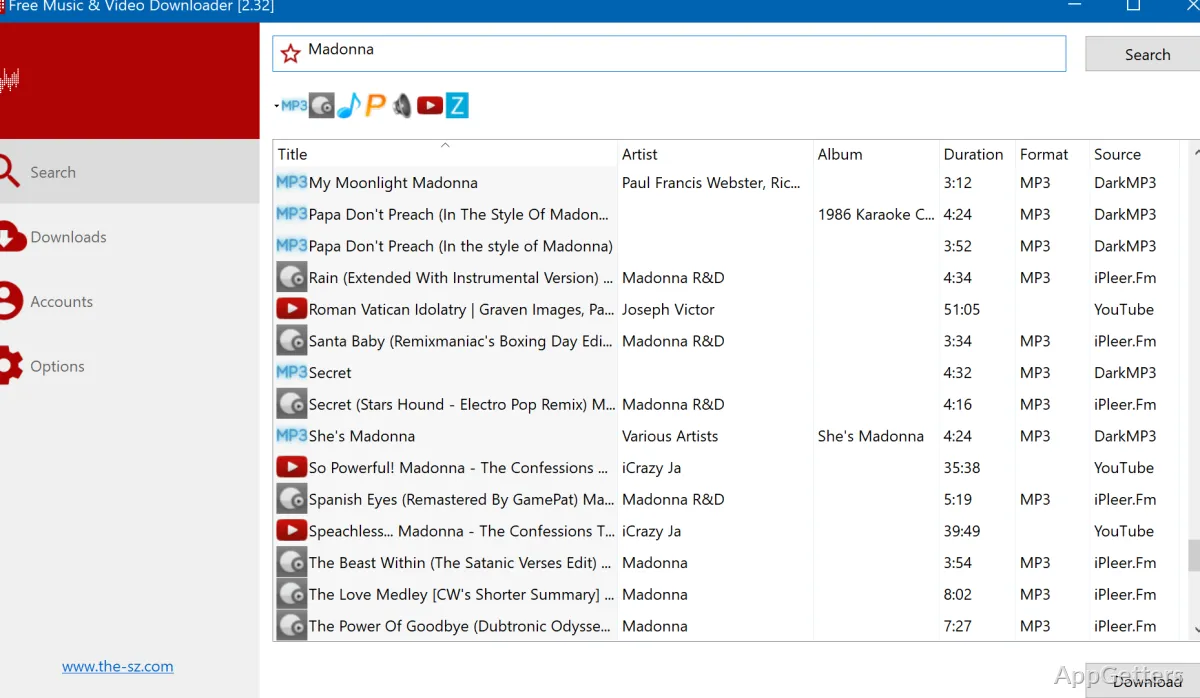
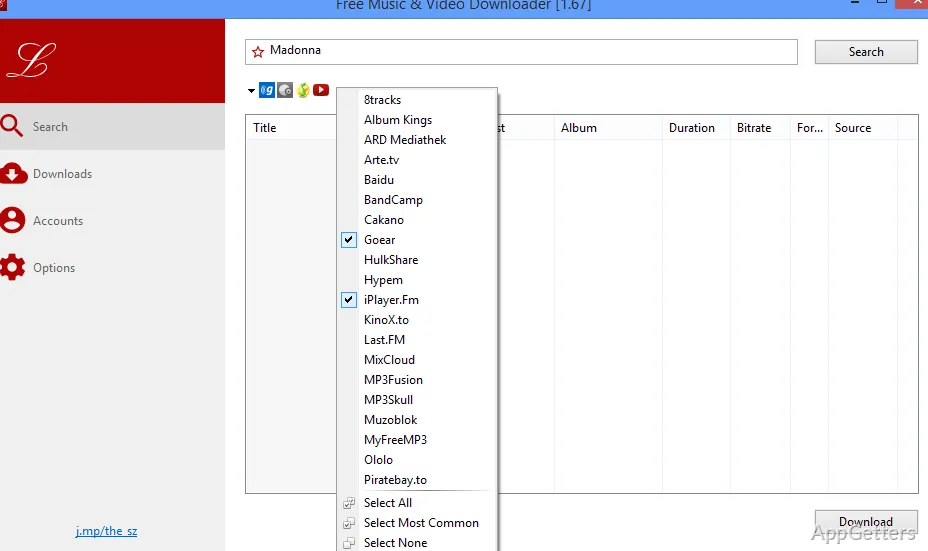
The program pretty much stands up to its promise in its window design, which is very straightforward in nature. The average user should be able to tell right away that it is not a complicated one with a multitude of menu items and settings options in just a few clicks. The only visible parts, for the most part, when it comes to functionality, are the top area for entering a link, the segment for choice of format, and further down the line, the one with the ongoing download.

This download mechanism, on a practical note, is a deliberate choice of empowerment for the software to fit most of the user’s web-surfing habits effortlessly. Watching the content on your browser and just momentarily changing the scene to the downloader. Inserting the link there, and getting the file out without the necessity of changing any settings or studying encoding options is the typical flow.

The Features Taken Seriously By Users

The very basic concept is just that. But at the same time, the program has some rather nifty features rolled in that are aimed at the user’s mentality of getting the most out of their time when it comes to daily use. Depending on the final usage scenario of the saved tracks, users can have a “pick your poison” moment of tension over the choice of formats and quality levels to be used. One may intentionally decide on an audio-only format for the sake of saving a music track, while the other user simply sticks to the full video file to cover all angles.

Another big plus is that this tool supports batch downloading. Users can use the download queue feature to add multiple links and then simply relax and watch the software process them one by one. The exclusive case of offline enjoyment of songs, tutorials, or educational videos has at least one feather in its cap in this regard.

Moreover, the solution comes with the option of making downloads into certain folders. This is a very basic form of file handling merged with the user experience. Over time, this will undeniably play an important part in keeping one’s media library well organized without having to resort to manual efforts of roaming all over one’s computer.

Software Quality and Down-to-Earth Expectations

As with many such downloaders primarily dependent on certain web platforms, there is always the risk of the software missing out on the changes made by a website developer from time to time. Due to the regular updates of their systems, some streaming services could temporarily be unreachable to the downloaders in terms of detecting or fetching media links. It usually takes new versions of the software to again become compatible with the sites.

In addition, one more constraint lies in the fact that the download speed and availability are heavily dependent on the authentic source. Therefore, if a platform limits the options of quality or deliberately throttles the connection speed, there is really no tool that can get rid of those restrictions completely.

Nevertheless, from a point of view of what one can expect in reality, the application is actually reliable for quite a number of normal activities. Such as storing music tracks, short clips, and tutorial content, to name a few.

Free Music & Video Downloader in a Windows Environment

For typical Windows-based PC owners, this software is more of a small utility that runs quietly in the background than one that makes media management your central activity. It has only one main function: to be able to grab online media pretty much at the moment and save a copy for offline usage later. Students who accumulate study material, casual music lovers who save an entire playlist, or home users who add some more videos to their small library tend to be the most common users.

Due to the fact that the program sticks to simply that pretty closely, people who have a strong desire to dig deep into the video/audio downloading business with a tool they can talk to will be better off looking elsewhere. On the other hand, those who are mostly concerned with getting the job done in minutes without having to figure out new software will find it very attractive.

At the same time, this utility stays at the same level with the modern-day streaming platform in a way. Because it does not compete with such services but is more of a handy means of having access to the media that is either very important or often used even in the absence of a web connection.

Software Details of Free Music & Video Downloader 3.15

License
Free
Version
3.15
File Size
79.3 MB
Downloads
2
Language
English
Op. System
Windows
Developer
Last Updated
March 21, 2026

Version History

9 versions
3.15
Latest
79.3 MB
March 21, 2026
3.14
79.26 MB
March 3, 2026
3.13
79.25 MB
February 9, 2026
3.12
79.31 MB
January 16, 2026
3.11
37.34 MB
November 1, 2025
3.1
37.34 MB
October 18, 2025

Leave a Comment

Your email address will not be published. Required fields are marked *

Software Icon
Security Report

Loading scan data...

Scroll to Top