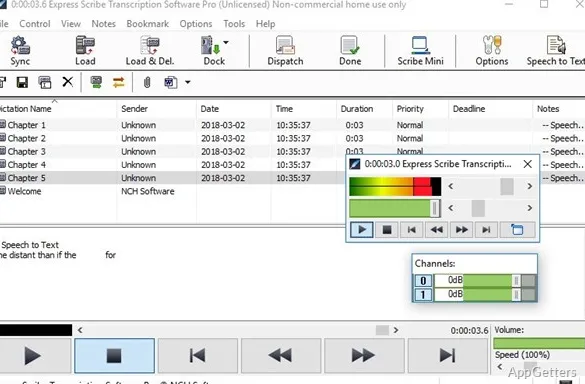
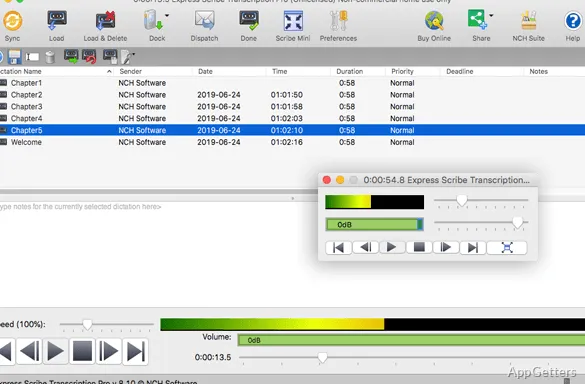
Typing up interviews or dictation and constantly pausing the audio? Express Scribe Transcription Software slows recordings down without changing the voice pitch, and pairs those playback controls with hotkeys and foot-pedal support, so dictation can be controlled while typing in a separate editor.
Playback controls keep dictation moving
Use the playback-speed control to match the pace of speech to your typing. Express Scribe maintains the recording's pitch as speed changes, which keeps voices from sounding unnaturally high or low. Hotkeys provide mouse-free play, pause, and rewind commands while a transcript is being typed in Microsoft Word or another word processor.
Compatible foot pedals can take over those playback commands. That leaves both hands free for the keyboard, and the program also supports controls for recordings with multiple audio channels.
Dictation can arrive from several sources
Open recordings from the computer, or set Express Scribe to look for incoming files in an email account, an FTP location, or a network folder. Newly found dictation can be loaded automatically at timed intervals. The program can also read audio directly from a CD while the file is loading.
- Common audio options include WAV, MP3, WMA, M4A, and DSS.
- Video playback includes formats such as AVI, MOV, MP4, and WMV.
- Portable voice recorders can transfer files into the transcription workflow.
Transcripts stay in the editor you choose
Express Scribe handles the recording while text is entered in a separate word processor, including Microsoft Word and other major editors. Speech-recognition software can also be connected for converting spoken audio to text. For repeated terminology, keyboard shortcuts from a text-expansion tool can insert commonly used phrases.
Pros
- Playback speed changes without shifting voice pitch
- Hotkeys and supported foot pedals control playback
- Loads audio and video, including WAV, MP3, DSS, and MP4
- Can retrieve dictation from email, FTP, or network folders
System requirements: Windows 7, Windows 8, Windows 8.1, Windows 10, Windows 11
Can Express Scribe control playback while typing in Word?
Yes. Hotkeys or a supported foot pedal control playback while the transcript is entered in Word or another word processor.
Can it load dictation automatically?
Yes. It can check an email account, FTP location, or network folder at intervals and load new recordings it finds.
Does it play video recordings?
Yes. Express Scribe includes video playback and supports formats such as AVI, MOV, MP4, and WMV.