We normally think about protecting our sensitive files on a Windows PC only when a problem arises. A lot of people use the hiding feature of folders or simple passwords as a means of protection, without realizing that those methods don’t really protect that well. If files are distributed through emails, USB flash drives, or online storage, the risks get bigger as well. EncryptOnClick is a solution for that problem, as it provides an easy way to encrypt single files.
Easy Encryption for Your Regular Needs
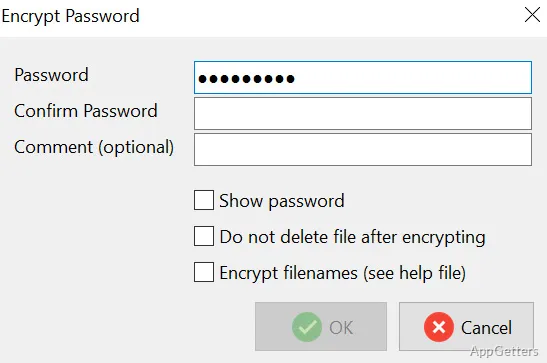
EncryptOnClick strives to make encryption possible for everyone in your everyday activities. It works like this: right-click on an item, i.e., file/folder, pick the option for encryption, and then enter the password to be used for encrypting.
This software will first compress your data and then encrypt it in such a way that, without the correct password, the information in the secured document will be 100% incomprehensible.
Indeed, such a method is in line with a typical Windows environment. You don’t even need to launch external software or deal with difficult settings. The less technology-experienced individuals, who only occasionally need to lock down their files when they decide to share or keep them externally, will find in this software a good ally. It minimizes the inconvenience frequently associated with encryption software, notably for those with a lack of knowledge about security issues.
The Speed and File Management Experience
When it comes to performance, EncryptOnClick is mostly a fast one, as the tasks of encrypting and decrypting files of small or medium size are completed in seconds.
It doesn’t create a heavy workload for the system and leaves the user unfazed. Hence, you may consider encryption of those day-to-day files, such as PDF, image, or office files, easily, securely, and calmly.
Talking about bigger folders or files to be encrypted at a time, it could take a bit longer. This is due to the fact that both compression and encryption are done in tandem. So, the user should note that handling quite extensive folders may cause them to wait for a while. The tool is still reliable, stable, and good. It finishes the operation without error in the majority of cases in spite of this.
Strong Points and Weak Points in Practice
One of the great perks of EncryptOnClick is that it offers a good middle ground between ease of use and level of protection. It strikes a balance effectively. Behind the scenes, it makes use of top-grade encryption standards. However, from the user’s view, one can hardly see the difference, as the minimal interface is always there.
Primarily, from the perspective of a home user or a student, this affords a kind of peace of mind about being safe. Without having to constantly deal with technical stuff. On the contrary, as a complete data protection software, it is not able to be revealed. Automatic backups, cloud connections, and multi-user access management are among a few sophisticated features that are missing from it. Besides, the management of passwords is by no means automated, so users should be vigilant not to forget their passwords. Thus, these shortcomings make the tool not a general one.
Very Suitable for Those Who Don’t Use File Encryption That Often
EncryptOnClick will be a good match with the situations where encryption is required from time to time, rather than on a constant basis. Besides, it will be a good support for someone who is looking for the easiest way to secure their private files. Before sharing or storing them outside their primary device. Those who are studying, working remotely, and living in their own home environment are a few examples of the target market segments.
Potentially, these folks may want to protect their school work, money documentation, or basically the content of their personal media. The product can first and foremost be considered as a step that is not heavy. It will simply add more security to the existing line of products. It is not a replacement for a complete security solution. The way it fits in and works well according to your casual habits is just a great point for it. It does not require a major change in your behaviors.
Although it isn’t the one that will cover all of your security needs, the peace of mind you get with it is something that is hard to overemphasize. Not only that, but it also helps in avoiding potentially very stressful situations. Such situations arise after a compromise has been detected.