EXE
Home » Software » Windows » general » DMG Extractor for Windows
DMG Extractor for Windows

DMG Extractor for Windows

Many Windows users find macOS file formats to be a challenge that they do not expect. That is why a lot of the time it is very frustrating to get your hands on software or a file that is packaged in a DMG format. It is indeed made for macOS only, so such files on Windows simply will not open. The user is left wondering if there is a way to do it. DMG Extractor is the one that makes the most sense in the entire process. It is made to solve the problem of compatibility and enable Windows users to peek and even extract DMG files without having a Mac or using complex tools.

Handling macOS Disk Images on Windows

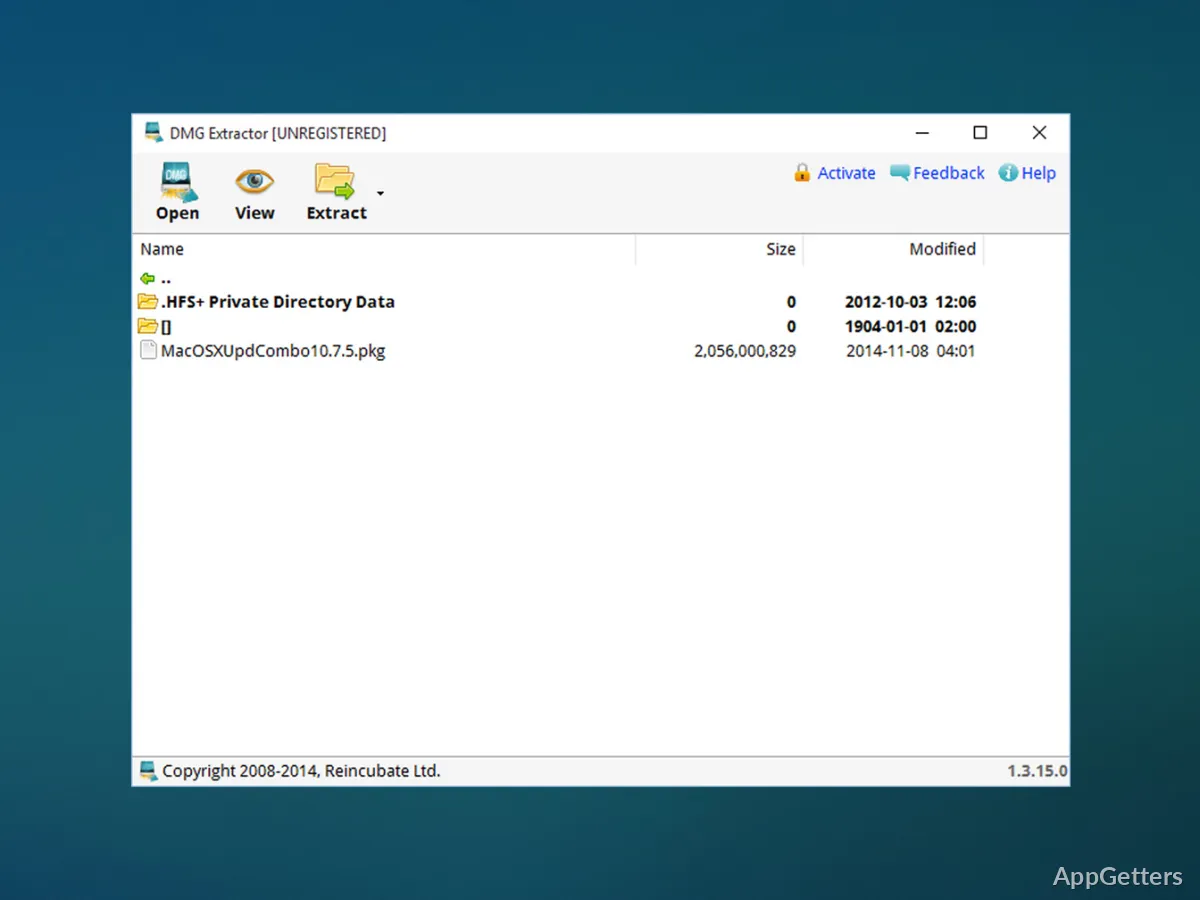
DMG Extractor is a program that serves one purpose: to extract or open files from DMG archives only. The steps to go through are quite simple. The application displays all the contents inside a structure comparable to that of a folder after opening the file. Even those who do not really have much experience will find it easy to figure out. This is one of the ways of minimizing the problems associated with using file formats of a different operating system.

In general, the program works quite well with the majority of DMG files, including those packed with applications or compressed data. Those who occasionally deal with DMG files, such as students who download academic tools or people accessing shared resources, will find that it presents a simple and clear method. It works without the need for any additional technical procedures.

Day-to-Day Usability and Workflow Impact

In regular use, DMG Extractor does not cause much disruption when brought into the Windows workflow. It is simple to use. Users are not asked to understand disk image formats beforehand. Previewing and extracting files selectively is possible. This comes in handy when only some parts are needed rather than the whole archive.

This type of extraction, focusing only on what is actually needed, can be a great time-saver. This is especially true when the files are large. It also means getting rid of unnecessary storage clutter. In terms of usage, the software is as-is and purposefully designed without being feature-heavy. Going for simple always pays off in such cases. This is the case for those who just want to finish a task and be done.

Performance and Functional Constraints

The performance is quite efficient when dealing with regular DMG files, but it can depend on the file size or level of compression. This is typical for this kind of tool. In some situations, extraction takes place without glitches.

On the other hand, the program has some quite obvious constraints. It is only for reading DMG files and extracting their content. It is not for creating or editing them. Users who want to go deep into macOS file system control may find it quite limited. Besides that, a small number of DMG file formats that are encrypted or highly specialized might not be fully supported. This can lead to issues when such formats are used.

Where DMG Extractor Fits in a Windows Setup

DMG Extractor works best for people who mainly use Windows but sometimes need to open macOS disk images. If the issue is basically one of compatibility, then this tool is just right for you. Home users, students, and professionals who download across platforms are the ones who will most probably find it useful.

Acting as a focused utility, the program performs this role well rather than being a general solution. With this perspective, it can be a dependable addition to your Windows set of tools. This is especially true when you have files that would not be accessible without using other systems or finding a workaround.

Software Details of DMG Extractor 1.3.20.6

License
Free
Version
1.3.20.6
File Size
4.05 MB
Downloads
0
Language
English
Category
Op. System
Windows
Developer
Last Updated
January 28, 2026

Version History

2 versions
1.3.20.6
Latest
4.05 MB
January 28, 2026
1.3.19.5
3.7 MB
June 20, 2023

Leave a Comment

Your email address will not be published. Required fields are marked *

Software Icon
Security Report

Loading scan data...

Scroll to Top