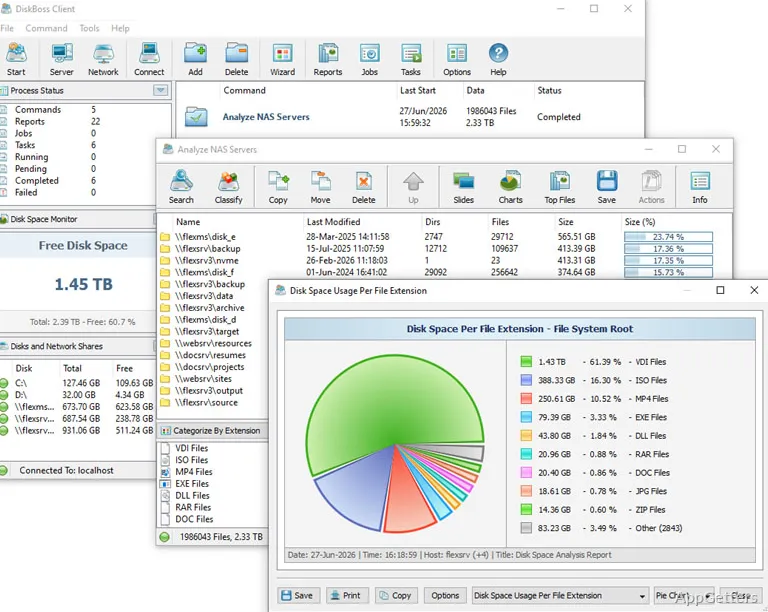
A disk scan produces a view of how storage is used, with file categories and locations available for further investigation. DiskBoss also includes tools for finding duplicates, managing files by rules, and monitoring changes to disks.
DiskBoss breaks down disk-space usage
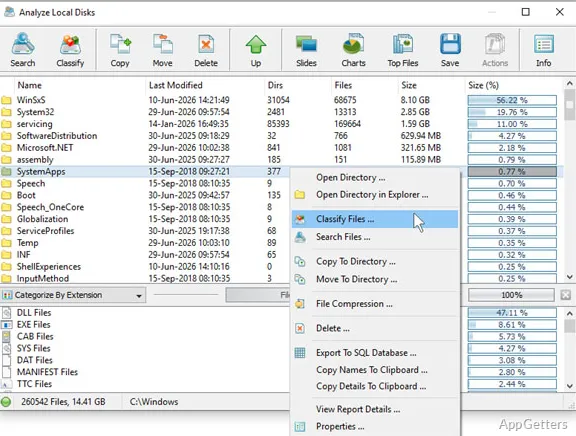
Run a disk-space analysis to examine files and folders, then use file classification and cataloging to sort the results into a more structured view. This can reveal which file groups or directory areas account for storage use. The analysis and classification reports provide a way to inspect the scan results beyond the overall amount of space occupied.
DiskBoss also has a duplicate-file search. After locating duplicates, its cleanup functions let users act on those results. Keeping the search and cleanup workflow alongside disk analysis makes it easier to investigate storage use and handle redundant files from the same application.
Rules can automate file management
Rule-based file management applies user-defined conditions to file operations. DiskBoss can also perform file searches using rules, which lets users specify what to find. For recurring storage tasks, policy-based management can reduce the need to repeat the same manual sorting or search process.
- Search for files using defined rules.
- Manage files through condition-based policies.
- Use the disk-change monitor to track storage activity.
Synchronization and migration handle file transfers
DiskBoss includes file synchronization for keeping selected file sets aligned, as well as secure file synchronization. File copy and data migration tools cover transfers between storage locations. These functions give the program workflows for both ongoing synchronization and one-time data moves.
Secure deletion and command-line tools extend its workflows
Bulk file deletion and secure data wiping are available for removing files. DiskBoss also includes a command-line utility, which provides a way to run supported operations outside the main graphical interface. Together with disk analysis and monitoring, these tools cover several distinct storage-management tasks.
Pros
- Analyzes disk-space usage and classifies files
- Searches for duplicate files and supports cleanup
- Includes rule-based file management and disk-change monitoring
- Offers synchronization, migration, and secure data-wiping tools
Cons
- The download is a trial version
System requirements: Windows 7, Windows 8, Windows 8.1, Windows 10, Windows 11 · 2 GHz or better dual-core CPU · 4 GB system memory · 100 MB free disk space
What can DiskBoss analyze?
It analyzes disk-space usage and provides file classification and cataloging, along with reports for examining the results.
Can DiskBoss find duplicate files?
Yes. It searches for duplicate files and includes cleanup operations.
Does DiskBoss monitor disk activity?
Yes. It includes a disk-change monitor for tracking changes to storage.