EXE
Home » Software » Windows » 3D Modeling » DIALux Evo for Windows
DIALux Evo for Windows

DIALux Evo for Windows

  • By DIAL GmbH
  • Free
  • Version: 13.1 build 5.13.2.0
  • 435.99 MB
  • Security Report:

Sometimes lighting design software looks way simpler than it really is. Lots of programs promise detailed planning and visualization. But the main issue is how to achieve technical correctness while at the same time making the workflow easier. This is especially true for new users in the field. For architects, interior designers, electrical planners, and students, lighting layout is more than putting the lights on the digital floor plan. They need to consider, at the same time, lighting levels, room shapes, energy aspects, and quality of presentation. DIALux Evo is one of the few handy Windows-based tools that still tries to merge these different needs into one single user environment. It does so without becoming too specialized for only large engineering firms.

Built Around Real Lighting Planning Workflows

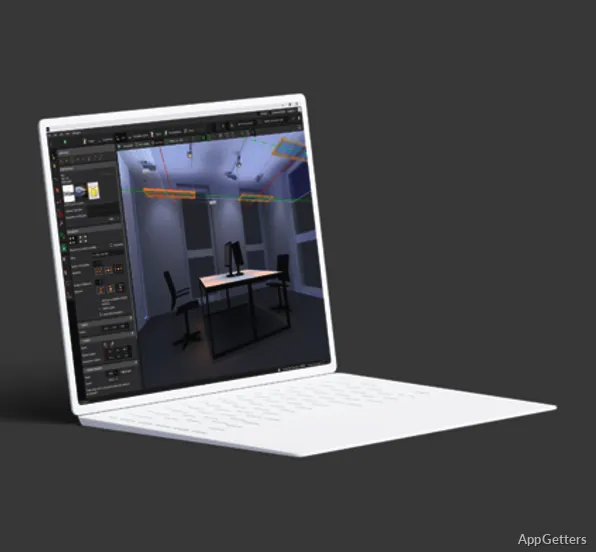
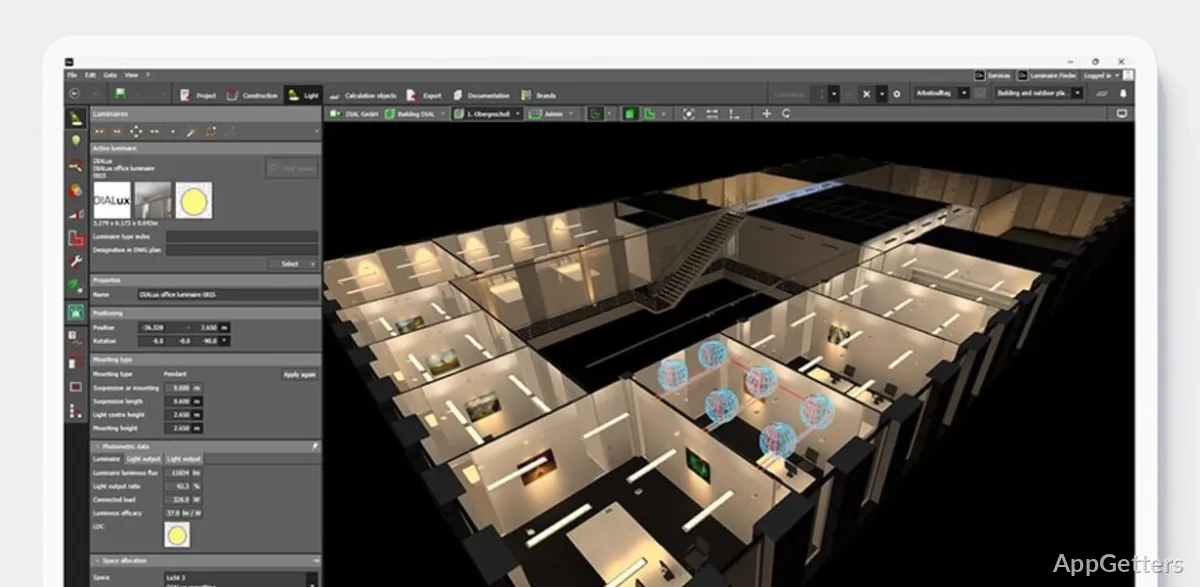
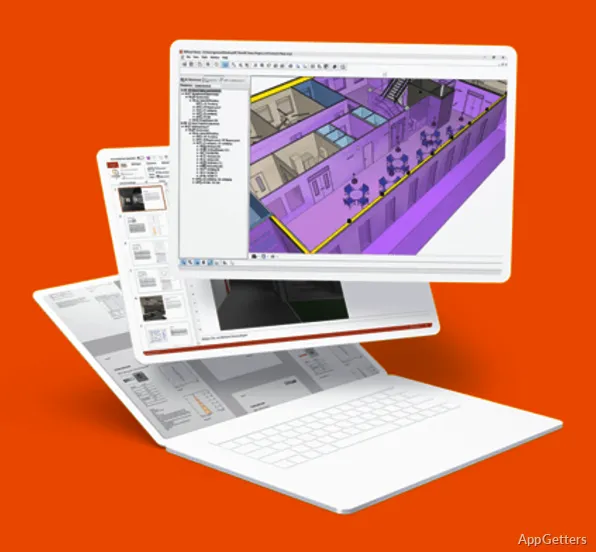
DIALux Evo is designed around the core of lighting design: the project. A mere fixture placement tool, that’s not what it is. In actual usage, it rather resembles a professional design tool than a mere visualization tool. Users are able to design spaces, bring in CAD plans, and set up windows and materials. Finally, they can experiment with different lighting scenarios to see their effect on visibility and mood.

The program supports lighting both inside and outside spaces. So one’s work can cover a wide range of different activities. Apart from the regular lighting of rooms such as offices, schools, and shops, the software also covers the design of street lighting and other exterior layouts. The step-by-step progression is reasonably kept in line with the way real-life projects go. It moves from the creation of the room to technical calculations and the generation of graphic reports.

If you have ever used architectural software, the overall structure would be quite reasonable to you. But newcomers might require some time to master the basics as well as the order of tasks, packing calculation standards, and lighting data.

Visual Accuracy and Technical Detail

Among the great things in DIALux Evo, one is the tie between deeply technical light analysis and light visualization. Users can rely on the software when deciding where to place the light. It can very thoroughly depict light distribution areas, glare, brightness uniformity, and how shadows will behave. This happens even before installation is carried out.

The images produced here may be realistic enough for the client’s presentations and planning discussions. But then they are not designed to be pitted against cinematic rendering software. Users get from the software not only the technical layering and calculation representations but also the more photo-realistic picturing. That can be used to judge lighting from the point of view of both regulations and aesthetics.

Performance is dependent on the complexity of the project. Large and complicated scenes, especially those with many imported objects or fixtures, may turn out to be slower on mid-range Windows systems. Another aspect is that the interface of the program becomes more and more demanding. This happens as the size of the project grows. After all these, the software performance during long editing sessions was generally found to be quite stable. That is a very important aspect, especially for professional use, where projects may stay open for several hours.

Learning Curve and Daily Usability

DIALux Evo has an easy-to-use approach compared to the typical engineering lighting tools. But still, it demands some effort from the users in terms of learning design methods in an organized way. The working environment looks very much like CAD and 3D planning programs, with side panels, project trees, and layered editing controls.

Most of the students and new designers are buying the visual editing style mainly because it makes light manual calculations simpler. On the other hand, those who only require a quick room mockup might consider all the setup work not worthwhile for small projects. Another thing that differentiates a workflow is importing the manufacturers’ fixture libraries. This again requires some learning about lighting data formats and their compatibility.

Extensive documentation and tutorials reduce the difficulty of the initial learning phase. Many users, after the initial period of getting used to the software, felt that it supports repeatable workflows well. In particular, for offices, educational centers, and commercial lighting plans that need both calculation and presentation materials.

Where DIALux Evo Fits Best

DIALux Evo is the perfect fit for those who want lighting design to be not simply educational in visual terms but reliable as well from a technical point of view. It is fine for architecture students, electrical planners, interior designers, and consultants who frequently design lighting layouts for rooms. They require tangible and measurable outputs rather than simply decorative previews.

The software is not really suitable for casual home users who want quick interior mockups. Simply because the project setup process includes much more detail than the other simplified design tools. But when it comes to teaching and professional planning, this regimented way of working can actually turn out to be one of the major advantages over time.

Its best-selling point in the Windows environment is that it can serve as a link between tough engineering calculations and presentation-level lighting design. Those users who are ready to invest time in learning the process will be rewarded with a trusted setup. That will help them in creating lighting plans that are based on real project requirements rather than on notions of visual experiments only.

Software Details of DIALux Evo 13.1 build 5.13.2.0

License
Free
Version
13.1 build 5.13.2.0
File Size
435.99 MB
Downloads
2
Language
English
Category
Op. System
Windows
Developer
Last Updated
September 11, 2025

Version History

2 versions
13.1 build 5.13.2.0
Latest
435.99 MB
September 11, 2025
11.0
511.85 MB
February 1, 2023

Leave a Comment

Your email address will not be published. Required fields are marked *

Software Icon
Security Report

Loading scan data...

Scroll to Top