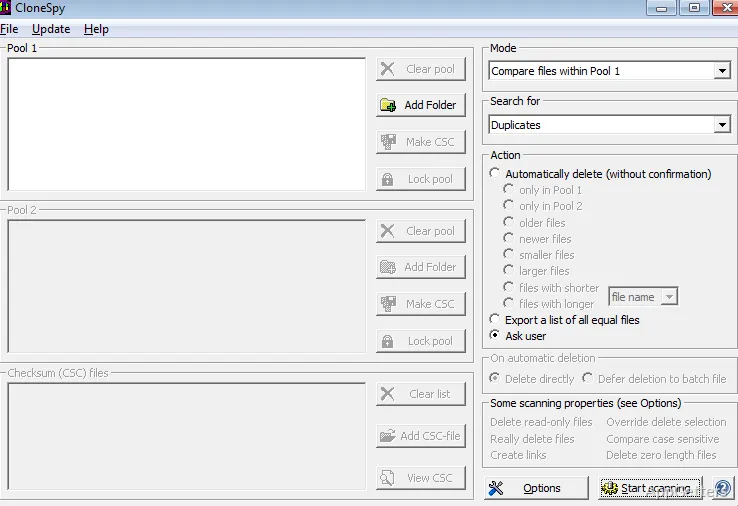
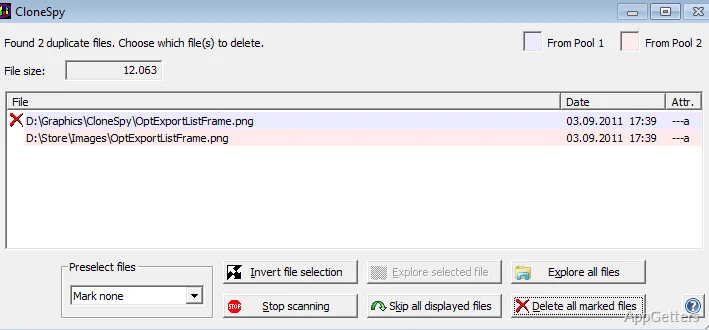
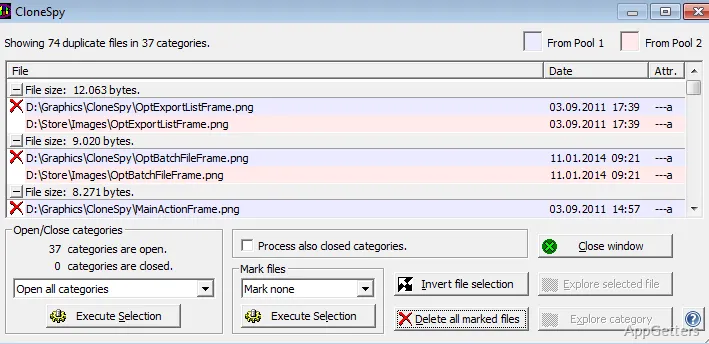
Several search windows let you set up file checks and choose what CloneSpy should do with matches. The program can find files with identical content as well as files that share selected traits, such as a name, date, time, or similar size.
Content and attribute checks
CloneSpy can compare file contents to locate true duplicates, including copies stored in separate folders. It also checks selected attributes such as file name, date, and time. These criteria can surface files that resemble one another without having identical contents.
The program can flag files with the same name or a similar size, which may be worth distinguishing from exact duplicates. It also detects zero-byte files, which contain no data.
Search windows and match handling
Set up a search through CloneSpy’s search windows, then choose whether matches should be handled automatically or presented for confirmation. Depending on the selected action, the program can delete files or move them to a specified folder.
A review step matters when a search uses names or sizes as criteria: those attributes alone do not prove that two files have the same contents. Content-based matching is the relevant choice when the goal is to identify exact copies.
Choosing a search
For repeated downloads or copies scattered among folders, compare contents to find identical files. Attribute checks offer another way to find files that may look alike, while the zero-byte check singles out empty files. Choose the match-handling option to suit the search: automatic action, or confirmation before CloneSpy deletes or moves files.
Pros
- Finds identical files across different folders
- Can flag same-name, similar-size, and empty files
- Can delete matches or move them to a chosen folder
Cons
- Same-name or similar-size matches may not contain identical data
System requirements: Windows 7, Windows 8, Windows 8.1, Windows 10 · 32-bit and 64-bit
What kinds of duplicate files can CloneSpy find?
It finds files with identical contents and can also flag files based on names, dates, times, similar sizes, or zero-byte length.
Can CloneSpy move matches instead of deleting them?
Yes. It can move selected matches to a specified folder, either automatically or after confirmation.
Are same-name files necessarily identical?
No. A matching name or similar size does not establish that two files have identical contents.