Camcorder DVD that was never finalized, or an old CD that Windows says is blank? CDRoller scans CDs, DVDs, and Blu-ray discs, including damaged discs and DVDs that recording devices left unfinalized.
Recovering files from damaged and open discs
CDRoller can read disc sectors directly, bypassing the Windows file system. This approach is intended for discs that appear blank, cannot be opened normally, have damaged file structures, or were not closed correctly. Its fault-tolerant UDF reader also handles discs formatted for use like a flash drive.
For non-finalized DVD recordings, the program can recover video and photos from discs made by standalone camcorders and recorders. It also supports M2TS video recovery from unfinalized AVCHD camcorder discs. Recovery results depend on the condition of the media; damaged sectors may leave some files incomplete.
- Finds lost files on multisession discs and discs with corrupted folders.
- Can locate image files by content, including when names or extensions are missing.
- Reads ISO images and several disk-image formats, including E01, L01, DD, VHD, and VHDX.
What can you do with recovered video?
CDRoller can play recovered audio or video and convert recovered VOB or VRO video to MPEG-2. It can also convert MPEG-2 and AVCHD files to MP4 using supported codecs such as H.264, H.265/HEVC, VP8, Xvid, or MPEG-4. Selected video sections can be saved as separate files, and batch conversion is available.
Disc images, inspection, and backup
The low-level sector viewer displays disc contents as text, binary, hexadecimal, or Unicode data. CDRoller can scan sectors or files for particular content, including patterns made with Perl-compatible regular expressions, and can pass selected data to an external hex editor.
For backup, it makes exact sector-by-sector images of a whole drive, a single volume or a chosen partition. A built-in burner writes recovered files or folders to CD, DVD, or Blu-ray media, and can erase rewritable discs using quick or full erase methods.
Pros
- Reads open CDs and DVDs, including Windows Live File System discs
- Recovers video from unfinalized DVD and AVCHD camcorder discs
- Creates byte-for-byte images of drives, disks, or partitions
- Includes a burner for writing recovered files to new discs
System requirements: Windows 7, Windows 8, Windows 8.1, Windows 10, Windows 11 · Intel Pentium or compatible CPU · 256 MB RAM · CD, DVD, or Blu-ray drive
Can CDRoller recover video from an unfinished camcorder disc?
Yes. It can recover video from non-finalized DVDs and M2TS files from unfinalized AVCHD camcorder discs.
Can I save only selected files from a disc?
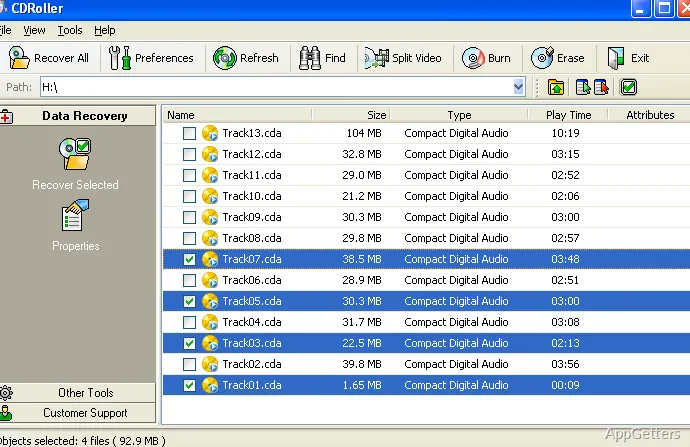
Yes. CDRoller lets you inspect disc contents and retrieve selected files instead of recovering everything.
Can CDRoller make a backup image of a drive?
Yes. It can make an exact image of a whole drive, one volume or a chosen partition.