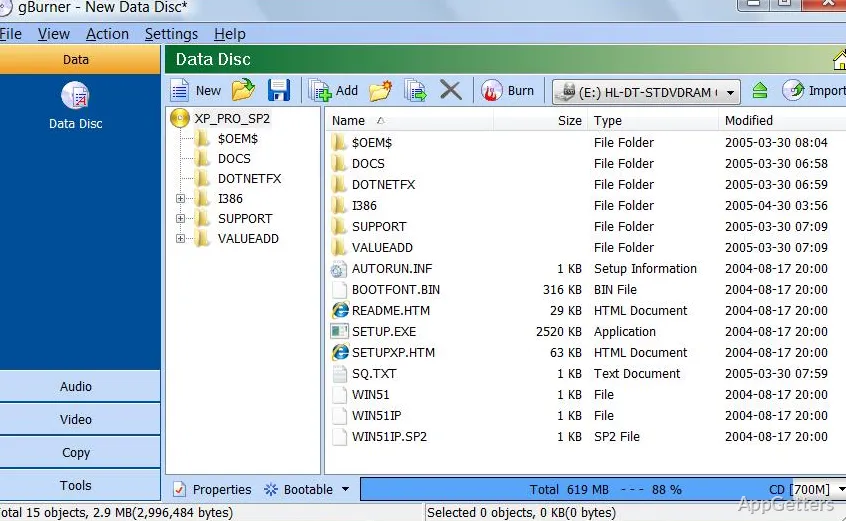
Data, audio, and video can be written to CD, DVD, or Blu-ray discs, while disc images and bootable media are handled in the same program. gBurner also copies discs, works with image files, and can create bootable USB drives for Windows or Linux installation.
Disc images and physical media
gBurner handles common disc tasks across CDs, DVDs, and Blu-ray media. It burns files and folders, creates data, audio, and video discs, and copies a disc to another disc or to an image file. Audio projects can include regular Audio CDs or Mixed Mode CDs; video options include VCD, SVCD, and DVD-Video.
Image tools cover opening, creating, editing, extracting, converting, and burning image files. Supported image formats include ISO, NRG, DMG, and BIN. The program can also append data to an existing disc to create a multisession disc.
What can gBurner do with image files?
An image file can be opened for inspection or extraction, converted to another image format, or burned to a disc. The Pro edition adds a virtual drive for mounting ISO and other popular disc-image files, so their contents can be accessed without first writing them to physical media.
Bootable media and audio extraction
The bootable USB creation feature supports Windows and Linux installation media. A separate Windows-to-USB option creates a drive intended to run Windows from USB; that feature is part of the Pro edition.
For audio extraction, gBurner can rip tracks into MP3, WMA, WAV, FLAC, APE, or OGG files. These format choices cover compressed and lossless audio output.
- Create data, audio, or video discs, including VCD, SVCD, and DVD-Video.
- Copy discs to image files or another disc.
- Create multisession discs by appending data.
Pros
- Burns data, audio, and video CDs, DVDs, and Blu-ray discs
- Creates and converts ISO, NRG, DMG, and BIN images
- Rips audio to MP3, WMA, WAV, FLAC, APE, or OGG
- Creates multisession discs and bootable USB drives
System requirements: Windows 7, Windows 8, Windows 8.1, Windows 10, Windows 11
Can gBurner mount an ISO without burning it to a disc?
Yes, with the Pro edition: its virtual drive mounts ISO files and other popular disc-image formats.
What audio formats can gBurner rip to?
MP3, WMA, WAV, FLAC, APE, and OGG.
Can gBurner create bootable USB media?
Yes. It can create bootable USB drives for Windows and Linux installation. A separate Pro-edition feature can create a Windows-to-USB drive.