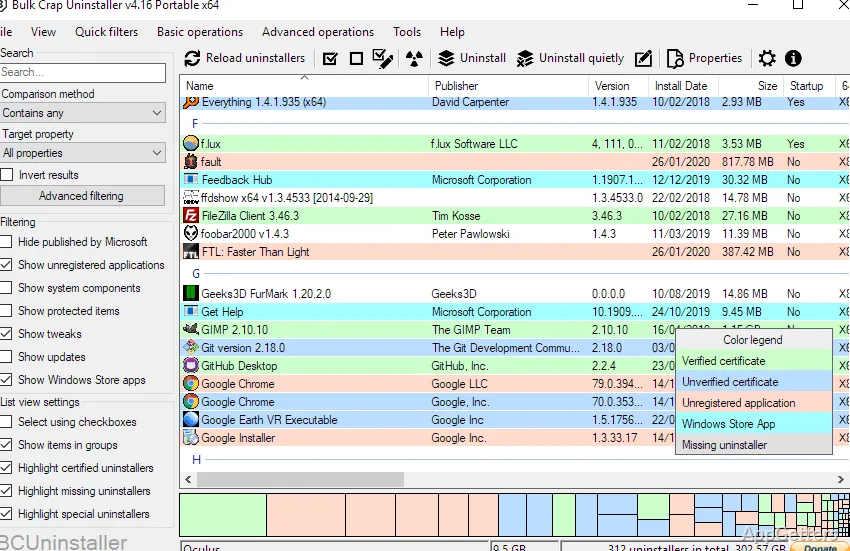
When several programs need to be removed, working through their uninstallers one at a time can take effort. Bulk Crap Uninstaller (BCUninstaller) brings detected applications into one list, where you can select a batch and automate much of the removal process.
BCUninstaller gathers applications from multiple sources
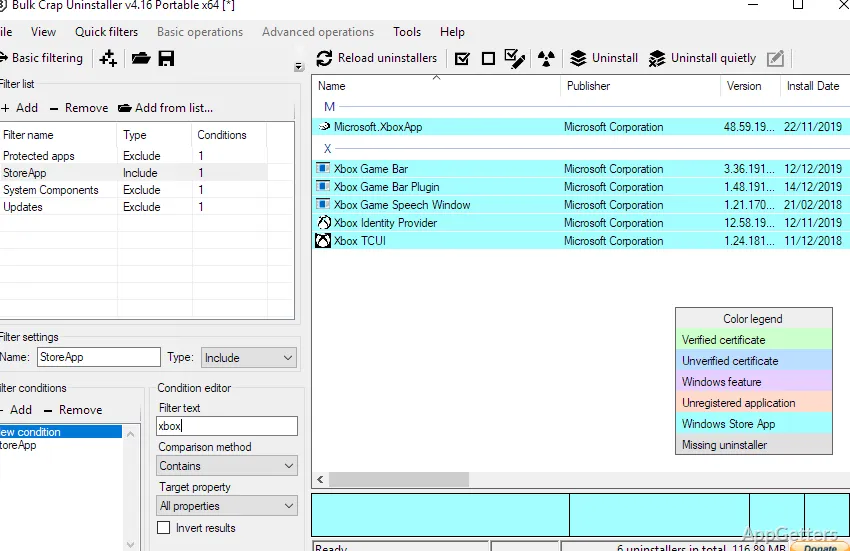
The application list can include registered programs, portable apps found in common locations or on portable drives, Chocolatey packages, Steam and Oculus items, Windows Store apps, Windows features, and Windows updates. Hidden or protected registered applications can appear as well. Filters let you narrow the list, and the collected application information can be exported.
Custom filtering rules support regular expressions, alongside preset filters.
Batch removal uses each application's uninstaller
Select multiple entries for one uninstall batch. BCUninstaller attempts to launch each program's own uninstaller, and can handle many uninstallers quietly even when they do not offer a silent mode. The batch process is designed to limit conflicts between simultaneous removal tasks, while still allowing user input when an uninstaller requires it.
- Use automatic uninstall rules based on conditions through the console interface.
- Remove an item by selecting its window, shortcut, or directory.
- Use force uninstall for an application whose uninstaller is missing or needs to be bypassed.
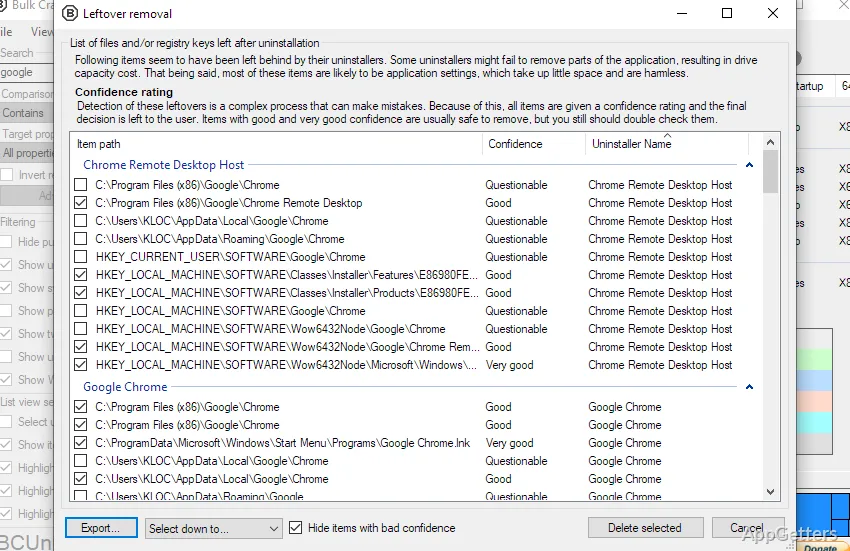
Leftover cleanup follows an uninstall
After the original uninstaller finishes, BCUninstaller can search for remaining files and registry entries. Separate cleanup tools can find unused or empty folders in Program Files. These checks offer a way to deal with traces an application's own removal process leaves behind.
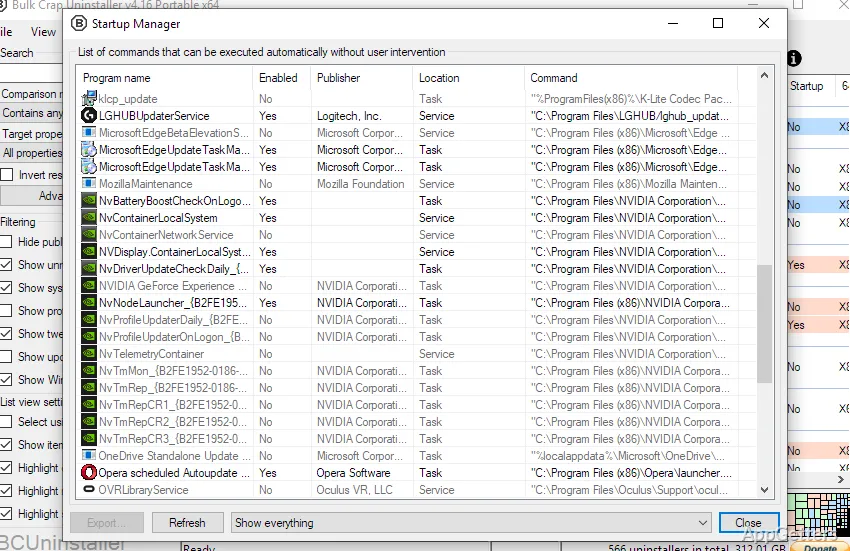
Application details and startup tools sit alongside removal
BCUninstaller displays information gathered about installed applications and includes tools for managing startup entries. It can also verify uninstaller certificates and run user-specified commands before or after an uninstall.
Pros
- Removes selected applications in batches using their original uninstallers
- Finds portable apps, Steam and Oculus titles, and Windows Store apps
- Searches for leftover files and folders after uninstalling
- Can export and filter application information, including with custom rules
System requirements: Windows 10, Windows 11 · 64-bit only · .NET 8 desktop runtime (not required for the portable version)
What kinds of applications can BCUninstaller detect?
It can detect registered and portable applications, Chocolatey packages, Steam and Oculus items, Windows Store apps, Windows features, and Windows updates.
Can it remove several programs in one operation?
Yes. Select multiple entries and run them as a batch; BCUninstaller attempts to use each application's original uninstaller.
What happens after an application's uninstaller finishes?
BCUninstaller can search for leftover files and registry entries, and it has a separate tool for unused or empty Program Files folders.