EXE
Home » Software » Windows » 3D Modeling » BricsCAD for Windows
BricsCAD for Windows

BricsCAD for Windows

  • By Bricsys
  • Free
  • Version: 27.0.59.328
  • 946.42 MB
  • Security Report:

For Windows users in drafting, architecture, or mechanical design, finding CAD software might not be their biggest challenge. What puzzles them the most is getting a reliable CAD platform that is not too expensive or hard to maintain. There are applications that offer a wide range of features but are hard to learn. There are also simplified ones that don’t fit professional workflows. BricsCAD embraces the aspects of a classic drafting application. At the same time, it introduces users to a whole new world of design possibilities.

BricsCAD is highly praised both by non-professional users and professionals, primarily for the fact that it is DWG-centric. That means that professionals who work with their project files and teams all over the place will benefit from the continuity that BricsCAD offers. The software will work just fine, even on less powerful computers. This is especially true in the case of small businesses, freelancers, and students who do not have the luxurious enterprise-grade hardware.

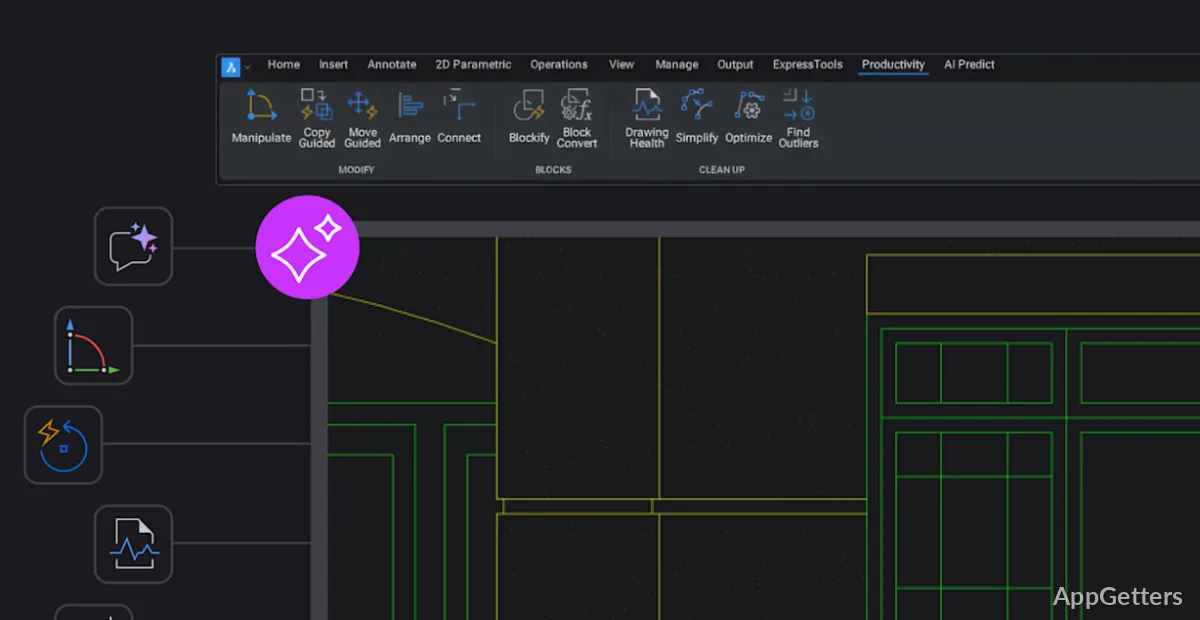
The Familiar Aspect of BricsCAD Workspace

The biggest selling point of BricsCAD is the fact that existing users of traditional CAD platforms will feel at home with it. They do not have to start over their knowledge. The interface, the layout of the commands, and the behavior of creating a drawing are so close to what most users of CAD are used to that the transition period will be very short. For companies that cannot afford to have their employees away from work for a long time, this represents a major benefit.

The software performs drafting operations fluently and efficiently. It opens large 2D drawings without any problems. You hardly ever experience delays in standard drafting. For architects and civil designers who work with DWG files in their everyday jobs, it is this dependability, consistency, trustworthiness, and operation that matters to them. It matters much more than the addition of some flashy tools that nobody ends up using. Besides, the software is flexible enough to allow advanced users to change tool palettes, keyboard shortcuts, and automation scripts. This helps ensure that the way they work is the same as before.

That being said, new users might be quite thrown off at first by the professional appearance of the interface. BricsCAD reveals its great complexity. Therefore, users searching for very simple and light drawing software might find themselves “out of their element”.

A Balance Between 2D Drawing and Contemporary 3D

In a lot of ways, BricsCAD is simply a drawing package. But the great majority of its users will have it on their computers not just because of its drafting capabilities. They also use it because it offers 3D and BIM functions on top of the traditional CAD work. It allows users to stay focused on the project without having to run two or three different software programs.

The direct modeling tools for the mechanical/product-focused industry are mature and well-tested. Editing operations on solid objects are generally very intuitive, particularly if the object is an imported one. Architects dealing with building floor plans can easily switch between their 2D plans and 3D concepts without too much change from what they are used to.

Nonetheless, the other tools in the software include very advanced and complex features. Not all of these features have been mastered by experienced BIM/parametric users. Even for a 2D drawer who decides to give the software a try, their first response to the newly discovered capabilities will be “Why do I need this?” Professionally speaking, BricsCAD becomes the best option when users extend their knowledge step by step. It is the ‘expansion, not mastery’ approach that fits the philosophy of the software.

BricsCAD Speed and Dependability for Everyday Work on Windows

BricsCAD is mostly capable of delivering very stable performance on Windows, regardless of your underlying computer hardware. Start-up time and launch time are generally well-controlled. Memory scheduling and work with 2D/3D files are also handled efficiently, especially compared to some other large platforms. Users with laptops or mid-range desktops will definitely notice a significant difference when it comes to the software’s ability to run.

Another nice down-to-earth feature is the file support. Since the CAD industry is almost exclusively based on the DWG file, interoperability with third-party teams creates much less friction overall. Distributors exchanging renderings, contractors, consultants, and educational institutions will have much less confusion with niche CAD alternatives.

No matter what, performance can fluctuate with the workload. Very large 3D assemblies or detailed BIM projects require stronger graphics hardware and further configurations. Occasionally, after a major software update, there can be some subtle quirks with the presentation of the application. This is typical for all professional CAD platforms. However, it is also something users who are working on older systems and expecting perfect operation should take into consideration.

What BricsCAD Does Best

BricsCAD is a good choice as a companion for lone workers, engineering shops, architect studios, and tech-savvy students. It is capable of delivering CAD professionally without shackling the users with a highly restrictive ecosystem. This is inherent in its strong support for continuity in drafting work. At the same time, it presents the possibility of moving to 3D modeling and BIM work gradually.

Windows is the focus of industry-oriented CAD users. So naturally, they enjoy the product as it represents a practical rather than a disruptive instrument for them. The main focus of the product is on continuity, file compatibility, and uniform performance, since these are the things that have been lacking in the industry in general. The visual aspect, the automation, or the app platforms are not attractive enough to influence a purchase. For users who are using the product for technical design routinely, BricsCAD satisfies them as a middle-tier option. Meanwhile, those who are using it at the hobbyist level probably find it too advanced.

Software Details of BricsCAD 27.0.59.328

License
Free
Version
27.0.59.328
File Size
946.42 MB
Downloads
1
Languages
English English, Afrikaans, Amharic, Arabic, Armenian, Belarusian, Bulgarian, Catalan, Chinese, Croatian, Czech, Danish, Dutch, Estonian, Farsi, Finnish, French, German, Greek, Hebrew, Hindi, Hungarian, Icelandic, Indonesian, Italian, Japanese, Kazakh, Korean, Latvian, Lithuanian, Malay, Norwegian, Polish, Portuguese, Romanian, Russian, Serbian, Slovak, Slovenian, Spanish, Swahili, Swedish, Tagalog, Thai, Turkish, Ukrainian, Vietnamese, Zulu
Category
Op. System
Windows
Developer
Last Updated
April 29, 2026

Version History

1 version
27.0.59.328
Latest
946.42 MB
April 29, 2026

Leave a Comment

Your email address will not be published. Required fields are marked *

Software Icon
Security Report

Loading scan data...

Scroll to Top