Need to get to your home or office PC from another computer or your phone? AweSun provides remote control and file transfer in one client. Sessions can include several screens from the remote PC, and the program also offers remote command access through RDP and SSH.
Connecting to a PC from another device
AweSun supports PC-to-PC access and control of a PC from a mobile device. During a session, the remote screen can be controlled, and multiple displays connected to that PC can be managed at once.
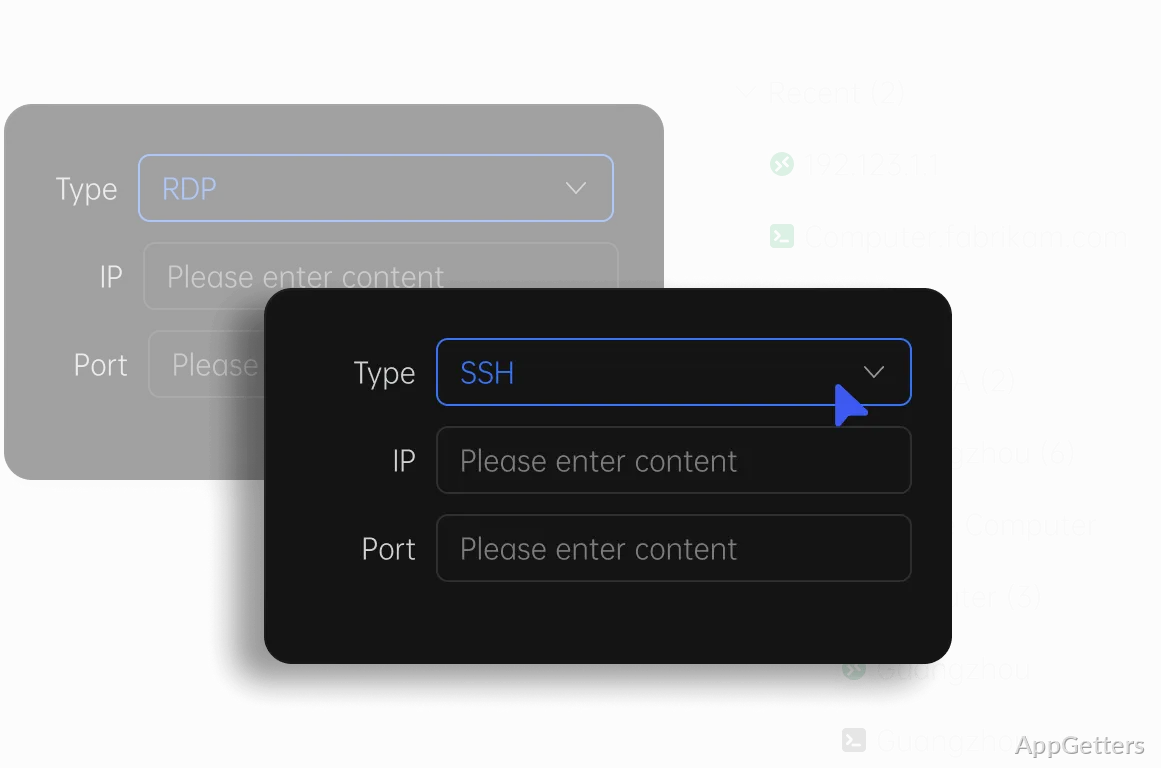
For remote IT tasks, AweSun also includes RDP and SSH access. These options provide other ways to connect to remote systems, alongside its standard remote-control workflow.
How do file transfers work?
Files can move between connected devices through copy-and-paste or drag-and-drop. The program also advertises direct device-to-device drag-and-drop transfer without uploading files to cloud storage.
Remote mobile features and access controls
AweSun’s remote mobile-device tools include full-screen control with native screen-swipe gestures. For Android devices, the remote camera feature can show the camera view and switch between the front and rear cameras.
Access controls include a consent step for remote connections, alerts when a device is being controlled, and options to block unfamiliar accounts. The controlled computer can also disable mouse input or file transfer during a session. Blacklists for IP and MAC addresses provide additional ways to restrict incoming access.
Pros
- Transfers files by copy and paste or drag-and-drop
- Controls all remote PC screens at the same time
- Includes RDP and SSH remote-access methods
- Can view an Android device’s camera remotely
Cons
- iPad support as a second monitor is still in development
Can AweSun transfer files between connected devices?
Yes. Copy and paste or drag files between the two devices; direct device-to-device transfers do not go through cloud storage.
Can AweSun control a PC from a phone?
Yes. A phone can control a PC, and Android devices can also be reached remotely, including a live view of their front or rear camera.
Does AweSun support multiple remote screens?
Yes. All monitors connected to the remote PC can be controlled at the same time.
How does AweSun stop unwanted connections?
The controlled computer can require consent before a session starts, shows an alert while it is being controlled, can block unfamiliar accounts, and supports IP and MAC address blacklists.
Does AweSun work with RDP or SSH?
Yes. Besides its own remote-control mode, it includes RDP and SSH access for IT maintenance tasks.