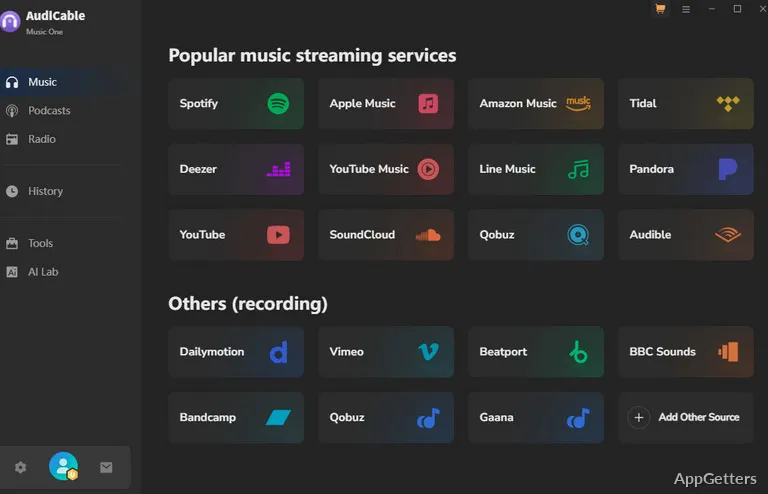
What does AudiCable Audio Recorder actually do? It is a paid Windows and Mac program that records or converts music from streaming services and internet radio into ordinary audio files, and adds a podcast and radio library. Saving music from paid streaming services breaks their terms of service and may be illegal where you live.
Choose a mode for the audio source
Supported sources include the major streaming apps, from Spotify and Apple Music to Tidal and Deezer. App Mode handles music from desktop apps, while Web Mode works with web players. Record Mode captures audio as it plays, including system sound.
Other websites can be added as sources too. Recording in real time means the capture takes as long as the audio playback.
Save recordings in a compatible format
Saved audio can be MP3, FLAC, ALAC, AAC or uncompressed WAV/AIFF. AudiCable also retains ID3 details such as track title, artist, album, artwork, track number, and year. An ID3 editor in the toolbox lets users adjust tag information.
Find radio and podcast programs
The built-in library provides search and playback for radio shows and podcast episodes, with options to download episodes or record internet radio. Free podcasts and radio are the clearly legitimate part of the program.
Use the included audio tools
Beyond recording and conversion, the toolbox includes a format converter, CD burner, AI audio splitter, and AA/AAX audiobook converter. The audiobook converter removes Audible's protection, which is illegal in many countries.
Pros
- Lossy and lossless output formats
- Includes App, Web, and real-time Record modes
- Retains ID3 tags and provides an editor
- Built-in library for podcasts and internet radio
Cons
- Saving from paid streaming services breaks their terms
- Audiobook DRM removal is illegal in many countries
- Real-time recording takes as long as playback
System requirements: Windows 7, Windows 8, Windows 10, Windows 11
Which audio formats can AudiCable save?
MP3, AAC, FLAC, ALAC, WAV and AIFF; podcasts can also be saved as MP4.
Can AudiCable record internet radio?
Yes. It can record internet radio, and its built-in library also lets users search and play radio shows.
How do the recording modes differ?
App Mode works with desktop music apps, Web Mode with web players, and Record Mode captures audio in real time.